loading...
DotNek app development
DotNek بازدید : 89 دوشنبه 17 خرداد 1400 نظرات (0)

Examining the performance of a website is very important and helps in optimize the site , and this tool also has other capabilities that we have mentioned below.

1- Giving information about the performance of the site content:

Search Console analyzes the site and ultimately provides reports through which you can conclude how your website and your content have performed in search results, in the search console, you can see how much traffic each of your keywords has generated for the site, and which of them has generated the most traffic and ranked you higher in search results.

You can also see how the changes that have occurred in the performance of your website by updating its content, and the effects that the update and new keywords had in optimizing your website , in general, the search console thoroughly analyzes the content of the site and shows you the performance of all parts of the content.

2- Create and register XML sitemap:

Sitemap is a file that contains information about the content of pages, photos and other important site information, and it also identifies the relationship between them, which helps Google bots to analyze the site more detailed.

In other words, a sitemap is an XML file that contains a list of all the URLs, by using the sitemap you have access to more information about the URLs. It also identifies the most important contents among others, so that Google can index the website easily.

3- Identify the most visited pages of the site:

Your site has a lot of pages that each page has a different amount of visitors, as a site owner it is definitely important for you to know which of your pages are the most popular ones, then analyze these pages and perform the same function for other pages to make them popular, the search console will help you along the way, and it will show your popular pages as well as the keyword traffic

4- Giving information about the problems on the site and its solution:

If you do not know about the problems on the site and do not take any action to solve it, you will face a decrease in the ranking of our site on the Google search engine results page over time, the solution to this problem is the search console through which you can find information about security issues or other errors.

Simply put, if there is a problem on the site, Search Console will send you a message stating that there is a problem and its solution, so that you can take action to solve it as soon as possible.

5- Checking the performance of the site in the mobile device:

One of the factors that causes a site to attract more traffic is the ability to run the site on mobile, these kinds of websites are called mobile-friendly websites, which increases the number of website users as well as providing a positive user experience, search Console gives this opportunity to webmasters to use it to check whether the site contains usability standards for running a website from smartphones or not, through the mobile usability tool.

6- Check which sites have linked to your one:

Backlinks are very important in SEO and as you know, each link that a site gives you is counted as a vote for your website and if the site is valid, the value of this vote will increase, all of which are checked by Google algorithms, search Console allows you to see which sites have linked to you and shows a list of them, you can see specific pages that have linked to your site and see the cases in which other websites linked to your one.

7- Find broken links and repair them:

Links generally optimize the site , but if they are implemented in accordance with the rules, you can expect positive effects in SEO from them, but if they are not implemented properly, they can have a negative impact on the user and Google search engine, the solution is that broken links can be found and repaired through the console search.

8- Notify Google of any changes you make to your site quickly:

If you make significant changes to your site, you should notify Google which you are able to do it through the search console , and Google will quickly review the changes in your site ranking, for example, the change you made in the domain name of the site is one of the factors that you should notify Google immediately, you can enter the URL of your page in the URL Inspection tool section and click the Request Indexing option to allow Google analyze your site quickly.

9- See if your users are the target ones:

You may have a local site and your business is more responsive to the needs of that geographic location, and you want to see where users of the site come from and how many users come from the geographical area where your business is located, all of which can be found through the console search.

10- Solve the problem of your site security if exists:

What is a search console? What capabilities does it have?

Imagine users entering their important information to buy something from your site, and then this information is stolen due to lack of security on your site, then do you expect the user to trust you? Will the user receive a positive user experience from Your site? The answer to these questions is definitely no, so you can find out about the security flaws in your site through the search console and fix this problem as soon as possible, as a result, users can trust your website and do their online shopping with no concern.

Last word:

Briefly, as we mentioned at the beginning of this article, the search console helps to optimize that site by examining the performance of a site, so that it help your website stand out among other websites on the search engine results page, so that achieving success will be easier for you, it also has many capabilities that make it attractive to beginner and professional users, so that this is a necessary tool for everyone who wants to have a website or online marketing because of its advantages.
DotNek بازدید : 104 دوشنبه 17 خرداد 1400 نظرات (0)

To attract users to the site, a number of features must be observed throughout the site, so that users from the moment they click on the site to the time that they want to leave it, gain a positive user experience which this positive experience will ultimately affect our business, in addition to these features, a number of pages must be present on the site so that they can guide users properly, which we will discuss in the following.

What pages does a site need?

Pages that a site needs:

1- Homepage:

The first page that any site needs is the Homepage, which the user can return to this page with a single click, as we mentioned before, attracting visitors to the site and turning the visitor into a real customer is very important for the site, this page can help a lot in this direction, in fact, when the users enter the site, the first page that they encounter a page which is called homepage, and by reading this page they can quickly get acquainted with the site owner's field of business and the general topic of the site, in order to choose whether this site can really meet their needs or not.

Do not fill the main page with a lot of images and also try to designing the site logo and design an attractive according to the website theme.

- Site menu:

Creating a suitable menu allows the user to access different sections more quickly, and finally sees all the services in the site menu and does not need to scroll to realize all the services.

- Title:

As you know, the title is very important and you should quickly notify the user of the site subject and the user should be completely informed about the overall content of the site.

- User login section:

The user login section makes access to the site more private, for example, users should enter the site with a username and password that they choose after registering on it.

- Wallpaper:

The image chosen for the background of the main page is so important because most users are attracted to it and spend more time on the site.

- Description of site features and characteristics:

Imagine that you want to offer a service or product to users who visit your site, in that case you can mention these features and benefits in a part of the main page of your site, so that the user can choose the product with more knowledge.

- Submit a suggestion on the main page:

For example, imagine that you have a site for selling Christmas trees, you can sell a number of your trees near Christmas, you should put this offer on the main page of your site.

- Footer:

The elements that make a footer include contact information, address, social network icons and etc., that are placed on this page.

- Links to social networks:

Today, users spend a lot of time on social networks, and if you want to be seen more, you must place the links of the social networks in a specific place on the main page.

2- About Page:

About Page makes users aware of the importance of your brand, you can tell stories in this section to attract more users to your site and encourage them to see your entire site, if an interesting story about the reason why you started your activity and etc., which attracts the user, you can express on this page.

All pages of a site, including this page, should be designed according to the user's needs to encourage him/her to view other pages as well. You can also use multiple languages ​​for this page to increase your users.

3- Services Page:

The service page is one of the most important pages on a site and ultimately leads a visitor to become a customer, on this page, you should describe the product in such a way that users can get the feeling of using the product, so that users have a better understanding of the product, in this case you can make a video of the product and share it.

Also, on this page, after stating the characteristics of the products and the way of sending them, you can mention their prices, so that users can decide whether to use the product or not with enough information.

4- Blog Page:

In this page you can put the latest products and services that you have provided, also these pages should be in a way to attract users.

Blog posts can contain valuable and quality information related to the topic, it should be noted that in these posts you should not advertise your product, but you should suggest appropriate solutions to gain a positive user experience.

5- Contact Page:

Contact Page is one of the most valuable and important pages and sends signals to users that this site gives valuable to its users, there are some people who are waiting to answer any questions which user may have about the site, products, services, how to register on the site, etc., so that user can get a better experience while using the site.

Also, on this page you can find out the opinions of users about products and services and try to improve them, so that you can ultimately attract more visitors, the important thing about this page is that the Contact Page should be available to users, and they should be able to access it with one click.

6- Privacy Policy page:

This page is especially important for sites that do online shopping in which all the rules that users must follow to buy the product are stated on this page, you can also add a security statement.

7- reviews page:

No matter how much you describe the products and services as a provider, it does not affect users as much as the opinion of the user who has used the products does, there are different ways that users can express their opinion about the product, for example, you can attract customers to make a video of themselves while using the product and express their experience of using it by offering a discount, so that other users can get help from it and get to know the product better.

8- Sitemap page:

increase the site ranking .

DotNek بازدید : 93 دوشنبه 17 خرداد 1400 نظرات (0)

Google search engine makes a lot of efforts with the help of bots and algorithms to find the best quality sites and create a positive user experience for users through them by viewing quality websites in the Google search results page, that each of them can be good answers to their questions, the way Google algorithms work is different, and the factors that each of them evaluates are not the same as each other, and they rank websites according to their factors, however, Google has introduced many tools through which various factors can be measured on the site, one of these tools is Google Lighthouse , through which you can measure the credibility of a site, which we will learn more about in this article.

What is Google Lighthouse?

What is Google Lighthouse?

Google Lighthouse is one of the free tools of Google that helps a lot in improving the site and analyzes the site page experience and provides important tips to improve it. In simpler terms, a site should be good enough to attract users, so you should evaluate each of its parameters, Google Lighthouse is provided to analyze factors such as speed, performance, security, SEO, accessibility, and etc., so that you can obtain accurate information with just a few clicks through this tool.

Which factors does Google Lighthouse evaluate?

Google Lighthouse generally focuses on five factors including, Performance, Best Practices, Accessibility, SEO, and PWA. In fact, Lighthouse with a 1 to 100 rating system, lets you evaluate your site pages which helps your improvement, so you can attract more visitor to your website, another criterion that has a great impact on the ranking is the loading speed of a site, which can be analyzed through this tool.

As you know, the low loading speed of pages has a negative effect on the site ranking, this problem can be solved through this tool, it generally provides website owners with good information about the performance and quality of the site. As we mentioned above, it evaluates five factors which we will discuss them more detailed in the following section.

1- Performance:

In this section, the page loading speed is observed and evaluated, and all the factors which affect the speed are being analyzed in this part.

It generally analyzes 6 speed criteria:

- First Meaningful Paint:

Indicates how long it takes for the user to see the main content of the page.

- First Contentful Paint:

As the name implies, this factor is the time it takes for the first photo and text to be displayed for the user.

- Speed Inex:

This factor determines the speed at which content is displayed during loading.

- Time to Interactive:

This factor shows the time when the user can fully interact with the page and its content.

- First CPU Idle:

This factor determines when there is a lack of activity on the page.

- Estimated Input Latency:

If the user access time is more than 50 seconds, the site is very slow, in general, once you are provided with this information, there are ways to improve the speed factor. Among the things that this tool offers to speed up the page loading speed, you can change the size and form of photos on the site, compress the existing text, select a photo with smaller sizes, compress CSS and disable the ones among those that cannot be used, reducing the time it takes for servers to respond, getting help from timing tests, reducing the time it takes for content to be uploaded, and so on.

2- Best Practices:

In this section, the tool performs the necessary checks whether all the information which have entered is from a safe source or not, it also checks other things, such as evaluating JavaScript libraries.

3- SEO:

In this section, a large number of factors are examined, one of them is the ability to run the site on a mobile device and assess whether the site is crawled by Google bots or not. It should be noted that all items in this section are carefully analyzed, and if your site cannot get a high ranking in this section you should try to solve the problems of your site, which you are able to use the tips provided by this tool to improve the site, and get the best results in the field of optimization and attracting users.

Among the reports provided in this section, in addition to the fact that the site has no title, the meta description is not specified, the appropriate font for the site is not selected, the linking is not done correctly, the page has invalid HTTP code, the page is not indexed, and all the things that play a role in optimizing the site, which by observing all these points, you can improve the speed of the site and increase the quality of it to be seen at the top of the search engine results page like Google.

4- Accessibility:

This tool in this section examines the ability of a website to respond to people with physical disabilities, and accordingly gives a score between zero and one hundred to the site, you should take action according to the point that have been given to you to know and make the site suitable for people who are not able to use the content of the site easily, so that users can gain a better experience and share this experience with their friends.

In general, the following points can be observed in this section:

- There may be the visually impaired people who want to use your website information, in which case you must optimize the site in such a way that the page reader tools can easily identify these sections and execute the audio form of it.

-People who visit your site may have difficulty in recognizing colors correctly, in which case the color management of the website should be done in the best possible way for such people to optimizing website as well as increasing the traffic to your website by attracting more users because of providing them with good opportunities such as the ones we have mentioned in this article.

DotNek بازدید : 80 دوشنبه 17 خرداد 1400 نظرات (0)

Today, users spend many hours a day on Instagram, and save the content which they find interesting, or they may share it with their friends, which causes the content to be shared among more users, due to the importance of Instagram because of many users who spend time on it, the owners of the site should try to publish the content of their site on this social network which for doing this is necessary to follow some tips.

to publish site content on Instagram

What is Instagram?

Instagram was created by Kevin Systrom and Mike Krieger, which is actually a popular social network where you can share photos and videos and users can share their favorite content with others through it, on Instagram, content must first be generated and then shared.

What is the meaning of content production on Instagram?

Generating content on Instagram means creating and categorizing information in the form of photos, videos, captions and etc., which can ultimately convey a message to the user.

How to produce content on Instagram and publish site content on it?

1- Selecting an attractive photo:

Imagine that you want to publish content from your site on Instagram which is important to you, for doing this you need to display an attractive image, because at the first the users see this image on your social network, and if they find it attractive, they will be attracted to it.

You should be careful in choosing a photo, for instance, if your site is related to selling products, you can get help from quality images of your products, and if it is related to providing other services, you can choose a photo according to the theme of your site.

Simply put, you should select an image that is related to the topic, so that the user can understand the subject of the content by viewing the image.

Also, one of the most important points in choosing a photo is the size of it, which you should try to choose the right size, photo publishing has two stages, the first step is producing a quality photo and the next one is publishing that photo.

2- Produce different types of content:

Users generally attract to the variety, and if you pay attention to this factor while producing content, you can encourage users to view your other posts, images, videos and GIFs can be used depending on the subject of the site content, one of the most attractive type of content is video, which can show all the dimensions of a product to the users, so that they turn into a real customer, GIF is also very attractive to users and is one of the simple and useful ways to interact with users.

3.Use appropriate hashtags:

Just like when you use keywords in content production, you should use hashtags on Instagram that attract a lot of users to your page, so that users can reach your post by searching for these popular hashtags, to choose the right hashtag, you should pay attention to the content of the site and use the ones according to the subject of this content.

In some cases, it may also be possible for you to use the keyword which you have used on the site, on your Instagram too, and get a lot of visitors to see your content, in the Instagram search section, there is a section called Tags that users can reach the posts related to a particular tag by entering the hashtag they are looking for.

4- Give your Instagram users the opportunity to generate content for you:

Just like interacting with Google and etc., on Instagram, by asking users about their opinion, you can ask them to create content, for example, you can run a contest and choose the person who leaves the best comment below your post, therefore you encourage users to share their opinion with you.

5- Get help from influencers:

Influencers are people who have become famous on Instagram over time and have attracted many users, if you want your content to be seen more, you need to be able to connect a number of influencers, so that you can get high traffic to your website through them.

One of the things that can be done is to provide your products to them for use, so that if they have a good experience while using your product, they will share it with their followers, so that more users will attract to your website.

6- The page should contain related posts:

The site you have definitely contains certain topics, it should be the same on Instagram and all content topics should be related to each other.

7- Check insights regularly:

With the analysis in the insights section, you can help improve your Instagram process and check that whether you publish your posts at the right time or not, to get the best results.

8- Create your content based on your users:

There is a section in insights that shows the age, gender and geographical location of users, all of which can be used to increase the number of views of the content., imagine that you have a site for selling cosmetics, in this case, you can use the information in this section to help produce site content, for example if your users are mostly older people you can bring anti-wrinkle products to satisfy a large number of them.

9- Create motivating content:

People pay a lot of attention to motivating content and if it’s engaging, they will be attracted to it and will look at other contents on your page.

10- Enter the link of your site in the bio page:

Just as you can get help from social network links to get more traffic to your site , you can also use Instagram by mentioning the link of your site in your bio page to make people who are interested more familiar with the site and other contents with just one click, and become more familiar with your website.

11- Do not block your comment:

After publishing content from your site in the form of a post, let users give you their opinion about the content, so you can benefit from users’ opinions, and you can use these comments to help produce future content and get positive feedback from all users.

12- .Do not advertise too much:

In general, users do not like a lot of ads, and if you overuse them, they will get bored with your content and leave your page after a while, so try to produce quality content and never overuse ads.

13- Be up to date:

Instagram is constantly updating, in order to be able to achieve better results on this social network, you should not lag behind its updates, so you should regularly recognize the features that it provides for its users.

14- Create an educational content:

Users are very interested in learning, so if you want to attract more users, you can get help from educational content and by producing this type of content in the form of video, you will increase the visibility of your content and many users will send it to each other.

15- Analyze your competitors:

There are definitely people competing with you in any field of work, so you should analyze them to find out the principles that they use in producing content to be seen more, then you can follow these principles on your Instagram page.

16- Do not produce duplicate content:

As mentioned earlier, you can use your competitors as a role model, but you should be careful not to copy the content, photos and videos in any way, because of intelligent users, so it won’t work and will cause users to leave your site.

17- .Be mysterious:

Users love to guess, so be mysterious, it is better not to reveal all the product and service before its launching and show only a part of it to the user.

site content on Instagram

Last word:

In general, all social networks have their own principles for publishing content that if you have control over these features, you can make progress. In this article, we have discussed some tips related to publishing content on Instagram.

DotNek بازدید : 109 دوشنبه 17 خرداد 1400 نظرات (0)

Links are very important in optimizing a website , for example, internal links make it easier and better for Google to realize the structure of a website, and through this type of link, website owners can specify the priority of websites and give more links to the pages which are more valuable. The use of backlinks also causes a website to be more reputable, it also has a great impact on the website ranking in the search engine results page.

As mentioned so far, there are two types of links, which are internal links and external links, the two of which are different from each other, which we will explain each one separately.

General effects of link building in SEO

What is Link Building?

Link Building is the process of creating a link which may cause the connection of two different pages of a website or the connection of two different websites together. These two types of links have a great impact on optimizing a website and search engines if the links are valuable and relevant to the website, Google will consider this as a positive point.

Internal links, or in other words links that connect the internal pages of a domain to each other, have related topics. Depending on the number of links on a website, Google receives signals that the site is of good quality. This is also true for external links, but the important point is that these links must be created naturally and if you use methods which are contrary to the rules of SEO in creating links, not only the website will rank lower in the search results page, but also it will be penalized in some cases.

How do search engines use links?

Search engines use links to rank a website as well as to discover new pages. When search engines visit different pages of a website, they examine and extract the content of the pages and decide based on its content. Each link acts like a vote, however, the more quality websites which link to you, the more valuable these votes will be, and the more impact they will have on the ranking.

As you know, Google offers different algorithms, which are becoming more and more powerful in determining the quality of websites. One of these algorithms is the Google PageRank algorithm , which was created to rank web pages and websites. The score that this algorithm gives is between zero and ten, which is measured through the inbound links of a website. In this way, if there is more inbound links to a website , the value of it will be more according to Google.

In other words, each inbound link to a website counts as a vote to increase the ranking of that website, and another point is that the more value and credibility of that linking website, the more valuable that vote will be. This algorithm has become an important tool for Google, which is a great way to determine the quality of a page that Google uses. Simply put, when a website links to the content of another site, it actually means that the site is a good and trusted one to which it links. There are different links building techniques that SEO experts use to build links to get high rankings on the search results page. Of course, some sites try to use too many links to attract more attention from Google, in which case it will cause a negative ranking for the website, and it may be penalized.

A number of types of internal links:

Contextual, Video Links, Navigational, PhotoLink, JavaScript Links

A number of types of external links:

Editorial backlinks, Guest blogging backlinks, Backlinks in business profiles, Backlinks from webinars, Free-tool backlinks, Acknowledgment backlinks, Guest post bio backlinks, Badge backlinks, Comment backlinks

The Importance of Link Building in SEO

What effect does link building have on businesses?

In general, link building increases SEO ranking , but it also has a great impact on businesses, which are mentioned below:

-Becoming a reputable brand:

Good and principled link building causes your brand to be more noticed and through links to other sites to show users that you have enough expertise in the field of your business, so your brand will be seen more and more overtime.

-Improve your trading performance:

When a reputable website links to your website, its customers will be attracted to your site over time and the website traffic will increase, which will have a significant impact on your business.

-The ability to communicate more with other fields of work:

Once you have received a lot of links in your field of work, it will be possible for you to connect with other businesses and through this you can promote your business.

The tricks you can use to persuade other sites to link to your site pages?

-Improve the quality of the site content, so that other websites, will decide to link to your site after viewing it.

-Submit your site to directories.

-Release your products where are more likely to be seen.

- Get links from people you know to increase the value of your site to get more views.

General effects of link building in SEO:

-One of the factors that affect the ranking of a site is high dwell time, which attracts a Google’s attention, and ultimately causes the website to rank higher, in which 

 4. Pitchbox tool:

The Pitchbox tool helps you personalize your contact with website owners and connect more for linking.

5. Whitespark Tools:

The Whitespark tool lets you generate quality backlinks and increase your website ranking. This tool works very well in achieving local results, but you can also use this tool on a large scale.

6. Linkstant tool:

By using the Linkstant tool, you can find out which users are most attracted to your site.

7- Linkody tool:

The Linkody tool provides site owners with information such as the number of links, finding links, anchor text, domain validation, IP and EFL.

8- GroupHigh tool:

With the GroupHigh tool you can manage your communications and evaluate your content.

What is Link Building?

Last word:

In general, link building has a great impact on site optimization that business owners are aware of its importance and make effort in this regard, which in this article was an attempt to mention more about the importance of link building.

DotNek بازدید : 103 دوشنبه 17 خرداد 1400 نظرات (0)

Xamarin is a programming language based on the C # programming language. With CAM-based programming in xamarin, you can get three different outputs at the same time, outputs for Android applications, IOS applications and Windows applications.

Enable Xamarin push notifications for all platforms

What are push notifications?

IOS operating systems . Developers of these operating systems also use different methods to send notifications. Developers of Android operating system use Google Cloud Messaging or Firebase Cloud Messaging service to send information to phones with Android operating system. The Apple Push Notification Services API is used to send information to iOS operating systems.

How are push notifications sent?

There are different technologies for sending pressure notifications that each site and company uses different technologies to send pressure notifications on their site.

These technologies include the following:


• Apple Push Notification Service (APNS)
• Google Cloud Messaging (GCM)
• Windows Push Notification Services (WNS)
Sending push notifications cannot be done directly. To send notifications, you must make sure that there is a support service, after the user confirms to send push notifications, automatically and before the user requests, the site notifications are sent to the user be.
Launched in 2001, the Mono developers developers organized the platform. Xamarin is an open source platform built on the .NET framework that provides opportunities for development in the Microsoft environment. Following the announcement of Xamarin as an open source platform, it became part of the Xamarin Visual Studio Integrated Development Environment (IDE).
Xamarin can also be used to send push notifications to extended applications. This is usually the same as sending notifications via Google Firebase
The Firebase Cloud Messaging Service (FCM) is available for sending message notifications and more.

How to enable XAMARIN push notifications:

Azure notification hub is commonly used to send notifications to an Android Xamarin app. These notifications are played on all Android devices using the Firebase Cloud Messaging feature.
Hub is used to transfer information to Xamarin. Forms applications. Transfer notifications to Xamarin.Forms applications used to target Android and iOS operating systems. To use the best and latest installation methods, it is best to use the ASP.NET Core Web API extension, which sends push notifications and notifications cross-platform.

In this tutorial you will learn the following note:


• Set up Push Notification and Azure Notification Hub services.
• How to setup google notification cloud messaging or Firebase Cloud Messaging (FCM)
• How to implement push notifications for
Android apps .
• How to implement push notifications for
iOS apps .
• How to send push notifications.
• How to receive and process push notifications.

Basic Requirements:


• Mac computer with Visual Studio installed.
• Install Xamarin and .NET with Visual Studio.
• Ability to run a Xamarin application on both Android and iOS platform.
• Physical device or emulator (capable of running API 26 and above using applications installed on the Google Play service.)

Implementation of Push Notification on Xamarin Android:


1- Go to https://console.firebase.google.com and signup and create a project for your app. (this will be useful for all platforms)
2- In the cloud messaging settings, download and add google-services.json to Xamarin.Android project root.
3- Right click on google-services.json in Visual studio and set the buildaction => googleJson
4- Install nuget package => xamarin.firebase.messaging for android 60.11
5- Install nuget package => xamarin.googleplayservices.base
6- remove all green-icon android support nuget pacakages (if exist)
7- update all other available nugets
8- Add this Code to your AndroidManifest.xml file inside the application tag.

<receiver android:name="com.google.firebase.iid.FirebaseInstanceIdInternalReceiver" android:exported="false" />
<receiver android:name="com.google.firebase.iid.FirebaseInstanceIdReceiver" android:exported="true" android:permission="com.google.android.c2dm.permission.SEND">
<intent-filter>
<action android:name="com.google.android.c2dm.intent.RECEIVE" />
<action android:name="com.google.android.c2dm.intent.REGISTRATION" />
<category android:name="${applicationId}" />
</intent-filter>
</receiver>


9- In your MainActivity.cs File, you can add this:

public static string NotificationToken = "";

protected override void OnCreate(Bundle savedInstanceState)
{
try
{
//Register for Notification Channel
FirebaseApp app = FirebaseApp.InitializeApp(Android.App.Application.Context);
AdnroidNotification.CreateNotificationChannel();
//Notification Click Action
if (!string.IsNullOrEmpty(act.Intent.GetStringExtra("ClickAction")))
{
//WRITE YOUR CLICK ACTION HERE
using (service as IDisposable)
{
service.Open(act.Intent.GetStringExtra("ClickAction"));
}
}
}
catch
{

}

base.OnCreate(savedInstanceState);
global::Xamarin.Forms.Forms.Init(this, savedInstanceState);
LoadApplication(new App());

}


10- Create a class in you Xamarin.Android project and add this code:

public class AdnroidNotification
{
public static readonly int NOTIFICATION_ID = 1000;
public static readonly string CHANNEL_ID = "general_notification";
public static readonly string CHANNEL_NAME = "General Notification";
public static void CreateNotificationChannel()
{
if (Build.VERSION.SdkInt < BuildVersionCodes.O) return;
var channel = new NotificationChannel(CHANNEL_ID, CHANNEL_NAME, NotificationImportance.Default) { Description = CHANNEL_NAME };
var notificationManager = (NotificationManager)Notification.Act.GetSystemService(Context.NotificationService);
notificationManager.CreateNotificationChannel(channel);
}
}

[Service]
[IntentFilter(new[] { "com.google.firebase.INSTANCE_ID_EVENT" })]
public class FirebaseRegistrationService : FirebaseInstanceIdService
{
public override void OnTokenRefresh()
{
FirebaseMessaging.Instance.SubscribeToTopic("all");
Modules.Notification.CheckRegisteringDevice();
}
}

[Service]
[IntentFilter(new[] { "com.google.firebase.MESSAGING_EVENT" })]
public class FirebaseNotificationService : FirebaseMessagingService
{
public override void OnMessageReceived(RemoteMessage message)
{
try
{
string MessageTitle = "", MessageBody = "", MessageClickAction = "", MessageSound = "";
try
{
MessageTitle = message.Data["MessageTitle"];
MessageBody = message.Data["MessageBody"];
MessageSound = message.Data["MessageSound"];
MessageClickAction = message.Data["MessageClickAction"];
}
catch
{
}
if (string.IsNullOrWhiteSpace(MessageBody)) return;
ShowNotification(MessageTitle, MessageBody, MessageClickAction, MessageSound);
}
catch (Exception ex)
{
}
}

public void ShowNotification(string Title, string Body, string ClickAction, string Sound)
{
var valuesForActivity = new Bundle();
if (!string.IsNullOrEmpty(ClickAction)) valuesForActivity.PutString("ClickAction", ClickAction);
var intent = new Intent(this, Notification.Act.GetType());

intent.AddFlags(ActivityFlags.ClearTop);
intent.PutExtras(valuesForActivity);
var pendingIntent = PendingIntent.GetActivity(this, 0, intent, PendingIntentFlags.OneShot);

var notificationBuilder = new NotificationCompat.Builder(this)
.SetSmallIcon(ApplicationInfo.Icon)
.SetContentTitle(Title)
.SetContentText(Body)
.SetContentIntent(pendingIntent)
.SetSound(string.IsNullOrEmpty(Sound) ? null : RingtoneManager.GetDefaultUri(RingtoneType.Notification))
.SetChannelId(AdnroidNotification.CHANNEL_ID)
.SetStyle(new NotificationCompat.BigTextStyle().BigText(Body))
.SetAutoCancel(true);

var notificationManager = NotificationManager.FromContext(this);
notificationManager.Notify(0, notificationBuilder.Build());
}

}

Implementation of Push Notification on Xamarin iOS:


1- Go to https://console.firebase.google.com and click on the same project you created on Android section.
2- add GoogleService-Info.plist to your iOS project root
3- right click on GoogleService-Info.plist on Visual studio, and in properties, set the buildaction => bundleresource
4- Install nuget package => Xamarin.Firebase.iOS.CloudMessaging
5- Install nuget package => xamarin.googleplayservices.base
6- remove all green-icon android support nuget pacakages (if exist)
7- update all other available nugets
8- Apple developer account -> in Certificates, IDs & Profiles -> Keys -> create APN key -> upload it in firebase console.
9- Apple developer account -> Certificates -> add certificate for notification for this specific app project.
10- In you Xamarin.iOS project your AppDelegate.cs file will look like this:

public override bool FinishedLaunching(UIApplication app, NSDictionary options)
{
var del = new AppDelegate_Notification();
Firebase.Core.App.Configure();
// Register your app for remote notifications.
if (UIDevice.CurrentDevice.CheckSystemVersion(10, 0))
{
// For iOS 10 display notification (sent via APNS)
UNUserNotificationCenter.Current.Delegate = del;

var authOptions = UNAuthorizationOptions.Alert | UNAuthorizationOptions.Badge | UNAuthorizationOptions.Sound;
UNUserNotificationCenter.Current.RequestAuthorization(authOptions, (granted, error) => {
Console.WriteLine(granted);
});
}
else
{
// iOS 9 or before
var allNotificationTypes = UIUserNotificationType.Alert | UIUserNotificationType.Badge | UIUserNotificationType.Sound;
var settings = UIUserNotificationSettings.GetSettingsForTypes(allNotificationTypes, null);
UIApplication.SharedApplication.RegisterUserNotificationSettings(settings);
}

UIApplication.SharedApplication.RegisterForRemoteNotifications();
Messaging.SharedInstance.Delegate = del;
//Messaging.SharedInstance.ShouldEstablishDirectChannel = true;


global::Xamarin.Forms.Forms.Init();
LoadApplication(new App());
var result = base.FinishedLaunching(app, options);
return result;
}

11- Create a class in you Xamarin.iOS project and add this code:

public class AppDelegate_Notification : global::Xamarin.Forms.Platform.iOS.FormsApplicationDelegate, UserNotifications.IUNUserNotificationCenterDelegate, Firebase.CloudMessaging.IMessagingDelegate
{
// Receive displayed notifications for iOS 10 devices.
// Handle incoming notification messages while app is in the foreground.
[Export("userNotificationCenter:willPresentNotification:withCompletionHandler:")]
public void WillPresentNotification(UNUserNotificationCenter center, UNNotification notification, Action<UNNotificationPresentationOptions> completionHandler)
{
var userInfo = notification.Request.Content.UserInfo;

// With swizzling disabled you must let Messaging know about the message, for Analytics
//Messaging.SharedInstance.AppDidReceiveMessage (userInfo);

// Change this to your preferred presentation option
completionHandler(UNNotificationPresentationOptions.Alert);
}

// Handle notification messages after display notification is tapped by the user.
[Export("userNotificationCenter:didReceiveNotificationResponse:withCompletionHandler:")]
public void DidReceiveNotificationResponse(UNUserNotificationCenter center, UNNotificationResponse response, Action completionHandler)
{
var userInfo = response.Notification.Request.Content.UserInfo;
var Aps = (NSDictionary)userInfo["aps"];
var Alert = (NSDictionary)Aps["alert"];
var Title = (NSString)Alert["title"];
var Body = (NSString)Alert["body"];
var ClickAction = (NSString)Aps["category"];
var Sound = (NSString)Aps["sound"];
{
DN.Modules.IOpener service = DependencyService.Get<DN.Modules.IOpener>(DependencyFetchTarget.NewInstance);
using (service as IDisposable)
{
service.Open(ClickAction);
}
}
completionHandler();
}

public override void RegisteredForRemoteNotifications(UIApplication application, NSData deviceToken)
{
Messaging.SharedInstance.ApnsToken = deviceToken;
}

[Export("messaging:didReceiveRegistrationToken:")]
public void DidReceiveRegistrationToken(Messaging messaging, string fcmToken)
{
DN.Modules.Notification.CheckRegisteringDevice(fcmToken);
}

public override void DidReceiveRemoteNotification(UIApplication application, NSDictionary userInfo, Action<UIBackgroundFetchResult> completionHandler)
{

completionHandler(UIBackgroundFetchResult.NewData);
}

[Export("messaging:didReceiveMessage:")]
public void DidReceiveMessage(Messaging messaging, RemoteMessage remoteMessage)
{
}

public class UserInfoEventArgs : EventArgs
{
public NSDictionary UserInfo { get; private set; }
public MessageType MessageType { get; private set; }

public UserInfoEventArgs(NSDictionary userInfo, MessageType messageType)
{
UserInfo = userInfo;
MessageType = messageType;
}
}

public enum MessageType
{
Notification,
Data
}
}

What are push notifications?

Note:

IOS emulator cannot support remote notifications, it is better to use a physical device to support them.
Without the need for previous experience or technical knowledge, by mentioned and following steps of this training and observing its principles, you can get acquainted with and benefit from the following aspects.
• Xamarin and
Xamarin forms
• Google Firebase console
• Microsoft Azure and how to send push notifications through Azure Notification Hubs.
• Apple Developer Portal
• ASP.NET Core and Web API

How to set up Push Notification and Azure Notification Hub services (For UWP platform)

Azure notification hub hub is usually used to send notifications to a Xamarin Android application. These notifications are broadcasted over all the android devices using the Firebase Cloud Messaging feature.

To send push notifications to follow the below-given steps:

1- You have to create a Firebase project and have to enable the
Firebase Firebase Cloud Messaging feature.
2- Now create a notification hub.
3- Introduce the Xamarin. Android app and develop a connection with the notification hub.
4- Now send test notifications from the Azure portal.
ENABLING FIREBASE CLOUD NOTIFICATION:
1- Sign in to Firebase console and create a new project.
2- Add Firebase to your android application

3- Declare a name for the application, register your app, download googleservices.json.
4- Select project settings, make a selection on the Cloud Messaging option on the top, and save the generated server key.

DEVELOPING A MICROSOFT NOTIFICATION HUB:


1. Enter the Azure portal
2. Select the notification center in the mobile section.
3. In the generated page, select Add, enter a name, select a value for the location and a group of available resources.
4. Select the provided access policies.

Establish a connection between XAMARIN ANDROID APP and Hub Alert:


1. Create a VS project.
2. Select the available File option, then click on the project.
3. In your project, expand Visual C #, click on Android and select Android App (Xamarin).
4. Now after that, announce a name for the project and select the location, and finally select ok to continue your work.

You will be notified that you must have an Azure account, a Visual Studio with Xamarin on Windows, or a Visual Studio for Mac on OS X and an active Google Account.

Some of the main features of Xamarin are:


• Use of a single language: Xamarin • only uses C# as a native tool for the development of mobile-based applications. Unlike other interpreters, it is a go-to precision for building high-performance applications.
• The .NET framework comes across many features like LINQ, Asynchronous programming, Lambdas, and, based on C#, can be used as a tool for better programming aspects.
• Xamarin supports access to the latest APIs to acquire its capabilities in applications such as in ARKit on IOS or Android Multi-Window.

DotNek بازدید : 65 دوشنبه 17 خرداد 1400 نظرات (0)

In recent decades, communication between users and site owners or business owners has been one-way, and communication between them has been only for sending letters, calls or things like that. But today, with the advancement of technology, communication between users and business owners has expanded so that users can also produce content for businesses, which is user-generated content called UGC . We will explain more about UGC in the following.

What is ugc in SEO?

What does UGC stand for?

UGC stands for user generated content . User-generated content is very useful and effective for businesses. A clear example of UGCs are posts that users upload to social networks such as Instagram , YouTube, Facebook , etc. Or the comments and comments that users put under different types of posts are the same as UGC or user-generated content. UGCs can have different types depending on the type of business. For example, they can be video, video, text or anything else. Therefore, the content produced by the user in a business can be of different types and there are no restrictions. If user-generated content is important to your business, you need to create a space that encourages the user to produce content.

What is UGC?

Until decades ago, there was a big wall and distance between users and business owners, so the communication between them was quite limited and one-way. This limitation of communication between users and business owners meant that they were not informed of each other's views. In this case, they could not take the necessary measures to meet the needs of their users and improve their business. But today, with the advancement of technology, space has emerged that makes the relationship between users and business owners wider and more unlimited. In this case, users are in touch with business owners and can apply their opinions to them. It is even possible for users to generate content. User-generated content can come in many forms, with some experts saying that every move a user makes on a site or page is a UGC. Even if a star comments on a site, it is considered user-generated content.

If you have a website where user-generated content is very important, experts say it is better to pay close attention to the following three points and also create a space that encourages users to produce content and activity.

It is valuable and effective content that has the following three characteristics:

- Published publicly in the cyberspace of the website or social pages.
- The necessary effort has been made to produce that content.
- Produced professionally in a specific and of course related framework and format. (This framework can vary depending on the type of business.)

What are the benefits of UGC?

User generated content will have a huge impact on the brand and business. Content generated by users makes the voice of users reach the ears of the business owner and of course other users. By producing content to business owners, users apply their ideas and desires and establish a strong relationship with them, which can meet their needs and improve business performance. On the other hand, the content produced by users can also affect other users, so that other users use their opinions and can make decisions based on what they say. Statistics show that the impact of user-generated content on other users is much more effective than content generated by the brand itself. The regular customers of a business, if they are satisfied with the business product, can turn other visitors and users into buyers and customers. Therefore, the presence of content produced by users is very important.

The most important influences and importance of UGCs are the following:

- Build trust between users and audiences
- Increasing users' awareness of the brand and its products
- Generate content for free, quality and effectively
- Strengthen the brand and introduce it to many people
- Identify the real needs of users, identify their needs and try to meet them
- Increase the variety of content created
- Improve business interactions
- Contribute to content marketing and have a positive impact on marketing
- Possibility of personalization for the audience
- Create sales standards and help increase sales
- Introducing brands and products to a large number of people
- Increase users' trust in brands and products

What is the importance of UGCs in business and SEO?

User-generated content is so important that many large websites and businesses have a strong, professional, and dedicated team to evaluate the impact of user-generated content. User-generated content increases users' trust in the brand, which ultimately leads to increased sales. Also, a large number of users identify brands and products through UGCs , and this increases the user and visits to the site. Content generated by users is produced for free or at a lower cost but with very high quality, which reduces the cost of producing business content.

That is, user-generated content allows business owners to produce less content.

SEO is one of the most important things in sites that many efforts and measures are taken to strengthen it.

What is the impact of UGC on SEO?

Content generated by users includes their opinions, their needs, the strengths and weaknesses of the business. Business owners can identify the needs of users by carefully examining and paying more attention to UGCs, and to meet their needs, raise other issues and take the necessary measures, in which case, according to the needs of users, your audience. Increases which ultimately leads to increased site visits and rankings . So the impact of UGCs on SEO is as much as the attention and importance of business owners to them. The more they pay attention to the content produced by users and take action to meet their needs, the site traffic will increase and will have a positive effect on the site SEO.

3 positive effects of UGC

1- Increasing the amount of user time on the site (time on site)

The amount of time users is present on the site is directly related to the quality of the content on the site. The higher the quality of the content on the site, the longer users will be on the site. You can also provide comments by users to increase the duration of users on the site. In this case, new users will be present on the page for a long time by reading and seeing the comments of other users, and they will trust the brand more. So content produced by other users in the form of comments can increase the time spent on the site and users' trust.

2- Increasing brand credibility and improving conversion rates

Content generated by users in other modes will increase the brand credibility so that the introduction by users will affect other users. According to statistics, the impact of user introduction is greater than the impact of the brand itself. Instead of paying attention to the description of the product or brand, people will pay attention to the views and opinions of the people and users who have used them.

3- Creating new and non-duplicate content

Content produced and published in cyberspace must be creative and professional because users get tired of duplicate content and are no longer affected by it. That's why you always have to create new content. Content produced by users in various formats of video, video, text, etc. are produced very creatively and skillfully, which is a great help to business owners who no longer need to produce different types of content. The production of different types of content by users will make business owners produce less content and the cost of producing content will be reduced.

The impact of user-generated content on branding

Every business should take the necessary steps to strengthen its brand or branding, which will increase traffic and sales. Content generated by users on the sites will help you better understand their needs, their comments will gain more trust from other users, and even the inclusion of product problems by users will increase trust. As trust increases, so does sales, and as sales increase and your traffic increases, your brand is recognized and evaluated by other users. So users have a big role in increasing traffic, increasing sales and strengthening the brand of a business.

What does UGC stand for?

UGC Campaign

The strategy of the 
If you 
have a website or business where user activity is very important, it is better to create a space to encourage users to produce a variety of content related to your business and brand. Because the impact of introducing products and brands by users is much greater than the impact of introducing brands and products by the business owner himself.

DotNek بازدید : 120 دوشنبه 17 خرداد 1400 نظرات (0)

Site conversion rate is another indicator of impact and marketing returns. By using the conversion rate, you can measure the impact and quality of the activities you perform on the site. The conversion rate is used to calculate the amount and number of users you have invited to the action you have invited. For example, you want to invite users to click on a link, in which case your conversion rate will be the number of users you follow. In other words, the conversion rate clearly indicates whether your efforts to convince users to do something have been successful. The higher the conversion rate, the better. Therefore, conversion rate is one of the other indicators to evaluate the site's return and ranking.

How to calculate the conversion rate?

What is the conversion rate?

Conversion rate in plain language is the number of users who convert and act according to what you say. Or in other words, the conversion rate is the number of users you were able to persuade to do what you wanted them to do. Depending on the type of business and your goal, what you want users to do will vary.

The most common goals in conversion rates are as follows:

- Activate a paid or free subscription, subscribe to newsletters or download sites and watch movies
- Contact your company
- Make purchases
- Complete and submit contact forms and other types of forms
- Register on the website and activate the account
- Download an item or file such as digital and electronic books, mobile apps , applications
- Upgrading the services received
- More interaction with the site, such as increasing the time spent on the site, increasing the amount of comments, more visits, visiting similar and related sites
These are examples of the most common conversion rates that site owners try to persuade and persuade users to do, because the higher the conversion rate , the better your website's quality.

How to calculate the conversion rate?

Calculating the conversion rate is very easy. The hardest part is persuading users to do what you want them to do. All you have to do to calculate the conversion rate is divide the number and conversion rate by the total number of visitors and then multiply it by 100 to find the percentage. In this case, the conversion rate of your site will be obtained. In other words, we divide the number of convinced users by the total number of users and visitors, and finally multiply it by 100 to find the percentage. A higher conversion rate indicates that the number of convinced users is higher, and this is very good.

For example, if the number of visitors to your site is 20,000 and the number of users convinced to do the job you want is 5,000, your conversion rate will be 25%. Calculating conversion rates is not difficult, but you can use some free and online services such as Google AdWords or Google Analytics to calculate your site conversion rate. These services will automatically calculate the conversion rate for you and display it in the user interface.

One of the advantages of the conversion rate is its flexibility, so that you can expand or limit the range and scope of the conversion rate calculation. For example, you can calculate the conversion rate of your entire website compared to other sources.

Here are some examples:

The conversion rate of a marketing channel:

What is the conversion rate of AdWords traffic? Check the conversion rate through the received traffic in this way

Site Page Conversion Rate:

Check which page has the most impact on your website
Ad conversion rate: How has the performance and impact of advertising in increasing conversion rate been, examine the impact of advertising in every way

Campaign conversion rate:

Investigate the performance and impact of the campaign in calculating and increasing the conversion rate

Keyword conversion rate:

Investigating the impact and performance of the keyword in calculating and increasing the conversion rate , examining which of the keywords had the highest conversion rate and which one had the lowest conversion rate.

What is the conversion rate?

Is duplication also calculated at the conversion rate?

The question may arise for you and the site and business owners whether the number of duplicate rates from one user is also effective or not.

As we said, the conversion rate is obtained by dividing the number of converted and persuaded users by the total number of visitors, and also the conversion rate will be calculated by one person. Therefore, the duplicate conversion rate is also calculated. For many businesses, the conversion rate is equal to the click-through rate . Therefore, click conversion rate is one of the effective indicators in calculating and evaluating efficiency and performance.

In calculating the conversion rate, pay attention to the volume and quality of information

In calculating the conversion rate , do not only pay attention to the percentage obtained, you must also pay attention to the amount of statistics and the total number of visitors. For example, imagine that your conversion rate is 100%, but this is while the number of visitors to your site is one, so it cannot be said that you have a popular and good performance. Or, for example, 5% of the 20 visitors have been converted and one of them has been accidentally and accidentally converted? Can you say that you performed well?

So you have to take into account the wrong percentages in calculating the conversion rate and the number of visitors. Wrong percentages such as random conversions, people who wanted to convert but did not, people who did not want to convert but became, specific time periods when the conversion rate is sometimes too high or too low.

Of course, the time intervals for obtaining the conversion rate of different types of sites are not the same, so that for some large and famous sites, the conversion rate will be considered within a month and the same rate will be reliable. Was.

What is the best conversion rate?

The conversion rate depends on factors such as traffic quality, field of activity and type of business, what you expect from users, and so on. A higher conversion rate is better because, as we said, it shows the amount and number of users who have influenced you and done what you asked them to do. For relatively small sites, a conversion rate of 2 to 5 percent is the best conversion rate and a good statistic. Another important point to note is that conversion rates do not always mean sales. In many businesses and store sites , the ultimate goal of sales will not be profitable even if the conversion rate is higher but sales are low. So consider the conversion rate as a useful indicator to calculate the return, but also take the necessary measures to increase sales or traffic or anything else.

How to monitor conversion rate?

Conversion rate is not the only indicator of site performance and traffic evaluation, but it is one of the useful and useful indicators for evaluating site performance and by monitoring and controlling this index and its results, we can focus on our strengths. Improve your weaknesses, but to do and better understand this, you should use experts and those who are skilled in this field, because if you use those who have no expertise and science in this field, not only may not be a good result. It will not take, but it will get even the opposite and worse result. Of course, the number of people who use their strengths and weaknesses in the site and returns in a principled and professional manner is very small, and you can reach the best point among businesses and site owners by observing these principles and expert supervision.

Of course, most online services help you measure the quality of the quality of your traffic and site:

-Google Analytics
- Adwords
- Facebook Ads, Instagram Ads
- Twitter Ads
- Pinterest Promoted Pins

How to monitor conversion rate?

Methods for monitoring conversions through Google Analytics

Monitor a specific URL:

You need to set a goal to know the conversion rate of a particular page of your website. This process uses notification of conversion rates for forms that are on a separate page but related to the website. To use these features, you must set a goal in Analytics and after some steps, achieve your desired conversion rate and statistics.

Monitoring the time of user presence:

Google Analytics can be used to know the amount and duration of user presence. Do these questions come to you that the duration of the user's presence on your site has an effect on your conversion and traffic or not, how long is the presence of users on your site, how long users stay on the pages of your website and ...
To answer these questions, it is better to use the Google Analytics service, and by creating a duration in Google Analytics, you will find the answers to all your questions. Of course, after answering your questions, it is better to work on your weaknesses and improve your performance.

Monitor the number of pages visited per user visit to the website:

Similar to the second case, the question arises as to which page of your website users have been, or how many users have visited a page of your website, it is better to use Google Analytics to find the answers to your questions.
Conversion rate is one of the most important indicators for calculating and evaluating site traffic efficiency, and site owners can easily obtain the desired information by calculating and considering the conversion rate and know whether their performance is to persuade users to do something. Effective or not. In this article, you will get acquainted with the concept of conversion rate, how to calculate it and its application, now it is time to take the necessary steps to calculate and increase the conversion rate of your site .

DotNek بازدید : 85 دوشنبه 17 خرداد 1400 نظرات (0)

The local web is suitable for obtaining more information from various databases, and by searching, you can easily reach all your desired items. There are many software and applications that you must use to install them on your mobile phone or desktop system. These soft wares and applications may be very large. To solve this problem and ease of work, web applications are designed that do not require installation to use software or applications and can be accessed and used through the web.

PWA

What is a web application?

Web applications are actually software services that are provided to users on the web. In the past, to perform daily tasks, it was necessary to install software on the desktop system or application on the mobile operating system, but today, with the emergence of web applications, there is no need to install applications with a larger volume, and only through Web and enter the URL can be accessed and used by the application. Websites may have been used in the past as resources for accessing content, but today, with the combination of websites and applications, the functionality of websites has also changed and increased. Web apps work just like any other app, and they have an attractive user interface just like any other app. Web applications also have the ability to be responsive and are accessible through both smart devices and desktop systems. The name of advanced web applications means that we add features or capabilities to the program step by step, or step by step, without the need for higher versions to support devices or hardware and software resources. Have more days.

How to access and use web applications

As the name implies, access to this type of application is possible through websites. In this way, by entering their address and URL in the search engine search bar, they can be easily accessed. After first entering the web applications via the web, you will see a message titled Add shortcuts to the desktop screen or add shortcuts to the mobile page Add to home screen. And you can easily access it later by adding its shortcuts on your desktop screen. The difference between web application shortcuts and software installation is that the volume of installation programs is very large, but web application shortcuts have no volume and can be easily added and removed.

Features and Benefits of Using Progressive Web Apps

High execution speed:

Due to the fact that they do not require any hardware or software to install and are installed on virtual Internet hosts and servers, it has a very high speed in setting up and running. Such applications are installed on virtual hosts and servers and are not installed on any device or hardware, which is why the speed of processing and launching it is higher than other programs. Users can access such web applications easily and quickly by having a system and the Internet, and also because such applications do not need to be downloaded and installed, they are faster to launch and run.

Regular service to users:

This type of applications that are installed on virtual hosts and servers by sending notifications and stored in the user's device, always engage them and can monitor the user's activity live and Always keep active and provide services to them.

Ability to run on any platform and operating system:

These applications are located on the web platform and virtual server that can be launched in any operating system and using any browser and search engine. In other words, this type of application is compatible with all operating systems, with all browsers and can be run and launched by any of them.

Quick installation:

Such applications, like other native applications, do not have a difficult and complex installation process and can be used easily. This feature is one of the advantages of web applications that users have noticed, because it does not need to go to the App Store or Google Play

Low development costs:

Web applications have all the features that other native applications provide to users, and users can use similar features non-installed through the web. Therefore, the amount of effort that developers make is reduced, and on the other hand, it does not require any hardware or software resources to set up, so the costs must be reduced.

Standard user interface:

The standard user interface is responsive, which can be accessed by all smart devices and through the web and by searching in various search engines and browsers. Also, such web applications are compatible with the size of all mobile screens and desktop screens and are shown to fit the size of all screens. The space and environment of these applications is exactly the same as the space and environment of software and installation applications, with the difference that it no longer needs to be installed.

Security:

Some users may doubt the security of these applications, but it should be noted that such applications are all SSL-licensed and create a completely secure environment for users.
The information entered by users and access to these applications is completely secure.

Ability to run offline:

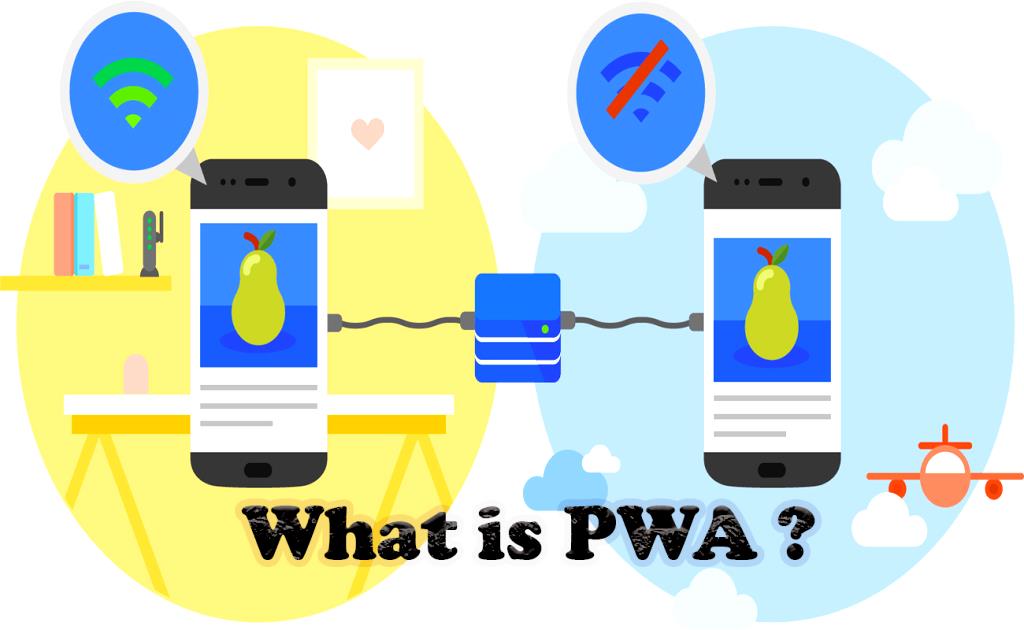
One of the obvious differences between web applications and other applications is that it is possible to access web applications offline. Web applications can be made available to users offline and data can be easily exchanged after connecting to the Internet. However, considering that some web applications, unlike installation applications, require an Internet connection, access to such web applications offline should be avoided. Like Instagram , which has an Internet version of its application to access the Internet, so access to the web version of the application will not be possible without an Internet connection.

Other features of web applications:

In using other native applications, if a link is placed, users will have access to that page after a while after clicking on it. But in web applications, due to the integration of their environment, both of which are on the web, access to linked pages will be done very quickly. In using web applications, there is the possibility of bookmarking them, simple sharing of web applications through links, and the possibility of searching and quick access through search engines, and are other features of web applications.

What is PWA (Progressive Web Apps)?

PWA compared to native Android, iOS and Windows applications

Due to the fact that native applications are designed for each platform and version of the operating system with other programming languages, it is not possible to run them on any operating system or on any platform, and you must find the appropriate application with the platform and operating system. Which is time consuming and even costly. But the use of web applications has made it possible for all users to access the program they need with any operating system, with any platform and with any device and hardware.

Or users may want to update the app they are using and benefit from newer versions, but are unable to do so due to software and hardware limitations on their device. For example, it may not be possible to upgrade to more up-to-date versions due to the low version of the hardware source. Or due to differences in software resources and operating systems, it is possible to install and upgrade. With web applications, it is possible for all users to always use the latest versions of applications or not to be deprived of using these applications due to the low level and version of hardware and software resources. In other words, all users have access to a single source, and if an update is made, all users can use the updated applications.

The three main axes of web applications:

- Possibilities
- Reliability
- Ability to install

Advantages of using local applications over web applications:

Ability to have full access to hardware resources and other features of the phone:

In using local applications, users can use all the features of the phone such as notifications, GPS, camera and other hardware features. Also, each of the local programs has its own specific icon that allows easy and fast access after installation.

Much more time share of user interaction during the day:

According to statistics, users spend about 90% of their time on native and existing applications on their devices and only 10% of their time to use web applications or web browsing.

What is PWA?

Disadvantages of using local applications compared to web applications

Users do not want to install applications:

Due to the bulk and weight of many applications, users are not interested in installing applications on their systems, so they avoid installing a large number of applications and prefer web applications with Use more up-to-date versions.

Existence of various operating systems:

There are various operating systems with various platforms, each of which must be designed separately in system versions and mobile versions, which is a problem that most users face and to use. Local applications must provide a version related to their operating system, which the existence of web applications has solved all these problems.

Web applications are highly developed and have been welcomed and used by many users because they do not need to be installed on hardware and software resources, they can be provided offline. It is recommended to use web applications in case of volume problems and lack of hardware and software resources.

DotNek بازدید : 94 دوشنبه 17 خرداد 1400 نظرات (0)

If you have ever worked in web design and design, you know that perfect web design requires knowledge of web design. Of course, there are many ways and languages ​​to do this, and people choose the method and language for designing and managing a website, depending on their needs and expertise. Each of these methods has its own advantages and disadvantages, and in order to be able to make a good and appropriate choice, you must be familiar with the characteristics of each of them so that you can finally choose the appropriate method.

CMS

What is a content management system or CMS?

Content management system is a system or software that is installed on the server and is used for content management and you can use these systems without the need for programming knowledge and web design, without the need for professional coding. Manage your site In other words, dynamic pages need such systems as CMS to manage content. Content management systems are available to users in two types: paid (dedicated) and free (open source).

Types of content management systems:

Content management systems are generally divided into two categories:

1- Open source content management systems
2- SAAS content management systems or shared systems

Open Source Content Management Systems:

These types of content management systems are open source or open source and their code and source code are available to users and users from all over the world can change and develop its code depending on their needs. These systems are free and available to users and site designers for free. The advantage of this type of system is that all experts from all over the world have access to the code and can modify and develop it and provide free plugins to users. Of course, these types of systems meet all the needs of users and cover their needs and wants, but for very large businesses, some code can be developed if necessary.

Open source content management systems:

- They are cheap and do not require high fees for licensing and upgrades.
- Everyone can develop and offer new plugins, so there are many free plugins.
- There are many free and attractive themes and templates.

Shared content management systems:

These types of systems have the same functionality as open source content management systems , except that the code of this system is not available to users and it is not possible to change or develop the code. This type of content management system is not free and to use this type of system, you have to buy a subscription from the seller and its provider. The cost of these systems can be paid monthly, annually or in a package. Of course, it should be noted that the cost of templates, hosts and the like are not separate and are calculated on the purchased package.

Types of content management systems:

WordPress:

WordPress is one of the most popular and widely used content management systems, with about 60 million websites based on WordPress. WordPress was initially blogging, but over time it expanded to become a popular content management system. WordPress is suitable for designing small websites, personal blogs and small business websites. The number of themes and plugins in WordPress is more than other management systems. Working with WordPress is very easy, so if people do not have technical and specialized knowledge, they can easily design a website using WordPress. Of course, you should be careful not to use WordPress to design large store sites, because in this case you have to use multiple and powerful plugins, and this will increase the loading speed of the site.

The advantages and features of WordPress include the following:

- User friendly environment
- Ability to create and design any website
- Extensive Association of Developers
- Having multiple plugins and more
- Being free
- Low volume
- high speed
- Easy to set up and install
- Easy and attractive user interface
- Compatibility and optimization for all search engines
- Ready-made templates
- No need for technical knowledge and coding

Here are some suggestions on how to look or get an appointment for WordPress:

- Design blogs and personal websites
- University websites
- Websites with e-commerce content
- Job introduction websites

Joomla:

Another open source content management system is Joomla, which is a strong competitor to WordPress and was introduced to the market in 2001. Joomla! Is suitable for designing content-oriented sites, news sites and department stores, and can be easily used. The site of Porsche, Sprint and other companies has been designed and launched using Joomla . Unlike WordPress, which was a blogger in its infancy, Joomla was never designed for blogging, but it is also a good fit for blogging. Joomla's installation is a bit more time consuming than WordPress, but the content management system is strong.

The advantages and features of Joomla include the following:

- Existence of more than 7000 plugins
- Extensive and large developer community
- Ability to authenticate users through Google
- Being free
- High installation speed and easier

Here are some things to look for when selecting Joomla:

- News websites such as magazines and newspapers and ...
- Websites with e-commerce content
- User portals
- University websites
- Personal websites

What is a content management system or CMS?

Drupal:

This content management system has a smaller number of users, but has been able to attract the attention of professional site designers . This system has a very small number of regular users because it has very few ready-made themes and templates and you have to code to have a site with good templates. That is why professional designers who are also aware of coding science use this content management system more. So to use this system, you must be familiar with coding science and using this system is not recommended for beginners, but people who are skilled and knowledgeable in coding science can easily use this system. He used this system to design news portals, store and corporate sites, upload and download sites, and so on. The sites of companies such as McDonald's, AT&T, Stanford University and Linux, among others, have been designed and launched using this system. Of the three content management systems, Drupal is the strongest and most secure and is not recommended for beginners at all.

Drupal benefits and features include the following:

- Ability to provide strong and powerful support
- Existence of more than 6000 different plugins
- Good scalability
- Very high security
- Strong support
- High speed
- This system has been used by large and reputable companies, which is a sign of its credibility and quality

The cases in which Drupal is used are as follows:

- News portals
- Social blogs
- Websites upload and download video and photos
- Social Networks
- Websites with file storage content

PHP nuke:

This system was one of the content management systems that was used before WordPress and Joomla. But in recent years it has provided fewer updates, which has reduced the number of users. There have also been problems with security and speed, which has left it out of competition with WordPress and Joomla. But in the past, before WordPress and Joomla, it was popular and used more.

Some of the important features of PHP Tip are as follows:

- Ability to conduct polls quickly and easily
- Ability to view instant statistics
- Ability to control and monitor all members of the site
- Free, fast and easy installation
- Ability to categorize and manage links

Magento:

is one of the content management systems used to build and design online sites and stores . Magento is designed with PHP language and allows users and site designers to design the most equipped, flawless and complete site. Of course, Magento Store Builder also has two paid versions (Enterprise) and free (Community). The advantage of the paid version of Magento is that it has many features and equipment for unique site design. Magento is a free and popular store builder designed by many online stores around the world.

The following features have made Magento a popular store builder and a top priority:

- Magento is optimized for and compatible with all search engines.
- Page loading speed on sites designed using Magento is high.
- This system is flexible and customizable.
- Magento is a professional store builder that can meet all the needs of users and perform complex sales operations.
- Ability to manage multiple stores
- Adhere to SEO principles
- Supports most languages

Prestashop:

Another popular store builder that is used to design large and small store sites.

Prominent features of Prestashop include the following:

- Fast and free installation
- Strong and powerful management panel
- Accounting, warehousing and customer management system
- Compatibility with all different currencies
- Compatibility with multilingual stores
- Optimal structure and compatibility with all search engines
- High flexibility and scalability
- Ability to use different banking portals
- Possibility to insert discount codes and hold festivals
- Ability to review products
- Ability to place infinite product
- Has a variety of formats
- Relatively simple and easy management

Expression engine:

This content management system is a combination of open source and proprietary systems. The structure of this system is based on Code Igniter, which is an open source content management system . The dedicated part of this system stems from the fact that there are numerous and specialized programmers behind this system for strong support.

The advantages and features of EXPRESSIONENGINE include the following:

- Ability to provide a license
- High security and security focus
- No restrictions on site design

Types of content management systems

Text pattern:

is one of the content management systems that is very flexible and has the ability to customize. This system is used to generate programming tags and has greatly contributed to marketing and content management. The breadth and multiplicity of templates of this system is not as big as WordPress and Joomla and it has only about 120 templates that are available to users. This system has the ability to convert raw and format less text to XHTML text and plays an important role in user-friendly content.

The advantages and features of TEXTPATTERN include the following:

- News websites such as newspapers and ...
- Educational websites
- Websites with product introduction content
- Simple portals
- Websites to download files

تعداد صفحات : 39

اطلاعات کاربری
  • فراموشی رمز عبور؟
  • آرشیو
    آمار سایت
  • کل مطالب : 383
  • کل نظرات : 0
  • افراد آنلاین : 2
  • تعداد اعضا : 0
  • آی پی امروز : 12
  • آی پی دیروز : 50
  • بازدید امروز : 24
  • باردید دیروز : 55
  • گوگل امروز : 0
  • گوگل دیروز : 0
  • بازدید هفته : 318
  • بازدید ماه : 2,198
  • بازدید سال : 14,260
  • بازدید کلی : 204,514