loading...
DotNek app development
DotNek بازدید : 134 سه شنبه 18 خرداد 1400 نظرات (0)

If you want to know them too, we suggest that you follow us to the end of this great article.

Top 10 3D games on Apple app store

Top 10 3D games

In today's world, the implementation of a convenient and useful control system for mobile games still has a long way to go. Fortunately, many game developers have tried to use 3D game systems in their mobile phones to take steps to improve gaming conditions. Today, many games are produced with 3D technology that has been able to attract many people to themselves. We are going to talk to you about the most popular 3D type of games released in the IOS , which is 2019, along with its release, achieved great success in designing and compiling games of this kind. This game is a shooting game that is very exciting and popular. installation of this game is completely free but you will have in-app costs. One of the top features of this game is its high-quality graphics that will convey a good feeling to the players. In addition to the excellent graphics, the three-dimensionality of this game also has a great impact on its attractiveness.

 2. Critical Ops

Another popular game that falls into the category of 3D kind of games is Critical Ops . This game is a game designed on a mobile platform and in this game, you play with groups in two-player battles in online games.  This game is a competitive game in which you can use a very wide range of weapons, various game control modes, etc. to play. This game is one of the most popular games that you can easily download and install without any problems.

3. GRID Autosport

This game is one of the most exciting and well-proportioned IOS games and playing in this game is just like your real life. The gameplay of this game lasts about eight to ten hours, and after that, you will be faced with various puzzles that you must solve to raise your level.

5. Minecraft

Another three-dimensional game is Minecraft , which is one of the most famous three-dimensional games. l The gameplay of this game is very comfortable and you can enjoy playing this game easily and without any problems. In this game, you have to explore the world you are in and try to create different types of things that you are interested in. This game is an online multiplayer game, and after the first update of this game, you will also be able to run this game on game consoles and computers.

6. Monster Hunter Stories

One of the 3D types of games is Monster Hunter Stories, which has surprisingly been able to run well on mobile phones. This game is an adventure game and in this game, you have to capture various monsters and give them different pieces of training so that you can better use them for your purposes. One of the features of this game is its two-player battles, which makes this game more attractive to play.

7. Monument Valley 2

Another three-dimensional game is Monument Valley 2 which is a logical game that runs on both Android and IOS.  This game is a wonderful game where you have to solve various puzzles and riddles. In this game, players use different types of moves to progress in the game elements. This game is very fun and can keep you entertained for a long time.


8. PUBG Mobile 

Another 3D game is this game, which is currently the most popular game among the three-dimensional games of IOS and Android. This game includes various shootings and has a good ability to run on a mobile platform. The game was initially free but came with in-app purchases after the second update. Note that in-app purchases are also very cheap and you can enjoy playing with this game.

9. Riptide GP

In this game, you compete with different types of jet skis instead of cars. This game also has a fascinating and extraordinary story that also supports multiplayer mode. This game is not free and you have to pay to install it, but there are no in-app purchases in this game and you can enjoy gaming in this program just by installing it.

Top 10 3D games

10. The room: Old Sins

Another exciting and classic 3D game is The Room: Old Sins. in this game you will be faced with a series of very complex puzzles that you must solve. This game has very popular graphics and has a very attractive adventure style. If you are interested in 3D games, we suggest you download this game and enjoy playing. Note that this game is not free, but after you have purchased it, you no longer need to pay for in-app purchases.  There are also no ads in the game.

DotNek بازدید : 141 سه شنبه 18 خرداد 1400 نظرات (0)

Hackers can access the information as well as the system of different users through many ways and steal their information or damage their system, and this choice depends on the hackers, and they tend to choose one of the types of hacking methods according to their purpose in order to penetrate the systems, on the other hand, users are trying to increase the security of their system as much as possible to block the way for hackers, one of the steps that they should take, is trying to study articles which are related to security and hacking issues in order to gain mastery and increase awareness in this regard, in this article, we are going to review  insert a malicious code into the SQL statement through web page input.

Is SQL injection illegal?

In general, any way in which different people can access the users’ information without their permission is illegal, and those who do so will be punished, in this type of attack, if the hackers can carry out the attack completely, they can access a lot of personal information, for instance, bank card information, important personal information, etc., all of which can make a lot of money for hackers, on the other hand, they will compromise user security, the interesting thing about this type of attack is that the users may not be aware of the fact that they have been hacked for a long time, and as a result, during this time, the hacker can continue to steal their important data, as well as accessing more important information day by day, this kind of hacking attack and has different types, among which, the following can be mentioned.

Examples of SQL injection:

- Retrieving hidden data:

Through this way, it is possible for the hacker to access a lot of information which the site owner did not want to share it with applicants, for example, imagine that you enter a site in order to buy a product, and different lists are displayed on the website, in this section, hackers enter a command asking the website to provide more information about the products which are not included in it.

- Subverting application logic:

Imagine that you see a program that allows users to log in by entering a password and username, in such a program, a hacker can enter the password and username which finally allows them to log in through the SQL comment sequence, in this type of attack, eventually, the hacker can modify the query to interfere with the purpose of the program, and replace their desired target instead of that, in order to reach their desired results.

-Retrieving data from other database tables:

In this type of attack, the hacker can finally use other tables exist in the database in order to retrieve the data by performing the desired actions and using the SQL injection vulnerability, to do this, hackers use the “UNION” keyword, and as we mentioned, through this type of request, they can access a lot of information, in fact, when hackers enter their request, they can access a lot of information.

- Examining the database:

In this method hackers need to have more information about the database and once they have access to the information in the database, they can access their desired information, in general, through this attack, it is possible for the hacker to obtain information about the columns of the database, in other words, they can retrieve data from various database tables.

- Blind SQL injection vulnerabilities:

Through this method of attack, 

Last word:

In general, any attempt by hackers and profiteers in order to gain access to the information and systems of different users is illegal, and various punishments exist for such people, in this article we tried to examine the illegality of SQL injection attacks , and we tried to mention the steps that you can take in order to increase the security of the site and database against such attacks, so that hackers cannot access your system as well as your important information.

DotNek بازدید : 132 سه شنبه 18 خرداد 1400 نظرات (0)

Gaming has become one of the most popular pastimes today that has attracted many people from all over the world. Gamers are usually very interested in buying high-quality tech gadgets . We are going to talk to you about these tools and tell you what tools a gamer needs to improve the gaming situation. It is interesting to know that today, due to the popularity of these tools, their prices are increasing day by day. Designers and manufacturers of these products also try to satisfy the expectations of gamers by improving the quality of products. In addition to their very great, these tools have an extraordinary and exciting beauty that can multiply the appeal of the game for the players. We will introduce you to the best safety tools and tell you what the features of 

Features of a well-proportioned gaming room and tech gadgets

As you all know, gaming rooms are usually very different from ordinary rooms. Game rooms should be dedicated to gaming only so that players can give this space to a gamer easily to enjoy playing.  In the following, we are going to talk about some of the technologies related to the gaming space and tell you what features a gaming space should have and what technologies should be used to decorate it. 

A gaming room must be insulated. 

In the first stage, you have to pay attention to the fact that you must insulate your gaming space so that you can play loudly. As you all know, playing without sound is not exciting. So, try to use an insulated room so you no longer have to worry about different feedback on your gaming sounds.

Your room should have less lighting

Note that, the less light in game rooms, the easier it will be for you to play.  So, try to pay attention to this issue well. The lights which are used in the room should be colored and only help to make the room more beautiful. You do not need to use a lamp in your room. Try to keep the light to a minimum and use a variety of bright colors to decorate the room.

the best tech gadgets for gaming

Use the appropriate gaming tools

Another thing that is very important in the construction and design of the room is the use of various tools that are used in the game. These tools, as we said before, include cases, speakers, monitors, mouse, keyboards, headphones, and various other accessories that each gamer should use according to their taste. Note that you need these tools for gaming in very high quality so that you can play your gaming without any problems. Note that all of these gaming tools are professionally produced and offered that you can use to multiply the excitement of playing for yourself. Note that you must use the highest quality tools to build a game room so that you can enjoy your gaming without any problem. It may be expensive at first to use these tools, but it's well worth the excitement you get while playing; So, try to keep these things in mind when buying game tools.

DotNek بازدید : 102 سه شنبه 18 خرداد 1400 نظرات (0)

Nowadays, children have devices which give the opportunity of accessing the Internet through them, some of which are severely addicted to the Internet, and if they stay away from the Internet just for one day, they will become nervous and aggressive, today’s children can enter a world that may seem strange and fascinating to them at first, but this fascinating world may cause great harm to children in the future.

Naturally, providing security for any space in which children prefer to stay there for a long time is one of the main concerns of parents, and in this article, all our efforts are to help you in this direction in order to express to you the points that you can protect your children from any danger on the Internet by observing them.

Before going into the details of what parents can do to provide a safe environment for their children on the Internet, it is important to note that the basic need is that you should improve your acknowledgement as the Internet progresses, in order to be able to recognize all the dangers that may threaten your child and be able to prevent future problems with full awareness, many children, may encounter some contents which isn’t appropriate for their age range while working with the Internet, and this causes children to enter the adult world unintentionally and quickly, which is a point that should definitely be considered as a huge problem and you as a parent should prevent such incidents from happening by feeling responsible, in this article we will mention some important ways to keep your children safe online.

The Internet is a world where you do not need to spend a lot of time and money to go to different parts of it, and with just one click you can go to all parts of the world and meet different people, which is definitely one of the best facilities available to human beings, but if children provide with this big world without the parents' awareness of the dangers it poses to children, it can become a big problem for children as well as their parents.

How can I protect my children on the Internet?

How to protect your children on the Internet?

- Limit children's time on the Internet:

You need to teach your children that using any device should have a time limit and that they should not waste their time doing things that do not benefit them, and remind them that they can take advantages of the Internet too, children may want to spend a lot of time on the Internet, then you can use the features on the devices and active its time limitation program which reminds them of the point that they have a limited time to use that device, so that children cannot ignore your rules. It should be noted that you should have patience to teach all these things to children slowly which makes them learn everything over time, so that they also respect your rules.

- Monitor your children's behavior on the Internet:

After a while, children may ask you to create a separate account for themselves on the Internet to be able to operate in a more private environment, in this case the best thing you can do, is to create that account for them but ask them for its password because it gives you the opportunity to have more control over their activities on the Internet, and if something goes wrong, you can fix things as quickly as possible.

It should be noted that you should never do this without the permission of the children and ask the children themselves to give you the password in order to provide them with more safety , if you encounter a problem that your children cause or if you recognize the access of a hacker to your child’s system, you have to talk to your child immediately and warn him/her about the dangers that may occur if she/he continues to work with it.

- Increase your information:

Today's children have a high ability to learn things quickly and are trying to get more and more tips on the Internet that if parents fall behind their children, they can be in danger, in order to raise your awareness as a parent, you need to find out about the various software available and the dangers that each one may pose to your children, so that you can be aware of the risks involved in a software, and do not allow your child to use it.

Also, note that a large number of software is designed every day that do not pose any danger to children, and they can use them easily, so you should always be up to date.

- Teach children the important tips for using the Internet properly:

When each user wants to use the Internet, there are a number of tips that must be followed to be able to operate in a safe environment, in the same way, children should be familiar with the tips, so that they can be safe from the dangers of the Internet.

In order to help your children more, you can make a list of tips and share it with them, so that they can use these tips, for example, one of the tips you should teach children is the rule of setting a password, which can show children that the Internet is not safe, and they must follow the safety tips properly in order to <a href="https://www.dotnek.com/Blog/Security" target="_self" title=""don" t="" get="" into="" a="" dangerous="" situation.="" with="" the="" coronavirus="" panic="" going="" around,="" people="" are="" saying="" "stay="" well"="" and="" or="" safe"="" to="" mean,="" "i="" hope="" you="" don't="" catch="" this="" disease"="" encourage="" take="" necessary="" precautions="" avoid="" catching="" disease".'="">stay safe , in other words, parents have a duty to teach their children that they should not click on every link which is sent to them, and the whole system may be given to hackers with just one click, or by clicking on an unknown link, they may encounter a content that is not suitable for children.

- Do not let the child spend a lot of time on the Internet to ignore the real world:

As you have probably seen around you, children who spend a lot of time around the clock with their tablet, but they are unable to socialize, which is why they prefer to stay away from the real world, as we mentioned earlier, you need to allow children to spend less time with the Internet and spend more time in the real world with real friends, so that they learn to make a balance between real and virtual world.

- Control the device through which children have access to the Internet:

Despite following all the tips, your child may still have a chance to quench his/ her curiosity, at which point you can take some measures in order to prevent this from happening, one of the things you can do is not let children spend a lot of time alone on the Internet away from your eyes, so you can place the tablet and other devices in a public place in your home to monitor your child while working with the tablet.

- Monitor your behavior as well:

You are definitely a role model for your child, and you need to take this seriously, so that you can help your child make the most of the Internet, imagine that you are constantly reminding your child that they should not spend a lot of time in cyberspace, but you do the opposite thing and spend many hours throughout the day on the Internet, in which case children won’t follow the tips that you have told them, so you have to correct your behavior first to be your children’s role model.

How to protect your children on the Internet?

Last word:

In general, there are many things you need to do as a parent to keep your child safe, and you may end up keeping the Internet away from your children, which is not a proper solution, and it is not possible at all, because nowadays technology and the Internet are of a great importance and the child must be connected to the Internet in order to progress, so the best thing to do is to implement the necessary points which we have mentioned above as much as you can in order to protect your children from the threats which internet can pose, so, as a good parent you have to be aware of every possible problem which if you don’t pay attention to them, they will turn into the main cause of your concerns.

DotNek بازدید : 89 سه شنبه 18 خرداد 1400 نظرات (0)

We are going to talk about the answer to the question which tells  development of gaming technologies and their availability to all people, playing for children has become one of the most important parts of life. Many children are even addicted to playing and cannot relax during the day without that. As a parent, you may be wondering how much gaming during the day is good for your child and how much can damage your child's brain and ability. We are going to talk to you about this and tell you how games can affect your child if left unchecked and how they can overshadow some of his or her skills. Note that the game should be a means to prepare the child to enter the adult world, but unfortunately, we see in many online and games that the world they show in their games is very aggressive and violent, which cannot happen in this world. These games increase the spirit of aggression in children and can cause a lot of mental and physical damage to them. As a parent, in addition to knowing how many hour gaming in a day is appropriate for your child, you should help them to buy and use games that are appropriate for their age and mood.

How Much Gaming Is Too Much for your kid? 

What are the disadvantages of playing too much with games for children?


Once you've figured out how much playing is enough during the day, it's a good idea to know some of the disadvantages of playing games so that you can manage your children if this is necessary. One of these losses is behavioral losses that cause the child to be isolated and embarrassed and can further affect his social behavior. In the event of happening any of these, try to take appropriate action. In addition to paying attention to these points, if your child is overweight, try to manage the amount of playing them with games will hurt the development of their minds, so try to take these things seriously.  Tell your child how much time he or she has to play to prevent him or her from becoming addicted. Set an alarm clock for him and tell him that whenever the clock rings, he should stop playing and engage in other activities. Try to set different rewards for him in this regard to encourage him to reduce playing games as much as possible during the day. Also, try to have different entertainments for him at home so that he can give up games and engage in other more exciting activities. games are very popular today, and this subconscious has led many children from an early age to turn to play these games. In this article, we tried to talk to you about how many hours gaming in a day is appropriate for your child.

DotNek بازدید : 123 سه شنبه 18 خرداد 1400 نظرات (0)

The gaming industry is one of the most popular industries, which has become one of the most powerful industries in the world. Technology is constantly evolving and going on, which in itself has led to the emergence of the newest game technologies that make the gaming process more enjoyable and exciting for gamers. Since the game industry became a growing industry, many different technologies have established themselves in this industry so that they cannot only add to the excitement of the games and have profit for themselves. Among the technologies that have excelled in this field, we can name artificial intelligence technology and other technologies. In this article, we want to talk to you about the newest playing technologies, and we have some tips for you. If you are also interested to know more about this, follow us to the end of the article. Today many different brands have found their way into the game industry. Many of them have been able to grow with this industry and many of them have disappeared and their name can no longer be found in the game industry , but in the meantime, games and related technologies and technologies have always been growing. Game developers have always tried to be extremely creative in the production of various games, and in this regard, they were able to capture the pulse of excitement in gaming by producing different tools and different technologies.

Introducing the newest game technologies

Streaming and cloud computing

One of the newest gaming technologies is game streaming technology. Games for running usually require very heavy computing that must be powered by powerful data centers so that they can deliver their output to users who want to play without any delay. Players like to detect all movements instantly and without any delay and show their reaction, all of which require very strong data centers and servers to be able to use their power to allow the user to continue to play without any delay. In this regard, connecting to a higher bandwidth can also have a huge impact on the quality of the game. Many people think that streaming games are not a good way to enjoy the game, but on the other hand, some people think that despite the latest game improvement tools and the invention of new types of fiber optics, it is possible to stream games well. Streaming also gives players the ability to buy games instead of renting them so they can stream their favorite games.

Secondary screens

Another thing we can incorporate into the newest gaming technologies is secondary screens. These screens allow players to play games using a controller and a gamepad or tablet, and the technology also allows players to view games from a different angle. In short, these screens of the latest play technologies still have a long way off and have a lot of space for improvement, but using them right now can increase the appeal of games and can help players; So that they can see the game differently by displaying maps and different types of items on separate pages. This screen, in addition to the main screen of the game, allows players to have more control over the game and also increases the chances of player success.

virtual reality

Virtual reality headsets offer players a very separate and new space of play and multiply the excitement of the game. Note that these headsets give the gamer a feeling beyond the game and penetrate the gamer's life to a great extent. For this reason, this technology is very popular today and has attracted a lot of people. Adding mobility to these headsets is another thing that has made many people interested in these headsets. These headsets are produced in many different types and are becoming more advanced day by day. Many companies and technologies today are producing virtual reality headsets and have been able to attract a lot of people to themselves by adding different types of capabilities to these headsets. These headsets can convey a very different experience to gamers.

Check out other newest game technologies

Check out other newest game technologies

So far, we have tried to talk to you about the newest technologies in gaming that have just opened their place in the gaming world. But it is interesting to know that the basic technologies of the game are also evolving day by day, for example, different types of screens, mousse, headphones, gamepads, and different types of keyboards can help you to multiply the excitement of gaming. If you are a professional gamer, you will find that even using a professional mouse can greatly enhance your gaming experience. So, in addition to knowing the newest technologies in gaming, you should get acquainted with the latest updates of old tools so that you can multiply the pleasure you get from your game by providing them. Note that many companies are trying to increase the excitement of gaming for you by producing the latest types of game tools. You can experience a different feeling in gaming by providing these tools. However, the game industry is a fast-growing industry that is moving at breakneck speed. If you want to keep up with this industry, it is better to always be updating your game tools so that you can adjust the hardware conditions of new games.  In addition to the hardware we mentioned earlier, the gaming world has made great strides in software technology .  In this regard, game developers have tried to transfer more excitement to the player while playing by increasing the screen quality of the games. In this regard, different activities such as Rey tracing technology, motion capture technology, and AI technology were able to allow players to see themselves in the game world in addition to playing, which can be exciting and fun. Game developers are always researching new gaming technologies and trying to keep up with the competition with advances in this field.

DotNek بازدید : 146 سه شنبه 18 خرداد 1400 نظرات (0)

Introducing the top 12 games for Xbox

1. Assassin's Creed Odyssey

Ubisoft Studios has taken players to Assassin's Creed Odyssey, from 431 to 422 BC, in the original game Creed Odyssey. In this game from the list of games for Xbox a historical story about the Peloponnesian Wars between Sparta and Athens that killed and displaced many innocent people. In this game, players can choose one of the two siblings named Behind Cassandra and Alexius as their main characters and advance the game with him. In this version, you can now use the dialogue selection system to decide a different fate for the game characters.

2. Alien Isolation

This game is a first-person adventure game made by a team known for making simultaneous strategy games and based on a famous movie.  Everyone expected this game to be a very bad game and no one expected this game to succeed. Alien Isolation is not a shooter game. This is a very unusual stealth game, and it is very difficult to guess the performance of the alien AI in the game.

3. Grand Theft Auto V

Grand Theft Auto V, or GTA V for short, is a very popular action-adventure, developed and released by Rockstar. This game is the fifth game in the main GTA series, which this time puts players in the role of three different characters to commit crimes and illegal acts in the form of an exciting story, as in the past. The forthcoming title will be the biggest game in the style of the open world. The main and secondary missions and thousands of different details in the city of Los Santos.

4. Battlefield 1

The only shooter game related to World War II on the list of games for Xbox is Battlefield 1 by Dice Studios, which was released in 2016.  Playing for the first time in the series takes players back to World War I and allows them to experience this historical period up close. Battlefield 1 was a huge success for Electronic Arts in many ways and was well-received by audiences and critics at the time of its release.

5. Dark Souls 3

Dark Souls 3 is a masterpiece. A great and eye-catching and great game. Dark Souls 3 is not only the best title for people who are new to the game, but also full of references and stories that will delight fans of the Souls series.

6. The Witcher 3: Wild Hunt

The story of this series of games are based on the novel of the same name by the successful Polish author, Andre Sapkowski. The third version of this game, Witcher 3: Wild Hunt, is an excerpt from the second book of the Witcher world novel. The story of the game narrates the life of a man named Geralt, who uses superhuman powers.

7. Middle-earth: Shadow of Mordor

The story of the game is about a character named Talion, whose wife and child have been killed by Sauron's forces, and he now intends to take revenge on his family together with Alfie's ghost named Celebrimbor. The most prominent feature of Shadow of Mordor can be considered its Nemesis system, through which the creators draw the game's artificial intelligence to the audience. For example, if you encounter an enemy in the game and he survives, then in the next stages, as you upgrade your abilities and become stronger, he has now changed his fighting system and is much more powerful.

8. Hellblade: Senua's Sacrifice

During this game, you will encounter many enemies that may not have much variety, but the last third of the game can cause you a lot of trouble. The combat system is also reduced to defense and attack, and the right timing is the key to your success in solitary battles. It is interesting to know that death does not make sense in this game, and after each defeat, a black halo appears on Snow's right hand and the game starts again from there.

9. Apex Legends

In this game, there are eight legends that you can choose one of them.  Each Legend has its characteristics that we will probably see other Legends later. Bangalore is a professional soldier who has a Smoke Launcher and can run at high speed for a short time, and his special feature is that he can alert missile launchers.

10. Devil May Cry 5

Devil May Cry is one of the most popular series of hack and slash style games in the group of games that has long been a fan. DMC 5 has also become one of the most anticipated games of 2019 by winning the Future Division Award at the Tokyo Game Show. The game's story takes place several years after the events of Devil May Cry 4 and depicts the return of Dante and Nero alongside a new character named V. The gameplay is quite similar to previous versions of the series and a lot of focus is on "fast action".

11. DOOM Eternal

this game is an exciting action effect in which you have to kill monsters with different weapons and destroy them as much as you can. Indeed, the story does not have many places in this series, but the designer's DOOM 2016 has tried to provide the audience with a half story.

the top 12 games for Xbox

12. Ori and the Blind Forest: Definitive Edition

"Arie and the Dark Jungle" is from the highly acclaimed 2D platformer game in which Moon Studios takes control of a white ghost guarding Ori and his friend Sean. Along the way, the two must solve various puzzles, jump on different platforms and fight their advancing enemies.

DotNek بازدید : 104 سه شنبه 18 خرداد 1400 نظرات (0)

Users are afraid of hackers, perhaps because they do not know much about them, and they may even think that they are superhuman, but in fact, all hackers are like normal people, and the only difference between them and ordinary people are the great intelligence and talent that they have in the field of working with computers, which causes them to master this field, and their interest cause them to learn more and more, as a result they will be more professional day by day.

The obvious point is that hackers use their ability in a wrong way, but if the reason for their interest in hacking is properly identified, it can be used in a positive direction in order to identify bugs in large sites, software, etc.

In this article, all we tried to introduce them to you as much as possible and describe their personality traits, so that you can keep your personal information and site safe with more awareness in the world of hacking.

Which country has the best hackers?

Hack History:

In fact, there is no exact history of hacking, since users started working with computers, there have been some people who started to hack websites and accounts, and with the improvement of science and technology, the number of people who worked in this field was increased, and finally the word “Hacker” was first used in 1950, referring to people who tried to prevent websites from improvement by creativity and intelligence.

Nowadays, different countries have different statistics on the number of hackers in them, some of which have become countries that contain the most professional hackers , which we are going to mention below.

Which country has the best hackers?

According to available reports and statistics, up to 41% of cyber and malware attacks in the world have been carried out by Chinese hackers, and the best hackers in the world are existed in China, and from that geographical point of view, they have control over the world of hacking , after China, the following countries contain the most professional and the best hackers, respectively.

- United States:

Anonymous is a group of hackers that exist in the United States, making it the second largest, as well as the top 10% of hacking traffic.

- Turkey:

After the United States, we can mention Turkey, which has 4.7% of the world's hacker traffic, as well as strong hackers .

- Russia:

From 2011 to 2012, due to the volume of attack traffic from Russia, this country still has a lot of hackers who use personal information to manipulate computers and use their information.

-Taiwan:

It is a geographical area that, despite its low population, contained 3.7% of the world's hacking traffic in 2012.

-Brazil:

Most of the hacker traffic is in the countries of the Southern Hemisphere, where Brazil's overall share of the world's cyber attacks is reported at 3.3 percent.

- Romania:

Romania is also one of the countries that can accommodate many hackers, and it accounts for 3.3% of the world's cyber attacks.

- India:

India has a lot of programmers and there are also a lot of hackers in this country which accounts for 2.3% of the world's hacker traffic.

- Italy:

1.6% of the world's hacker traffic is in Italy, where there are well-known hackers who have been able to hack a lot of information and access many user accounts.

- Hungary:

This small country accounts for 1.4% of world’s hacker traffic, which is a large share of traffic volume.

It should be noted that hackers have categories, there is a group called White Hat Hackers who use their talent and knowledge in the way of helping brands and organizations and try to identify the security holes in the systems associated with these organizations and brands under the supervision of individuals to identify these bugs before other hackers can detect them and fix the related problems quickly.

These hackers actually use all their power in a positive direction, but apart from this category, there are other types of hackers, such as Elite Hackers, Black Hat Hackers , Pink Hat Hackers, Gray Hat Hackers, etc., each person in each category has different personalities, but they also have a number of characteristics in common, such as, curiosity and other ones that we are going to discuss the characteristics of the best hackers in the following.

What are the characteristics of the best hackers?

- Having a great sense of curiosity:

Curiosity is one of the senses that can lead to things that may not occur to other people at all, and curious people are always inclined to try different ways and come to a conclusion, thousands of questions come to their minds in relation to everything, they also do not give up and continue on their way even if they do not get answers to their questions, after the arrival of new software or anything, these people examine all its dimensions and test the various paths that exist to achieve the default goals of the software and try to find and achieve the things that the rest of people do not even think about them.

- Dedicate many hours throughout the day to work with their computer:

As we mentioned before, hackers have a lot of knowledge which they have gained through study and also a lot of experience, so they have to spend a lot of time learning and trying out the things that they have learned, which is why they spend many hours throughout the day behind the system and get addicted to their computer. Hackers are not interested in giving up in the middle of the path which they have started, and they do their best to achieve their goal as quickly as possible with great perseverance.

- Great planning and order in doing everything:

You might think that the character of hackers is so confusing, and they do not have order in any of the tasks, but it is the opposite, they are extremely orderly people and have a schedule for every task that they want to do, a hacker must be able to organize all the information he/she obtains in an organized and orderly manner on his/her computer in separate files, if necessary, as a result, order is a prominent feature of hackers.

- Enjoy their work:

Hackers love what they do and spend their time doing it to be the best hacker and to be known by a lot of people, they may encrypt top-secret information about a large and specific organization that no hacker had been able to access the information in order to be known by a large number of people, so they try to hack such organizations and make their information available to everyone in order to become famous this way, they also have a desire to do things that are strictly prohibited by law and are interested in anything that is against the law.

- Get help from scientific:

As we said, these people are so intelligent and are constantly trying to learn, so that they can use the computer to achieve their desires with complete mastery.

- They have a lot of perseverance:

The perseverance of hackers is commendable, and we can learn lots of things from this feature of them, in fact, these people do not give up and work to achieve their desires, sometimes it may take months or years to achieve their desired results.

- Never define themselves:

In general, professionals show their professionalism by their actions, and they never define themselves in front of other people, they do their best to be able to prove this fact to everyone through their actions.

What are the characteristics of the hackers?

Last word:

In general, there are many hackers who are so professional, and the number of these people is increasing day by day, with a complete acknowledgment about these people, you can establish your site security in a more specialized way if you consider yourself as a hacker while checking for bugs on your site, and check it from their point of view, so that you can identify any security hole and try to fill them to avoid being attacked by professional hackers, because the existence of any security hole in your system can give them the opportunity of attacking your website and accessing your information.

DotNek بازدید : 110 سه شنبه 18 خرداد 1400 نظرات (0)

Parents have to spend their time worrying about how their children are using the Internet, do they know how to use the Internet properly? And thousands of other questions, all of which make them worried more and more, nowadays, there are so many tools out there that can help you monitor your children easier in order to reduce your worries.

In fact, through these tools, you can monitor all of your children's activities on the Internet, and if you recognize something suspicious or even when something which is against the law happens, you can warn them and show them the right way, so that they can get away from the problems faster.

Programs can help all parents to keep their children safe online, but you still need to talk to your children about what to look for and the dangers exist in the world of internet which they should get acquainted with, in order to be aware of possible threats, despite all the points mentioned above, there is still a need to use programs that can help you the most, in this article we are going to introduce you to the best software that is available to help parents, through his software , you can find out that when your children are online, when they are offline, what programs they install, and you can even find out when they are alone in the room, and you suddenly enter, whether they exit from the page which was being displayed on their screen or not, the last point can help you find out that whether your children are doing something suspicious or not.

As a parent, you definitely realize that your children are spending more time on the Internet than you do, which is very worrying, if you use these types of software, you will be able to block unwanted web content, limit page time, restrict the use of malicious programs, and so on, but in general, as we have mentioned earlier, it is important to respect your children's privacy and remind them that you are monitoring their actions on the Internet and tell them that if they use the advantages of the internet and try to make the most of it properly, you will trust them and reduce the control over them.

What is the best parental control app?

What is a parental control app?

A parental control program can track all the activities performed by children, and through these programs, parents can protect their child from cybercriminals, each of the parental control programs provides different facilities for parents, but it is a set of features that are the main features of all control programs, among which we can mention the screen control, program blocker, locator etc., and the program which is able to provide parents with more opportunities, is considered as a better program from their point of view, some of these programs offer features such as call barring to parents that are very welcome by parents, the best parental control programs are mentioned in the following.

The best parental control app:

- Bark:

It is one of the best parental control programs that provides excellent statistics on child control, the way to work with this program is very simple and parents can easily use it to have a control over their children, if a photo or post looks dangerous, Bark immediately notifies parents to take care of their children, you may have set rules for your children that require them to give you their mobile device, tablet, or any other device that is connected to the Internet for a period of time to check whether everything is ok or not, in order to make sure that your children are not at risk, sometimes your children may avoid giving you their devices, in which case such programs will help you, and you can easily monitor your children and give them more guidance if needed.

This company also get help from child psychologists to provide advice to parents in order to be aware of the ways to deal with any scary situation, this application also allows you to set screen restrictions, as well as the feature of web filtering, through this application, parents can monitor social networks, emails, text messages, etc., so if you encounter any suspicious cases, you can take the necessary measures as soon as possible, in addition to this program, there are other applications that are being widely used which are popular among parents today, some of which we are going mention in the following.

Other applications available to help parents:

- mSpy:

One of the applications that help parents a lot every day is mSpy , which have some features including a quick installation process and outstanding customer service, which ultimately allows parents to easily access their child's device and have control over them.

- Qustodio:

To use this application , you can get help from its free versions, or you may prefer getting more features by paying money, you can use all of its facilities in order to control the activities of your children, one of the features that this program contains and has caused this application to become one of the best applications available for controlling children, is the panic button, it works in a way that if children are in a terrible situation, they can use this button and let you know about their situation, and this application will send the children’s location to the parents eventually, and parents can help their children and save their lives.

This application allows you as a parent to have advanced monitoring of your children on social networks such as Facebook , you can also check calls, text messages, and block suspicious items if you encounter anything through this program, it can be used to control 15 devices at the same time, but it should be noted that the more devices you control with this application, the more you have to pay for it.

This program, like the previous one, has panic button as well as the ability to control the display time of the page, and you can have the opportunity to check the amount of time which your children spend online, another feature of this application is content filtering, which protects your children from many dangers, in a case that some contents may not be suitable for their age range, as a result, this facility is so useful for parents as well as children, plus, there is another important point in parent’s point of view that should be considered, which is the importance of knowing your children’s priorities in life according to the amount of time they spend on social media, if you realize that they prefer spending time on social media instead of doing their homework, you have to keep calm and speak to them kindly, and make them use the Internet properly.

- Net Nanny:

This application also provides many features for parents, but the cost to use this application is higher than the others, which can make many parents avoid using this application, another thing about this program is that launching it, is a bit difficult and time-consuming, but in the end it provides many possibilities for you as parents.

Net Nanny uses real-time scans to keep tabs on new pages and to block them immediately if they are suspicious, like other parental control applications, through this one, you can control the amount of time your children spend on their mobile phone, tablet, etc., and finally teach them time management, tracking your children's location is another feature that this application can provide for you, which helps you alot while controlling your child.

The best parental control app

Last word:

In general, it is very important for parents to be able to keep their children safe today, and with the development of technology , this task has become more difficult day by day, and parents have resorted to different ways in order to control their children, in this article we have mentioned the best applications available for child control, as well as a number of suitable ones, but in addition to the points mentioned above, there are other applications which help parents have control over their children that all of them have a common goal, which is increasing children safety.

DotNek بازدید : 95 سه شنبه 18 خرداد 1400 نظرات (0)

Operating systems allow the user to communicate more easily with their device, and in fact manage the relationship between hardware and software , if hackers can infiltrate this section, they can eventually gain a lot of information, there are operating systems such as Windows, Linux and Mac on computer systems, and laptops, which we will discuss in more detail in this article.

The topics related to hackers are among the ones that are very attractive among users and people tend to do a lot of searches in the search engine in this regard on a daily basis, the Linux operating system, can give hackers a lot of information if it is hacked, which we will discuss the ways of hacking your own Linux.

How to hack your own Linux system?

What is Linux?

In fact, the Linux operating system provides the link between the hardware and the software , and if this part is damaged, the system will eventually be seriously damaged as well, the operating system generally has a kernel, which performs important functions, and one of the kernel functions is to connect system resources to other programs in the system, it should be noted that the Linux function list is quite similar to UNIX.

Around 1991, Linux was officially launched in order to work with some applications , which made it one of the most popular operating systems of all, and the point which set Linux apart was the open source nature of the operating system, Linux is available for free and any novice user can easily use this operating system.

In general, passwords are very important, and if hackers gain access to the password, they can gain valuable information, as does the Linux operating system, and if the password is available, hackers can easily access the information contained in systems and use it in order to achieve their desires, one of the most secure operating systems available is Linux, which has made many users to use it, but in any case, there are various ways to hack different systems, which we are going to discuss in this regard.

How to hack your own Linux system?

If you have a Linux password, you will eventually become the original Linux owner who must do the following in order to achieve your goal.

- After launching Linux, you need to press different keys to stop booting.

-  You will receive the GRUB menu.

- Press ‘e’ to edit and go to the line that starts with the core.

- Now, press ‘e’ to edit the kernel and add ‘1’ at the end of line (after one blank space) in order to force it to start in single user mode and thus prohibiting it to enter default run-level, press ‘Enter’ to close the kernel editing and then boot to the altered option, for booting You need to press ‘b’.

- After doing this, you can finally change the root password, after which you will become the owner of Linux.

In addition to the above steps, there are other things you can do to hack Linux that we should look for a way to increase its security .

Follow these tips:

- Choose the right password for your Linux.

- The password must be a combination of uppercase and lowercase letters, numbers, etc.

- Do not write down your password anywhere, because if it is given to someone else, he/she can use it and get all your information.

- Remember your password.

What is Linux distribution?

In fact, in a Linux distribution , all the programs that users need are available to users as a complete operating system, and the important thing about this distribution is that it can be easily installed, the point about different types of Linux distributions is in the package manager, each of which has a different package manager program, a typical Linux distribution includes the Linux kernel, GNU tools and libraries, additional software , documentation, a window system, a window manager, and a desktop environment.

A number of Linux distributions:

- Zorin distribution:

This distribution allows users to use their computer easily, and can also change the user interface in order to have the one which is similar to Microsoft Windows or Mac OS.

Different users at the beginner or professional level can use this distribution, and it makes it possible for users to do their work in a simpler and, of course, safer way.

- Ubuntu distribution:

This distribution has features that have ultimately made it one of the best Linux distributions, the point about this distribution is that it is an open source distribution and also has the most complete repository among all the Linux distributions, this distribution updates its system every 6 months, which has a great impact on increasing the security of this operating system.

- Tails distribution:

This distribution has a very high level of security , and if you have sensitive information, it is better to get help from this distribution and establish a security relationship, so that your information is not compromised.

- SparkyLinux distribution:

This distribution can be used by both novice and professional users, and they can easily use its environment, the important thing about this distribution is that it can easily process data.

- ArchLinux:

One of the most popular Linux distributions is ArchLinux , which has the ability to provide you with the latest stable version of most of the software programs.

- Debian:

Many users consider this distribution to be one of the most popular Linux distributions and choose it as a base for their software, all Linux distributions have fast updates, while these distributions have a slow update system.

It should be noted that much free software is provided for this distribution.

- Fedora:

This distribution also has a lot of fans and has a user-friendly environment that a user with any level of knowledge can use, this distribution has the latest version of all available software and emphasizes more on free software, Fedora uses the GNOME 3 user interface by default, a very important point about this distribution is that it is supported by red hat hackers.

- Linux Mint distribution:

This distribution is available as an open source and completely free to various users, which has made this operating system one of the best ones available, this distribution also has a slower update speed compared to a number of others.

- Manjaro:

This distribution also has a lot of applications , which has made it possible for novice users to use them easily in order to achieve their goal.

- OpenSUSE distribution:

This distribution is one of the simplest Linux distributions and different users, such as webmasters, etc., can use it.

-......

There are many Linux distributions, and now you may be wondering what is the best and most appropriate Linux distribution, which we will answer this question in the next section.

What is the best and most appropriate Linux distribution?

There is no exact answer to this question, because each of the Linux distributions, which we have mentioned a number of them so far, have different uses, and depending on the software that each of them has, their usage is also different, as a result, you need to choose the right Linux distribution for your purpose, and it should be noted that in choosing a Linux distribution, it is necessary to pay attention to the package manager software in order to choose the best Linux distribution.

What is Linux?

Last word:

In general, the password is very important, especially in Linux, and if you can edit it in different ways, finally, you can hack it and use it, in this article, we have mentioned a number of ways to hack Linux that you need to have complete control over them in order to be able to do your job in the best possible way with a lot of knowledge and use the best Linux distribution, according to your purpose, so by paying attention to the points discussed in this article you will be able to take the necessary steps in order to make a better choice, and it should be noted that remembering your password due to the fact that if hackers have access to your password they can achieve their goal, so if you want to block ways for hackers you should not neglect the importance of your password security , but there are still some ways to hack Linux which we have mentioned above.

DotNek بازدید : 101 سه شنبه 18 خرداد 1400 نظرات (0)

After launching a site, its owners should thoroughly check the security of it, in order to prevent possible problems and increase the user satisfaction, this process is actually like site updates that need to be done on a regular basis, which needs to be checked regularly to prevent cyber attacks.

What is website security?

It is a set of measures that are generally taken to ensure the site has the highest possible level of security to be protected from possible cyber attacks, simply put, website security is a process that should be done to prevent a site from being hacked.

What is website security?

What makes website security important?

Website security is of particular importance it’s better to say that not having a site is better than having a hacked site with a large number  of dissatisfied users, even if website owners follow all the principles of site optimization and attract many users to their websites, but they do not care about the security of them, a cyberattack may occur, as a result their user numbers will decrease, and even when they find the cause of the problem and fix it, users will not be satisfied because they lost their trust in those websites, so they will get a negative ranking on the Google search results page, therefore you should always pay attention to the phrase ‘Prevention is better than cure’ to avoid possible threats, in fact, another factor that makes site security particularly important is hidden in this phrase, in a way that if you have not checked your site in terms of security and all the ways that hackers may use it to access your website, your website will be attacked by hackers, so you have to spend more time and energy to be able to return your site to its normal state, in general, the security of the site is of special importance, so in order to prevent your site from being hacked, we suggest you to read this article and pay attention to the following strategies.

Steps to take to secure your website:

1. Take the security of web servers seriously:

In fact, the web server has the task of storing the existing content and sending it to the client who requested it, the content that the web server should store and send may be in the form of text, photos, videos, and so on, the most common type of client that requests content from a web server are browsers, there are many points about web servers that if you pay attention to them, they will help you secure web servers, also, if you have data that does not need to be on the web server, you have to delete it, and don’t make them publicly available.

2. Choosing a suitable and quality host:

Another step that can be taken to ensure the security of the site is a correct and principled choice of host, there are many factors to consider while choosing a suitable host, the reason of its importance is due to the fact that most of the attacks on the site are done through the hosting platform, while choosing the right host, you should not only pay attention to its price, and you must do a lot of research as well as paying attention to the opinions of other users who have used these hosts to make sure that you have chosen the best company to buy the host, you should also pay attention to the security that the company has provided.

3. Use reputable software:

Using reputable software can greatly help the security of the site , if you prefer similar versions of the software to the original versions of it, you may certainly provide some ways for hackers to access your website which is harmful for the security of it.

4. Be careful in choosing your password:

Hacking a site is a complex issue that can be prevented by doing a number of things, one of the steps that can be taken to prevent the site from being attacked by hackers is to be careful in choosing the passwords, there are some principles for choosing the right password that must be properly observed to ensure the security of the site, the password that you choose should be more than eight characters and also a combination of numbers, letters and characters, etc., so that by choosing the right password, you can create a secure site that users prefer to use because of its safety.

5. Check the site regularly:

Automatic updates can seriously damage the structure of the site, for example, imagine that your site automatically replaces unsupported and unreliable software, in which case your site security will be compromised, but if you check the site regularly, you can easily and quickly realize the changes that occurs on the site and try to improve the quality of it.

6. Examine the platforms provided for user interaction:

One of the ways that can help  is to interact with users, therefore site owners dedicate a platform on their site for this interaction, on the other hand it may make your website more accessible to hackers, so it will comprise the security of the site, therefore these platforms should be limited as much as possible.

7. Back up your data:

If your website is hacked, you may not be able to retrieve the information you lose, for solving this problem, you should use tools that back up your data constantly, therefore you are not worry about losing your information.

8. Use reputable content management systems:

Content management systems play a big role in securing a site, and if you do not use a proper content management system for your site, it may end up with serious security damages, in addition to the actions mentioned, there are other actions that paying attention to each of them and having enough control over them will make a safe site available to users.

9. SSL certificate:

Today, search engines only validate sites that have obtained an 

10. Web application firewall:

Web application firewall stops attacks that are automatically made on the site, these attacks are carried out by bots and usually affect small sites.

11. Kali Linux:

Kali Linux has many applications for penetration testing and identification of weak points of various computer systems, in fact, Kali Linux operating system includes hundreds of different tools for performing security and penetration tests, each of which are able to help websites, Kali Linux has many tools, such as Kismet, Wireshark, John the Ripper, etc., all of which help the site to increase its security.

A site and its users may be affected by the following attacks:

- Defacement:

After this kind of attack, the content of the site which attacked you, replaces the content of your site and ultimately causes great damage to your site.

- Denial-of-service attack:

As a result of this attack, parts of the site are made inaccessible to its users, so that they cannot reach the desired results from your website which causes a decrease in the number of users.

- Malware:

These types of software are made to cause serious damage to the site, which have a wide range that you should be familiar with them to prevent their penetration into your site.

- Blacklisting:

Your site is likely to be removed from the search results page as a result of cyber attacks, which will greatly affect the number of website users.

-Stolen data:

Because of cyber attacks, the information of users who visit your site may be stolen, so that users will gain a negative user experience from your site.

- SEO Spam:

The task that may be done in this part is to replace malicious links and comments in order to confuse the users, so that when users enter your site, they will consider it as a low quality one as a result of these kinds of links and comments.

What makes website security important?

Last word:

In general, site security is an issue that is very important these days, users around the world prefer a site that has high security, as a result, they can trust them and enter their information safely, security is also one of the important factors that site owners pay attention to and do their best to protect their site from cyber attacks , the importance of this subject made us to provide you with this article, which includes important points about site security.

DotNek بازدید : 108 سه شنبه 18 خرداد 1400 نظرات (0)

Many efforts are being made to provide security for sites and their development, nowadays, security issue is one of the obstacles that prevent the widespread development of sites , so we must be able to maintain website security along with the development of them, sometimes programmers make mistakes that cause the site to be easily exploited by hackers, as a result, strategies should be considered while developing sites, the security of a site is so important, because cyber attacks may be carried out by hackers and the information that users have entered to the site may be abused, which has led all website owners to try to ensure the security of their site, one of the solutions is that you can use some kind of programming languages which are being less penetrated by hackers, and you should pay attention to the fact that in most cases, small mistakes in programming lead to irreparable damage to the site.

What is secure website development?

The following strategies can be effective in increasing site security:

1. Installing security software:

You must be sure to use security software While programming and designing the site, which we will mention some of the best security software available in the following.

- ESET Endpoint Protection Standard:

This software is very suitable for small sites owners who want to increase the security of their websites and are not able to spend a lot of money because it is a budget friendly security software, and it allows the site to be managed remotely by its users.

- Symantec Endpoint Protection Cloud:

This software is very easy to use and can increase the security of the site , but it also has weaknesses, one of which is the inability of this software to report.

- Trend Micro Worry-Free Business Security Services:

This software protects the site from most of the threats posed by the use of malware on the site and keeps it safe.

- Avast Business Antivirus Pro Plus:

This software can be used easily and also provides many features to increase the security of the site, but the point that you should know about this software is that it has a weak point in supporting sites through mobile devices.

- McAfee Endpoint Protection Essential for SMB:

It is one of the best options for protecting small sites which has great reporting capabilities and causes more users to attract to this software in order to increase the security of their site.

- Kaspersky Small Office Security:

One of the important features of this software is having a pre-configured system for maximum protection of the site, which can significantly increase the security of it and is one of the recommended software programs to make your site as secure as possible.

2. Remove the admin page from public access:

If the admin page is hacked, the site will face serious problems, if you want to prevent such things from happening, the best thing to do is to get help from coding, which you need to pay attention to some points and follow some tips to do it correctly, so that hackers cannot easily attack the page.

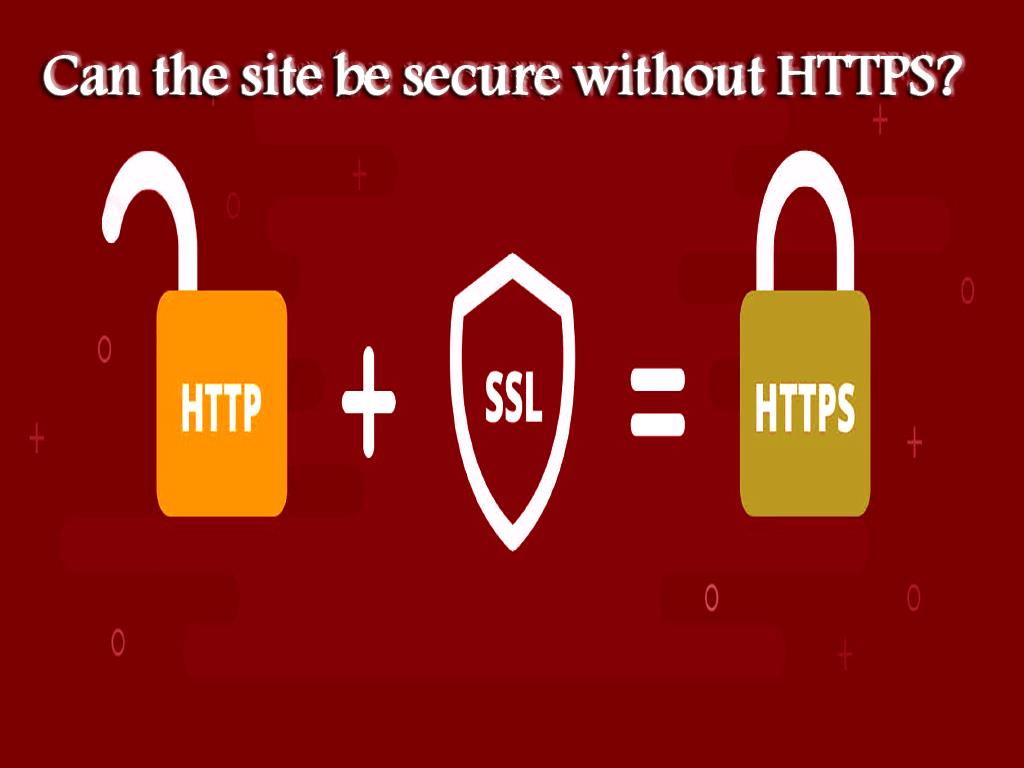
3. SLL in site design:

SLL in site design can help a lot to increase site security, in fact, this protocol is used to secure the insecure protocols, in other words, when the site information is passing through an insecure communication channel such as the Internet, a series of encryption algorithm are placed on the site information via SLL to prevent the information from being hacked while transferring, it is also important to note that users choose sites that use SLL in their design to get their desired results and the answers of their questions, but you may be wondering how we can tell if a site has used SLL or not, for recognizing it, you must pay attention to the site address, which “HTTPS” must be written instead of “HTTP”, where “s” at the end of HTTP indicates the phrase “secure”, also in this case a lock symbol is seen in the browser through which you can understand that the site is secure.

4. Use high security content management systems in site design:

Content management system is actually a software system containing tools for managing websites, most web users can also use these content management systems to design and launch their site even without programming knowledge, various features should be considered while choosing these systems, one of the most important features that the selected system should have is security. WordPress , Joomla, Drupal, etc., are content management systems that can be used according to the purpose you have in designing the site and also the level of security you need for your website.

5. Choose the right language for programming:

There are many languages for site programming that you should choose the best possible programming language according to your goal in creating the site , which we will introduce a number of programming languages to you in the following.

- python:

This programming language is one of the top ten programming languages in the world, which has many advantages that make people use it, but it should be noted that one of the disadvantages of this language is the slower execution of codes than other programming languages.

- Ruby:

Ruby is a specialized programming language that is a bit difficult to work with, and if you are newly starting, it is better to think of other options.

In general, it is not possible to say which programming language provides more security for your site, and it is necessary to choose the best possible language according to the goal you have in designing the site .

6. Install antivirus on your PC:

While programming and designing a site , you should pay attention to your personal computer and make sure that it is safe, because there may be malicious files on your computer that can cause all the information on your computer to be in danger, as a result you can get help from existing antiviruses, the best ones can be mentioned as follows.

- Bit Defender:

There are many antiviruses that each one has features that may make them superior to other ones, this antivirus can scan the virus at a very high speed, which is why it is superior to competitors.

- Sophos home:

This antivirus is for free, like the previous one, and offers many features to the user.

7. Do not save the password:

For better development of the site, you should constantly check it and log in through the site management panel, where some people save their password by the browser for easier and faster access, which is dangerous and affects the security of the site , because when you give your computer to someone else, he/she can easily access all parts of your site and make changes that may destroy your site.

8. Check all the information entered by the user:

There may be illegal characters in the data sent by the user, which causes damage to the site as well as its security, so all the information that users enter the site should be examined.

9. Check the security bugs of the site:

Even if you observe all the applicable points to increase the security level of the site in programming, site design, etc., you may still be notified of bugs by users or by checking your site, the best solution is to fix all the bugs quickly to increase the security of it and provide users with a good user experience, not paying attention to this point can cause the sites to gradually gain low security and be attacked by many hackers.

website development

Last word:

Nowadays, website development is of a great importance, for the correct and principled development of sites, you must pay attention to some points, so that you can achieve your desirable results, one of them is to observe all the tips that cause site security, in this article we tried to mention the importance programming process, site design, etc., if you pay attention to them, you can create a good site and be successful as soon as possible due to the fact that users will be attracted to high quality websites which is one of the factors that you need to be successful.

Click to analyze your wesbite SEO

DotNek بازدید : 127 سه شنبه 18 خرداد 1400 نظرات (0)

Physical security is an important part of security that must be done properly in order to keep all information secure, as you know, network, information and software security are important, but they can be proceeded when you are sure of physical security and there is no disruption in this field.

What is physical security, and why is it important?

What is physical security?

Physical security is the protection of hardware and software components , networks, and data from physical conditions and events that may cause serious harm to an organization, in other words, physical security includes all tasks that is done to protect information, hardware, and software from possible problems like stealing, etc., to achieve this security, it is necessary to take steps that we will mention them in the following.

Physical security can be created in a variety of ways, the choice of which depends on the information that you want to protect, as well as the problems that are to be prevented from occurring.

Physical Threats:

- Treats that may occur naturally which will damage the information that is to be protected, including floods, storms, tsunamis, volcanoes, earthquakes, etc.

- Disruption of natural conditions, for example, a sudden rise in temperature or high humidity, which you should be able to provide physical security for existing information in some way in this situation, there are other conditions that may happen, such as lightning, heavy rain, and so on.

- People may want to destroy existing information on purpose, through destruction, theft, fire, etc., all of which is necessary to deal with before they occur, so even if they happen, there are no worries in this field, because the solutions were thought before, as a result they cannot do much damage to the available information, sometimes a person may cause some events inadvertently which may be the reason of irreparable damage, for example, imagine that someone is working on his/her system and suddenly spills the coffee on it, which there are some tasks to do in a way that by implementing them you can protect your information from such incidents, as we have mentioned above, the importance of information also affects the steps that are taken to protect them, in the following, we will mention each of these events and the actions that can be done in order to prevent the loss of information when they occur.

What steps can be taken in general to build physical security?

1. Pay attention to the importance of a safe building:

Imagine that you have information that is so valuable, and you need to keep this information safe from any unexpected event, for achieving your goal you must do the following steps to make a building safe .

- A safe building must have a high level of safety against fire or any other kind of incident, for this purpose, you must use some special equipment for the building which includes some properties like being fireproof because of its ability to minimize damage in this case.

- Entrances and exits should be limited to make the process of controlling easier, as a result, they can be easily protected by security personnel, another important point that should be considered is controlling windows, which should be blocked.

- If you feel any small changes in the entrances to the building or room that contains important information, you should change the locks and even the people who protect them.

- A safe building should have an alarm, so that, it informs you in case of any abnormality, as a result you can create more physical security.

- A safe building should have an automatic fire extinguishing system to be able to extinguish the fire which may be intentionally caused by people, or due to incorrect electrification, and as you know, water can cause more damage to the computer system and destroy all of the information, so alternative methods should be used instead of water to provide the best possible physical security.

- In order for events to happen as little as possible, such as pouring coffee and the things like that, you should make it into a law that people are not allowed to drink, eat, smoke, etc., after entering such buildings and rooms, so that you should make every effort to maintain physical security and protect information and systems.

 2. Separate public systems from the ones that contain more important information:

- You should separate the systems depending on the importance of each, and apply different physical security to keep them safe.

- The location of the systems should be chosen based on the available information, for example, systems that contain sensitive and important information should be located in a place where it is protected, so that no one can reach it or try to abuse it due to the fact that there are lots of people who are trying to protect the information as much as possible.

- Keep all important information about the equipment in a safe place, for instance the equipment code, so that you can look for the equipment when you need it or if an accident happens.

- If you need to repair the systems, you may need someone who is specialized in this field, who should be chosen according to the information you have in the system, and you have to remind him to follow all the necessary rules.

3. Steps to be taken to create physical security against theft:

- Equipment that contains information should be marked in such a way that you can easily identify it, as a result, when the thief decides to sell the equipment, he/she cannot sell the available equipment at a high price.

- In addition to the specific markings you make on the system, you should also place some marks inside the system secretly, so that you can prove that the system belongs to you through the presence of such markings in the system.

- Limit the access to the system by people as much as you can, and never allow people to access the system easily and try to have a control over everything that occurs around the system.

- Place the system in the safest possible place and if people are allowed to use the device at your discretion, monitor their activity and do not allow them to be alone with the system for a long time.

- If all your important information is stored in small devices such as laptops, you should be more careful, because they can be easily carried, so you should try to do your best to be able to create as much physical security as possible.

4. Control power supplies:

- The power supplies that systems need them must be properly distributed, so that all systems can receive the electricity they need without disrupting the performance of the resources.

- You should always consider a resource as a backup, so that it can be a good alternative to the current source, and you can use it in a case when an unexpected event happens to the main source.

- Secure existing power supplies against accidents that are likely to occur.

5. Prevent the dissemination of information in the system:

- As mentioned in the safe building section, you have to place the system where there are lots of people who have the duty of monitoring it.

- Monitor devices such as scanners, copiers, etc., so that no one can abuse them in order to have a negative effect on physical security .

- Do not put the confidential information that you intend to delete in the regular trash, because it is not safe, so that you should intend to destroy it completely as soon as possible.

6. Get help from CCTV cameras:

- All the information you have as well as your systems can be controlled by placing CCTV cameras, nowadays, it is also possible to check all your systems through your mobile phone, and you can be notified in a case when any other user tries to log into your system, by a message which will be sent to you to take the necessary security measures, as a result you will take control of the system again and protect your information in the best possible way.

What is physical security?

Last word:

In general, physical security is an issue that is of a great importance these days, you must try different ways to secure the information according to the kind of information that you intend to protect it, in this article, we have mentioned a number of ways to establish physical security that each one needs more attention, and note that if your information is too important, you should be sure to get help from experts in this field to provide the physical security of the site in order to protect your information in the best possible way.

DotNek بازدید : 120 سه شنبه 18 خرداد 1400 نظرات (0)

Xbox Series X or PlayStation 5?

This is a question that any person may face while entering the ninth-generation. In this article, we will have a look at the advantages and disadvantages of both consoles so that you can choose the best one. Unlike the 8th generation, Microsoft was cautious about its console and instead of making major changes, tried to evolve the Xbox so that all the Xbox One accessories could be used on the series X/S and tried to make up previous generation mistakes, the Xbox One's hardware weakness and lack of exclusive games . Now they have built the most powerful console of history and bought major first-party studios. On the other hand, Sony wants to continue the path of the previous generation with its successful exclusive games in the last generation so that it can stay at the top of the sales chart.

Xbox Series X or PlayStation 5?PS4 designs , Microsoft and Sony have followed two completely different ways of designing for new consoles. the Xbox has a simpler appearance and a smaller size, but the PS5 is more creatively designed but it’s larger and almost reminds of PS3 fat model designs. While some gamers have complained about the PS4 overheating while playing games like Red Dead Redemption 2 and The Last of Us Part II, the air conditioning works well in PS5 . Unlike the first Xbox One model, there is no power brick beside the Xbox Series X, and the device is still cool and quiet while processing 4K and 120HZ games. You can also use both consoles horizontally and vertically. The PlayStation 5, with its customizable plates, gamers can change the way of how their console look, but the Xbox Series X gives your gaming setup a special grandeur with its integrated black look.

Exclusive games

Sony's exclusive games success over Microsoft in the 8th generation is not denied. Releasing games such as God of war and The Last of Us Part II boosted PS4 sales and even forced Microsoft to buy First Party Studios. The cancellation of some Xbox games, such as Scale Bound and Fable, as well as the run-of-the-mill performance of other exclusives, unlike the seventh-generation, caused Microsoft failure. It can be said that Microsoft's best chance is the backward capability that unlike the PlayStation , runs completely flawless and supports even the Sixth-generation games. Now with the addition of EA Play, a large archive of world premier games is available to Game Pass Users at a low cost. They also buy more studios after signing one of the most expensive contracts in the history of the video game industry with Bethesda, according to Phil Spencer, head of Microsoft's Xbox.

Looking at Xbox exclusive games, you will find that if you are into racing, shooter, or online games, you can choose this console. But if you are looking for action-adventure games and deeper stories, PlayStation could be your best choice. With the Bethesda contract, we can expect massive RPGs in Game Pass. Also, Sony has announced PS Plus Collection for PS5 which allows you to have access to many PS4 exclusive and multi-platform games like God of War, Battlefield 1, etc.,

Controller

One of the most important strengths of the PS5 is the Dual Sense, which has been released with its adaptive trigger and haptic feedback features. Dual Sense has a cool design and With Astro's playroom, Sony has shown its feature, but we must see if using this feature is easy for other developers or not.

Dual Sense Built-in microphone can be really useful for online players, so you can have a voice chat while playing on TV speakers. Dual Sense Haptic Feedback is a more advanced form of impulse triggers technology used in the Xbox One controller . With this feature, gamers get a real sense of the levels and collisions of the game and find themselves fully in the game environment with 3D sound. adaptive triggers can be added to what we have said. The use of different rifles such as shotguns and bows and arrows will be different in the ninth-generation games of the Sony console, and by adjusting the trigger, you will feel even harder arrows and bows due to the stretch, as well as more difficult to shoot with shotguns. Motivation.

On the other hand, Microsoft has tried to keep its design with minor improvements over the Xbox One controller. They have added a new “share” with redesigned D-pad with more comfortable bumpers. Dual Sense includes problems with the adapter trigger after a while. Also, the use of batteries in the Xbox Series X controller is unpleasant for some gamers.

Hardware

The two ninth-generation consoles are equipped with AMD processors and ZEN 2 architecture with eight similar cores, but there are differences in the GPU. The Xbox series X GPU with 12.5 teraflops of processing power is up against 10.28 teraflops of PlayStation with more numbers of CUs, but both have a custom AMD RDNA 2 architecture. Both consoles have 16GB of GDDR6 RAM, but the maximum amount of PlayStation’s bandwidth is more than the Xbox Series X.

Thanks to the high-speed SSD of PS5 and Xbox Series X, the ninth generation has no longer a boring loading and almost all games load in a few seconds, but due to this generation huge games, 670 GB of PlayStation accessible memory may not be enough and According to Sony, it is not possible to add external memory at the moment, but when this problem is solved with the updates, it’s not too easy. However, you can buy an external SSD for your 

These Two new consoles support Backward compatibility in different ways. Thanks to the Integrated architecture of Xbox consoles , you can Run 4 generation games on Xbox Series X. On the other hand, PS5’s compatibility is limited to PS4. Microsoft engineers have done another miracle besides Backward compatibility. They have been able to greatly increase the refresh rate of eighth-generation games using FPS Mode. Now some previous generation games have even reached 120 frames per second which are wonderful.

Microsoft and Sony are focusing on cloud services with developing project xCloud and PS Now. With xCloud you can play Xbox games on your phone or Personal Computer on the same saved data. PS Now also recommends a good archive that you can play some PS4 and PS3 games on your PlayStation 5.

Price and availability

It can be said that both companies have suffered losses to launch their consoles at a reasonable price, but this loss will be compensated by selling games and subscriptions. You must know that new games in the 9th generation will cost 10 more dollars which is 70$. We must remind that with the rising cost of making games, this is not much after years of price stability. Also, a while ago Microsoft decided to increase Game Pass Ultimate and Gold subscription price which was criticized by many gamers. Not only they did not increase the price but also eliminated the need for free games for Gold subscription. Note that Sony did not require PS plus for free games for ages.

Due to the coronavirus pandemic and its limits, the inventory of both consoles was limited, especially in the pre-order and first days of release, and this led to staggering prices on eBay and Both manufacturers have promised to stock up on stores. Both consoles have 499$ price tag, which of course may be unfair that the Xbox presents more power and memory, at least on paper.

Xbox Series X or PS5? Which one to buy?

Conclusion

However, we are at the beginning of the new generation and multi-platform games that can show the true power of both consoles have not been released yet and we can’t make an accurate graphical comparison between the two consoles and it can be said that the ninth-generation changes are not significant but impressive. Many factors are influencing your decision to buy and choose one of these consoles. You may be impressed by the next God of War and Dual Sense features, or choose the Game Pass and upcoming Xbox exclusives such as Fable and Halo infinite.

DotNek بازدید : 96 سه شنبه 18 خرداد 1400 نظرات (0)

Servers help users get the answers to their questions in a short while, in fact, when you make a request in a browser, the browser receives and sends information about the answer to your request from the server, security issues on the server and let the hacker know the weaknesses, for example, if the server has a weakness in choosing a password which can be easily obtained, they will let the hackers know about this weak point, other vulnerabilities of a server that may be found by these tools may include incorrect configuration of software on the server, non-updated software on it, and so on.

Hackers may use the following tools to scan servers:

1- Nessus:

Nessus can provide a lot of information to hackers, it can find and report vulnerabilities on a server, using this tool requires payment, but hackers can regain the money which they have spent quickly.

2- Nmap:

Nmap is one of the most popular tools that can be used to identify vulnerabilities in a server.

3- Nikto:

Nikto works like Nessus, but the thing about this tool is that if an intrusion detection tool is used, the hacker who have used this tool can be easily detected.

4- OpenVAS:

This tool is also used to identify server vulnerabilities.

5- Metasploit:

How to work with this tool is very simple and even a novice hacker can easily use it in order to access vulnerabilities in a server.

6- HTTrack:

This tool allows a complete analysis of a server.

7- Maltego:

These tools are very suitable for analyzing servers and can provide other possibilities for hackers.

8- Netsparker:

All programs and services on the server can be scanned by this tool.

9- ScanMyServer:

This tool can be used for free in order to find out the ensure the security of their information . Phishing attacks have different types, including phishing email, deceptive phishing, spear phishing, vishing, pharming attacks, each of which has lots of details and hackers use them to hack various things such as servers, etc.

In general, hackers can eventually edit the information and content on the server through the items we have mentioned, and by changing the valuable contents in it into malicious contents, cause a decrease in the reputation of sites on the server, it is also possible that hackers put malicious links in the content while editing, which also reduces the value of existing content as well as the credibility of the site, another step that may be taken by hackers to hack servers is that if a user visits a site that has been manipulated by hackers, malware is installed on their system and the hacker can access a lot of personal and important information of users through it.

When sites lose their credibility, their owners try to find out the reason which is causing their sites to lose their credibility, and they will eventually find out that the problem is with the server and hackers have been able to hack the system through the server, at this time site owners can complain about the server that hosted their site, all of which finally will cause a lot of damage to the owners of sites and servers, as a result, the security of all items must be observed properly, and before security is affected by black hat hackers, etc., the owners of the servers can get help from white and red hat hackers in order to protect their information and check the security of the server, so that if there are security holes, they can quickly check and fix them properly.

servers get hacked

Last word:

Servers have a great impact on the speed of loading the site, etc., nowadays, time is of great value to all users, as a result, sites that have a high speed on the search engine results page, can achieve a high ranking and ultimately attract organic traffic to their sites, eventually sites use servers to increase their speed, and if these servers are noticed by hackers, and they have many weaknesses after scanning, it can cause a lot of problems for users, so it is necessary to remember all the points related to server hacking and try to choose a secure server for your site with complete mastery of these issues in order to protect your important information from being stolen.

DotNek بازدید : 118 سه شنبه 18 خرداد 1400 نظرات (0)

The height of Xbox Series X is seven centimeters shorter. Another point that needs to be mentioned is that both of these consoles are ranked among the heaviest available consoles due to date.

PlayStation 5

Design and dimensions of PS5 and Xbox Series X

Based on official information at Sony.com, the ninth generation of PS5 is six centimeters taller than its foe. The new console of Sony is much higher than the new Xbox. It reaches 37.8 centimeters. The height of Xbox Series X is seven centimeters shorter. Another point that needs to be mentioned is that both of these consoles are ranked among the heaviest available consoles due to date. The optical version of PS5 is almost 4.5 kilograms, and the digital version that is cheaper and doesn’t have any optical drive is nearly 3.9 kilograms. The new Xbox's weight is almost the same as its competitor, but Xbox Series S is way lighter than the digital version of PlayStation , its 1.93 kilograms.

Microsoft did a fair job designing the new Xbox, and It has a cubic shape, and thanks to its black color, you can match it with many of the things in your room. On the other hand, the new PlayStation has a rectangle shape. It has a modern look, but it’s a little bit difficult to match with the room, but possible because of its white color.

Well, by its looks, Xbox Series X has more processing power than the PlayStation 5, but we have to make sure of this in action.

The processing power of PlayStation 5 and Xbox Series X     

At the very own core of Xbox Series X, we have a powerful AMD chip customized exclusively for this console. Microsoft and AMD, despite their last generation differences, did a great collaboration on this. Eight 7nm Zen 2 processing cores are included in this chip, and we have SMT capability to run sixteen threads in parallel.

Xbox Series X has 16GB of GDDR6 memory with a 320-bit interface. If we look at the console's storage part, we see a one terabyte NVMe SSD with a transfer rate of 2400 MB per second. You can also attach other SSDs to the device by the ports in the back of the console.

Again, in PS5 , we also have eight 7nm Zen 2 processing cores, but they are slightly weaker than Xbox because they clock at 3.5 GHz and Xbox clock at 3.8 GHz. PlayStation 5 also has 16GB of GDDR6 RAM and a 256-bit interface. The thing is that PlayStation is more successful in real action, although on the paper it seems a little weaker, but it can run 4K resolution, Ray Tracing On games with higher frame rates and more graphic details. Kudos to Sony for this console.

 PlayStation 5 and Xbox Series X controllers

Xbox Series X controllers did not change drastically compared to the last generation, but it’s an acceptable upgrade. The new controllers seem a lot like the Xbox Elite controllers on the market. The circular pad of the controller has an ergonomic design which is really better than the last generation. You can also use this controller on Windows 10 devices without any problem. Also, keep in mind that you can use the previous generation controllers on the Xbox Series X, but some customers reported that it doesn’t function well, and sometimes it disconnects. Microsoft declined these accusations, but they released an update a few months ago, and now it seems like that it’s solved. If you want a new experience, I suggest you use the new controllers.

On the other hand, PlayStation controllers changed entirely in terms of design, and now instead of DualShock, we have DualSense, which is really cool.

DualSense enhances user experience, and the new PlayStation Controllers are very much similar than before to the Xbox. We have adaptive triggers on the L2 and R2 buttons, and they function and vibrate better than before. Haptic touch is another feature of the DualSense and replaced the old school DC vibration. Xbox had this feature before, but now we get to experience it on the PS5.

Xbox Series X

Conclusion

Xbox consoles are cheaper than PlayStation, but Microsoft, contrary to Sony, has not yet announced tempting exclusives for its console, and they are buying many new studios. Probably we see some of the great exclusives in the middle of the generation, but for now, Sony is one more step ahead because it has introduced more tempting exclusives and have a much clearer path for their fans, compared to Microsoft that we don’t know many things from its progress in making new exclusives

Finally, I have to say that maybe buying the PlayStation is a better option because of Sony's exclusive games and better support of buyers, and a lovely controller. Although some time has passed since the beginning of the generation, Microsoft has not yet shown much of its original exclusives. Of course, do not forget the Game Pass, you can use Game Pass to get access to many games for only ten dollars a month, and Sony has not yet provided such a service for gamers . But I have to say that buying a console is a personal choice, and some people may prefer the new Xbox to the PlayStation. It's totally up to you.

DotNek بازدید : 93 سه شنبه 18 خرداد 1400 نظرات (0)

In order for local applications to have access to the web, special settings must be made in their design so that they can finally access the web. This article teaches you how to create a class and access the web through the created classes. If you want to know how to create classes in the application and access the web through classes, it is recommended to follow this tutorial.

How to access the web with the application in Xamarin?

In this section you will learn:

- How to use NuGet Package Manager to add Newtonsoft.Json to Xamarin.Forms projects.

- How to create classes that also have access to the web.

- How to use the classes created to access the web?

The requirements for doing this training are as follows:

- Install the latest version of Visual Studio 2019 on the system

-  Install the latest version of Mobile development with .NET on the system

Learn how to add Newtonsoft.Json to Xamarin.Forms projects with NuGet Package Manager using Visual Studio

1- Open Visual Studio.

2- After opening Visual Studio , you need to create a new black Xamarin.Forms app.

3- Choose a name to create. The name chosen in this article is WebServiceTutorial.

4- It is better to be careful in choosing names for the projects and classes created.

Note:

The name chosen for the project must be the same as the name chosen for the solution, so choose the solution name WebServiceTutorial.

5- After naming, you must make sure that the system and application support the .NET Standard mechanism for shared code.

This mechanism is used to share code written in Xamarin.Forms with the C # programming language. If your system and app do not support this mechanism, it cannot have multiple outputs on multiple platforms at once. Therefore, in order to be able to have multiple outputs on several different platforms at the same time, you must be sure that your app and system support this mechanism.

6- Right-click in the Solution Explorer section of the WebServiceTutorial project.

7- Select Manage NuGetPackeges.

8- In the NuGet Packages Manager section, select the Brows tab.

9- Search for Newtonsoft.Json, then install it and add it to the project.

10- Build a Solution to ensure there are no errors.

Learn how to create classes in Xamarin.Forms that also have access to the web using Visual Studio

1. In the Solution Explorer section of the WebServiceTutorial project, create a new class called Constants and add it to the project.

2. Replace all the code listed below with the code in the Constants.cs section.

namespace WebServiceTutorial
{
public static class Constants
{
public const string OpenWeatherMapEndpoint = "Error! Hyperlink reference not valid.";
public const string OpenWeatherMapAPIKey = "INSERT_API_KEY_HERE";
}
}

By entering the above code, you define two constants. OpenWeatherMapEndpoint is an endpoint versus web request, and OpenWeatherMapAPIKey displays your personal API key for OpenWeatherMap.

3. In the Solution Explorer section of the WebServiceTutorial project, create a new class and name it WeatherData and add it to the project.

4.  Replace all the codes listed below with the codes in the WeatherData.cs section.

using Newtonsoft.Json;

namespace WebServiceTutorial
{
public class WeatherData
{
[JsonProperty ("name")]
public string Title {get; set;}

[JsonProperty ("weather")]
public Weather [] Weather {get; set;}

[JsonProperty ("main")]
public Main {get; set;}

[JsonProperty ("visibility")]
public long Visibility {get; set;}

[JsonProperty ("wind")]
public Wind {get; set;}
}

public class Main
{
[JsonProperty ("temp")]
public double Temperature {get; set;}

[JsonProperty ("humidity")]
public long Humidity {get; set;}
}

public class Weather
{
[JsonProperty ("main")]
public string Visibility {get; set;}
}

public class Wind
{
[JsonProperty ("speed")]
public double Speed {get; set;}
}
}

By entering this code, you define four classes that are used to model the recovery of JSON data.

5. In the Solution Explorer section of the WebServiceTutorial project, create a new class called RestService and add it to the project.

6.  Replace all the codes listed below with the codes in the RestService.cs section.

using System;
using System.Diagnostics;
using System.Net.Http;
using System.Threading. Tasks;
using Newtonsoft.Json;

namespace WebServiceTutorial
{
public class RestService
{
HttpClient _client;

public RestService ()
{
_client = new HttpClient ();
}

public async Task <weatherdata> GetWeatherDataAsync (string uri) {
WeatherData = null;
try
{
HttpResponseMessage response = await _client. GetAsync (uri);
if (response. IsSuccessStatusCode)
{
string content = await response. Content.ReadAsStringAsync ();
weatherData = JsonConvert.DeserializeObject <weatherdata> (content);
}
}
catch (Exception ex)
{
Debug.WriteLine ("\ tERROR {0}", ex. Message);
}

return weatherData;
}
}
}
</weatherdata> </weatherdata>

By entering this code, you define the GetWeatherDataaAsync method. This method uses the HttpClient.GetAsync method to send a GET request to the web API. The web API sends a response that is stored in the HttpResponseMessage object. The response contains the HTTP status code, which is used to determine if the HTTP request was sent successfully.

If the request is successful, the web API will respond with HTTP status code 200 (OK) and JSON response.

7. Build a Solution to ensure that there are no errors.

Learn how to use classes in Xamarin.Forms to access the web using Visual Studio

1- In the Solution Explorer section of the WebServiceTutorial project, double-click on MainPage.xaml.

2- Replace all the codes listed below with the codes in that section.

<! -? xml version = "1.0" encoding = "utf-8"? ->
<contentpage xmlns = "Error! Hyperlink reference not valid." xmlns: x = "Error! Hyperlink reference not valid." x: class = "WebServiceTutorial.MainPage">
<grid margin = "20,35,20,20">
<grid. columndefinitions>
<columndefinition width = "0.4 *">
<columndefinition width = "0.6 *">
</columndefinition> </columndefinition> </grid. columndefinitions>
<grid. rowdefinitions>
<rowdefinition height = "40">
</rowdefinition></rowdefinition></rowdefinition></rowdefinition></rowdefinition></rowdefinition> </rowdefinition> </grid. rowdefinitions>
<entry x: name = "cityEntry" grid. columnspan = "2" text = "Seattle">
<button grid. columnspan = "2" grid.row = "1" text = "Get Weather" clicked = "OnButtonClicked">
<label grid.row = "2" text = "Location:">
<label grid.row = "2" grid. column = "1" text = "{Binding Title}">
<label grid.row = "3" text = "Temperature:">
<label grid.row = "3" grid. column = "1" text = "{Binding Main.Temperature}">
<label grid.row = "4" text = "Wind Speed:">
<label grid.row = "4" grid. column = "1" text = "{Binding Wind.Speed}">
<label grid.row = "5" text = "Humidity:">
<label grid.row = "5" grid. column = "1" text = "{Binding Main.Humidity}">
<label grid.row = "6" text = "Visibility:">
<label grid.row = "6" grid. column = "1" text = "{Binding Weather [0]. Visibility}">


</label></label></label></label></label></label></label></label></label></label></button> </entry> </ grid> </contentpage>

By entering this code, you specify a UI for the page. This UI includes an Entry, a Button and a number of Labels in the Grid.

3- In the Solution Explorer section of the WebServiceTutorial project, open the MainPage.xaml file.

4- Double click on MainPage.xaml.cs and replace all the codes listed below with the codes in that file.

using System;
using Xamarin.Forms;

namespace WebServiceTutorial
{
public partial class MainPage: ContentPage
{
RestService _restService;

public MainPage ()
{
InitializeComponent ();
_restService = new RestService ();
}

async void OnButtonClicked (object sender, EventArgs e)
{
if (! string. IsNullOrWhiteSpace (cityEntry.Text))
{
WeatherData = await _restService.GetWeatherDataAsync (GenerateRequestUri (Constants.OpenWeatherMapEndpoint));
BindingContext = weatherData;
}
}

string GenerateRequestUri (string endpoint)
{
string requestUri = endpoint;
requestUri + = $ "? q = {cityEntry.Text}";
requestUri + = "& units = imperial"; // or units = metric
requestUri + = $ "& APPID = {Constants. OpenWeatherMapAPIKey}";
return requestUri;
}
}
}

The OnButtonClicked method is executed when the Button is hit.

5- Press the start button or the Ctrl + F5 key combination to see the result of the applied changes.

The requirements for doing this training are as follows:

- Install the latest version of Visual Studio for Mac on the system

- Install the latest version of support platform for Android and iOS on the system

- Install the latest version of Xcode on the system

Learn how to add Newtonsoft.Json to Xamarin.Forms projects with NuGet Package Manager using Visual Studio for Mac

1- Open Visual Studio for Mac.

2- After opening Visual Studio for Mac, you need to create a new black Xamarin.Forms app .

3- Choose a name to create. The name chosen in this article is WebServiceTutorial.

4- Note: It is better to be careful in choosing names for the projects and classes created.

Note:

The name chosen for the project must be the same as the name chosen for the solution, so choose the solution name WebServiceTutorial.

5- After naming, you must make sure that the system and application support the .NET Standard mechanism for shared code.

This mechanism is used to share code written in Xamarin.Forms with the C # programming language. If your system and app do not support this mechanism, it cannot have multiple outputs on multiple platforms at once. Therefore, in order to be able to have multiple outputs on several different platforms at the same time, you must be sure that your app and system support this mechanism.

6- Right-click on the Solution pad of the WebServiceTutorial project.

7- Select Manage NuGetPackeges.

8- In the Newtonsoft.Json window, search for Add Packages, then install it and add it to the project.

9- Build a Solution to ensure there are no errors.

Learn how to create classes in Xamarin.Forms that also have web access using Visual Studio for Mac

1- In the Solution pad section of the WebServiceTutorial project, create a new class called Constants and add it to the project.

2- Replace all the code listed below with the code in the Constants.cs section.

namespace WebServiceTutorial
{
public static class Constants
{
public const string OpenWeatherMapEndpoint = "Error! Hyperlink reference not valid.";
public const string OpenWeatherMapAPIKey = "INSERT_API_KEY_HERE";
}
}

By entering the above code, you define two constants. OpenWeatherMapEndpoint is an endpoint versus web request, and OpenWeatherMapAPIKey displays your personal API key for OpenWeatherMap.

3- In the Solution Explorer section of the WebServiceTutorial project, create a new class and name it WeatherData and add it to the project.

4- Replace all the codes listed below with the codes in the WeatherData.cs section.

using Newtonsoft.Json;

namespace WebServiceTutorial
{
public class WeatherData
{
[JsonProperty ("name")]
public string Title {get; set;}

[JsonProperty ("weather")]
public Weather [] Weather {get; set;}

[JsonProperty ("main")]
public Main {get; set;}

[JsonProperty ("visibility")]
public long Visibility {get; set;}

[JsonProperty ("wind")]
public Wind {get; set;}
}

public class Main
{
[JsonProperty ("temp")]
public double Temperature {get; set;}

[JsonProperty ("humidity")]
public long Humidity {get; set;}
}

public class Weather
{
[JsonProperty ("main")]
public string Visibility {get; set;}
}

public class Wind
{
[JsonProperty ("speed")]
public double Speed {get; set;}
}
}

By entering this code, you define four classes that are used to model the recovery of JSON data.

5- In the Solution pad section of the WebServiceTutorial project, create a new class and name it RestService and add it to the project.

6- Replace all the codes listed below with the codes in the RestService.cs section.

using System;
using System.Diagnostics;
using System.Net.Http;
using System.Threading. Tasks;
using Newtonsoft.Json;

namespace WebServiceTutorial
{
public class RestService
{
HttpClient _client;

public RestService ()
{
_client = new HttpClient ();
}

public async Task <weatherdata> GetWeatherDataAsync (string uri)
{
WeatherData = null;
try
{
HttpResponseMessage response = await _client. GetAsync (uri);
if (response. IsSuccessStatusCode)
{
string content = await response. Content.ReadAsStringAsync ();
weatherData = JsonConvert.DeserializeObject <weatherdata> (content);
}
}
catch (Exception ex)
{
Debug.WriteLine ("\ tERROR {0}", ex. Message);
}

Return entering this code, you define the GetWeatherDataaAsync method. This method uses the HttpClient.GetAsync method to send a GET request to the web API. The web API sends a response that is stored in the HttpResponseMessage object. The response contains the HTTP status code, which is used to determine if the HTTP request was sent successfully.

If the request is successful, the web API will respond with HTTP status code 200 (OK) and JSON response.

7- Build a Solution to ensure that there are no errors.

Learn how to use classes in Xamarin.Forms to access the web using Visual Studio for Mac

 1- Double click on MainPage.xaml in the Solution pad of the WebServiceTutorial project.

 2- Replace all the codes listed below with the codes in that section.

<! -? xml version = "1.0" encoding = "utf-8"? ->
<contentpage xmlns = "Error! Hyperlink reference not valid." xmlns: x = "Error! Hyperlink reference not valid." x: class = "WebServiceTutorial.MainPage">
<grid margin = "20,35,20,20">
<grid. columndefinitions>
<columndefinition width = "0.4 *">
<columndefinition width = "0.6 *">
</columndefinition> </columndefinition> </grid. columndefinitions>
<grid. rowdefinitions>
<rowdefinition height = "40">
</rowdefinition></rowdefinition></rowdefinition></rowdefinition></rowdefinition></rowdefinition> </rowdefinition> </grid. rowdefinitions>
<entry x: name = "cityEntry" grid. columnspan = "2" text = "Seattle">
<button grid. columnspan = "2" grid.row = "1" text = "Get Weather" clicked = "OnButtonClicked">
<label grid.row = "2" text = "Location:">
<label grid.row = "2" grid. column = "1" text = "{Binding Title}">
<label grid.row = "3" text = "Temperature:">
<label grid.row = "3" grid. column = "1" text = "{Binding Main.Temperature}">
<label grid.row = "4" text = "Wind Speed:">
<label grid.row = "4" grid. column = "1" text = "{Binding Wind.Speed}">
<label grid.row = "5" text = "Humidity:">
<label grid.row = "5" grid. column = "1" text = "{Binding Main.Humidity}">
<label grid.row = "6" text = "Visibility:">
<label grid.row = "6" grid. column = "1" text = "{Binding Weather [0]. Visibility}">


</label></label></label></label></label></label></label></label></label></label></button> </entry> </ grid> </contentpage>

By entering this code, you specify a UI for the page. This UI includes an Entry, a Button and a number of Labels in the Grid.

3- In the Solution Explorer section of the WebServiceTutorial project, open the MainPage.xaml file.

4- Double click on MainPage.xaml.cs and replace all the codes listed below with the codes in that file.

using System;
using Xamarin.Forms;

namespace WebServiceTutorial
{
public partial class MainPage: ContentPage
{
RestService _restService;

public MainPage ()
{
InitializeComponent ();
_restService = new RestService ();
}

async void OnButtonClicked (object sender, EventArgs e)
{
if (! string. IsNullOrWhiteSpace (cityEntry.Text))
{
WeatherData = await _restService.GetWeatherDataAsync (GenerateRequestUri (Constants.OpenWeatherMapEndpoint));
BindingContext = weatherData;
}
}

string GenerateRequestUri (string endpoint)
{
string requestUri = endpoint;
requestUri + = $ "? q = {cityEntry.Text}";
requestUri + = "& units = imperial"; // or units = metric
requestUri + = $ "& APPID = {Constants.OpenWeatherMapAPIKey}";
return requestUri;
}
}
}

5- The OnButtonClicked method is executed when the Button is hit.

6- Press the start button or the Ctrl + F5 key combination to see the result of the applied changes.

How to access the web with the application?

Finally, you were able to do the following:

- How to use NuGet Package Manager to add Newtonsoft.Json to Xamarin.Forms projects.

- How to create classes that also have access to the web.

- How to use the classes created to access the web.

DotNek بازدید : 110 سه شنبه 18 خرداد 1400 نظرات (0)

Site security is of a great importance and if all the points that are necessary in order to keep a site safe are not followed properly, the information that you have in your system and also your site can be easily stolen by a hacker, there are many of them who are looking for insecure sites, so that they can easily penetrate it through the security holes exist on the website and reach their desired goal, interestingly, the number of these people is increasing day by day, and therefore users' have a huge concern which refers to the security of their site that this feeling of insecurity is the increase of number of hackers, and the question of which is constantly raised in users minds is that who is responsible for security of the site? What are the duties of this person? And lots of other questions that these people are looking for the answers of them on the Internet in order to get desired results, on the other hand, there are people who do not take the security of the site seriously at all, and constantly think that if they have not been hacked so far, then their site has a high security, but this is not a true opinion, and they should take the possibility of not being noticed by hackers into consideration, so it can be a good reason for not being hacked until today, and if a hacker decides to hack their site, he/she can easily implement malicious actions on them, and cause many problems for this people, before giving the answer of the popular question that who is responsible for site security? It is necessary to have an overview of site security.

Who is responsible for website security?

What is site security?

In simple terms, site security means any action taken to protect a site from being attacked by hackers and cyber attacks, the measures taken to increase the security of the site are different, and due to the important information available on the site as well as the budget, different types of methods should be used in this direction.

Who is responsible for website security?

The security of your site is your own responsibility, people may suggest that you can increase the security of your site with a limited budget, but this is definitely impossible, and if you want to increase the security of your site as good as possible, you need to spend a lot of time and energy in order to a reach your goal.

You can even entrust the security of your site to companies that have specialized people in this field, and you have to pay a lot of money to them, but a disadvantage is that these companies are responsible for the security of many sites, as a result, the security of your site is not the main goal of such companies, so your site may not be much secured.

If you want to know more about the person who is responsible for site security, you need to answer the question of who gives more importance to your site and makes profit out of the success of your site, which the answer of all these questions is you, because you are the one who can definitely help increase the security of your website by learning tips to secure your website, which we will mention in more detail below.

Tips regarding site security:

- Back up your website:

One of the ways you can increase the security of your site is to make a backup of the information of site, to do this, you need to make several backup copies of your site and ensure the security of all those backups, so you need to be able to use them and not lose your site at once due to hacking attacks.

The reason we emphasize that you should not make a single backup and the importance of making several backups, is that if your site is attacked by hackers, it may be through malware and if a copy replaced the backup, it will be attacked again simply, eventually you need to make more backups and keep them in a safe place, so that people who want to damage your site will not be able to access those backups.

- Monitor your website closely and regularly:

Maintaining the security of a site requires regular monitoring to realize the things that happens on the site, and if you feel something suspicious that has happened on your site, you should quickly check everything, so that it will not be damaged seriously, and you can increase your website security and prevent hackers from achieving their goals.

- Install a powerful antivirus on your system:

If your system is infected with a virus, it means that hackers can infect your site with just one move, so you need to install a strong antivirus and update it regularly in order to keep your site secure.

- Use the website firewall:

The firewall specifies that who can access the site, and who cannot access it, using a firewall can help you maintain your site security and block hacker’s way from entering your site, in addition to the things we have mentioned so far, you need to follow other tips in order to be able to compromise the security of your site, but how can hackers endanger the security of your site? Let us give you a brief explanation in this regard.

What do hackers do to endanger the security of the site?

- Malware:

One of the ways that hackers use to compromise the security of your site is through malware, there have been many reports of hackers using malware, in which case hackers create malicious software that endangers the security of your site if it is used by site owners, as a result, you should be aware of not choosing any kind of software for your system and only provide the one you need from reputable sources on the Internet.

- DDoS attacks:

These attacks are also very common among hackers which target and disrupt site traffic, even in some cases, the site owners ask for money to fix the site traffic disruption and return it to its original state.

- Spam emails:

Surely you have encountered a person who has received spam emails, so you know the results, our suggestion to you is not to open suspicious emails at all, so that hackers cannot access the system as well as the site, there are many ways that hackers can use to infiltrate your site, 3 of which will be mentioned briefly in order to make you realize the dangers threaten your site and take your site security more seriously.

Why should you take action to secure your site?

- If your site is hacked, your site’s credibility will be significantly reduced:

Imagine that people want to use your site services and eventually find out that your site has already been hacked, so do you think that it is possible for them to trust your site? Do they enter their personal information on your site?

The answer to this question is definitely no, and people will never choose your site in order to meet their needs.


- In case of a cyber-attack, the cost of troubleshooting problems of the site is very high:

You may think that you should not spend your time on the security of your site and if hackers attack your site, then you will take the necessary action, but this is a wrong idea, because the costs that are required in order to increase the security of a site , are certainly much lower than the costs that are required to solve the problems that arose after the hacking attack.

- Cybercriminals target small businesses:

The smaller a site is, the easier it is to hack, and hackers are constantly looking for easier ways in order to achieve their goal, so try to increase the security of your website and improve your acknowledgement about site security in order to take the necessary steps with more awareness.

What is site security?

Last word:

The security of your site is your responsibility and in this way you can get help from companies that specialize in this field, but never forget that you need to monitor everything yourself and never leave everything to others and only get help from them in this way.

DotNek بازدید : 126 سه شنبه 18 خرداد 1400 نظرات (0)

The security of computer systems has become an important issue today and users are looking for the best ways to protect the site against malicious programs as well as hackers, in this way, they may use various methods such as using safe passwords, constantly updating the system, using antivirus, not clicking on spam emails or other things that one of the most effective things they can do is to use a firewall.

In the following, we will discuss how effective the use of firewalls is, and we will also examine whether hackers are able to pass the firewalls or not.

Can the firewall be hacked?

What is a firewall?

In fact, firewalls are network security systems which control traffic flow between the Internet and the private network, it also protects a system from illegal access and provides high network security for the system, there are three basic types of firewalls, each of which are going to be briefly described below.

A number of different types of firewalls:

- Proxy Server Firewalls:

This type of firewall is a network security system that can protect network resources well and provide high security in the connection between internal servers and the existing servers on the Internet.

- Stateful Inspection:

These types of firewalls can also provide high security in the network and use the smartest methods to block unauthorized traffic and ultimately provide high security for the system.

- Packet Filters:

These types of firewalls, compared to other types, have less ability to provide security for the network and analyze all the data that enters or exits the system, and in case of a suspicious act, the data is not allowed to enter the system.

In fact, these types of firewalls are suitable for small networks and do not have a high ability to increase network security for large companies.

The things that firewalls protect the system and information from:

There are different types of firewalls, and each of them protects the computer system against different factors, firewalls detect unauthorized traffic and prevent any further damage quickly.

- They allow the internal attacks to be minimized.

- Firewalls are one of the most suitable tools that can prevent the entry of malware and protect the system against such malware, in addition to the things mentioned above, firewalls have other capabilities, and we are going to mention some of the best firewalls in 2021 below.

The Best firewall of 2021:

- Bitdefender Total Security:

Bitdefender Total Security is one of the strongest security that protects the system against viruses as well as malware, through this firewall, a wide range of items that are necessary for system security can be achieved, by providing one of these firewalls, you can protect information on five devices, for example, you can use the same type of firewall that you have provided for both your personal computer and your mobile device.

Many users use Bitdefender Total Security because of the reasonable price of this firewall and also the fact that it can provide a wide range of security protections .

- Webroot AntiVirus:

This firewall, occupies only a small amount of space, after being installed on the system, and due to its low volume, it takes only a few seconds to install, all users who use this type of firewall give Webroot AntiVirus an acceptable and good score, which has attracted many users to it.

- ZoneAlarm:

ZoneAlarm is one of the best firewalls that requires payment and has many features to use, it should be noted that it also has a Pro version, which has more capabilities compared to the free version of this firewall.

It protects your system against unauthorized incoming and outgoing traffic to the system, in addition to the features which we have mentioned about this firewall, it also has other capabilities, all of which have made it one of the best firewalls available.

- GlassWire:

Among the available firewalls we can mention GlassWire , which is free and also provides many features for users’ data protection, if an unknown device is connected to your system, it will be detected by this firewall and will be reported to you in order to make you aware of this process, so you can disconnect it, if necessary.

In general, if you use this firewall, you can access a wide range of features and keep your information safe from hackers.

- Comodo Firewall:

This firewall, like the previous two, is for free and can control all incoming and outgoing traffic, as a result when a harmful software enters your system, it will quickly block its connection to your system and also alerts you in a case that malware enters your system.

- TinyWall:

This firewall is able to protect the system well against malware and prevent malicious programs from changing Windows firewall settings, using this firewall makes it easier for you to reach your goal while using the Internet without opening pop-up windows and protect your information from hackers, so it prevents your personal and important information from being stolen.

Can the firewall be hacked?

So far we have mentioned a lot of points about firewalls, but you may be thinking about the common question which is whether profiteers can hack firewalls or not, the answer to this question is yes, hackers can bypass the firewall through various ways and gain access to the information, as a result, you can do the following to protect your information more and more.

- Enable multi-factor authentication:

As a result, you can keep your information safe if hackers bypass your security tool , if you use multi-factor authentication, you will make it more difficult for hackers, you should also be very careful in choosing a strong and safe password which is hard to guess in order to make the process as hard as possible.

- Perform penetration test:

By performing a penetration test, you are able to identify the security holes that exist in your system or in the firewall that you use, as a result you can finally choose the appropriate solutions to repair the security holes, and as you know hackers use the same security holes to infiltrate various systems, which you can prevent further malicious events by performing a penetration test.

- Get help from several firewalls at different levels simultaneously:

As we mentioned in this article, each firewall has different capabilities, therefore, if they are being used in combination, can greatly increase system security , each firewall is not strong enough to withstand all attacks which are being occurred by hackers, so several firewalls must be used at the same time in order to achieve the desired results.

In fact, it is possible for each firewall to have security holes, and using another firewall at the same time will eliminate the existing security hole.

- Stay on the top of Security patches:

One of the ways to help you greatly increase the security of your system is to use this method which after using it, you can realize how much security of your system has increased and hackers cannot access the information in your system easily in order to achieve their desired results, despite these tips, firewalls can still protect the information in the system against phishing attacks, DDoS attacks, direct physical access and so on, as a result, you should get help from other available features to increase the security of your system.

How much can a firewall be secure?

Last word:

In general, despite all the points we have mentioned in this article, using firewalls can provide a very high level of security for the system , which you should follow the tips in using firewalls to increase security, so that you can reach your goal with more guarantee and prevent any attack by profiteers, in order to fill the security holes you have to implement all the steps mentioned above, in addition to other steps that you have to take for having a secure system, as a result you shouldn’t provide any security holes due to the fact that hackers are always looking for a way even a small hole to enter your system in order to abuse your information and make the most of them in an illegal way which can cause a huge problem for you.

DotNek بازدید : 96 سه شنبه 18 خرداد 1400 نظرات (0)

after sending the user request to launch the application , it refers to the resources available on the operating system so that they can launch and launch the application. Applications have user interface layouts that exist in XML files.

Applications available on the Android OS have resources that we will teach you in this tutorial.

Application resources available in Xamarin. Android

Basics of application resources in Xamarin.Android

When an application is created for the Android operating system, the resources related to that application are set by the default Xamarin.Android template.

The files that create the default resources are as follows:

icon:

This file has the default Icon.png for the application icon created.

Main.axml:

This file has the default user interface layout for the created application .

Note:

Android supports the xml format while Xamarin.Android uses the axml format.

Strings.xml:

Creates a string table that is used to help localize Word applications.

AboutResources.txt:

This file is not necessary and you can even delete this file because it does nothing special, it just provides an overview of the level of Resources files.

Resource.designer.cs:

This file, unlike the AboutResources.txt file, is very important and is produced by Xamarin.Android . This file has a unique ID's for each source. In fact, this file was created automatically by Xamarin.Android and will be restored from time to time if needed.

How to create resources and access them?

Creating application resources is a very simple and easy task. Add Strings.xml to the file and project. Once added, Build Action is automatically set to AndroidResource. AndroidResource setting is done by Xamarin.Android tool. Doing so will allow you to properly compile the Xamarin.Android tool and embed the resources into the APK file.

Note:

If Build Action is not set up properly on Android Resource, all existing file in the APK will be removed and no attempt to set or upload files will be effective. In this case, you will encounter a runtime error and eventually the application will crash.

Unlike Android, Xamarin.Android is not strict and supports all lowercase and uppercase characters. And you can easily use uppercase or lowercase letters when naming them because Xamarin.Android does not give any error for using uppercase and lowercase letters.

Note:

When naming sources to separate if you use dashes or spaces are not supported and processed. You can use the underline to separate them.

How to access resources added to the file?

There are two ways to use the resources added to the file:

- Use XML files
- Coding to access resources

Access to added resources through coding

To access the available resources by programming method , we must assign a valid and unique identifier for each resource. The unique identifier assigned to each resource is an integer that will be defined within the Resource class.

The code inside the Resource.designer.cs file gives access to the resources, the code inside the Resource.designer.cs file must be as follows to be able to access the added resources:

public partial class Resource
{
public partial class Attribute
{
}
public partial class Drawable {
public const int Icon = 0x7f020000;
}
public partial class Id
{
public const int Textview = 0x7f050000;
}
public partial class Layout
{
public const int Main = 0x7f030000;
}
public partial class String
{
public const int App_Name = 0x7f040001;
public const int Hello = 0x7f040000;
}
}

By entering this code, you are actually assigning a valid identifier to each resource, although the identifiers assigned to the resource are related to the type of resource. For example, when Icon.png was added to the project, the Resource class was updated by Xamarin.Android.

Resource should not be changed manually, as all changes made to it will be replaced by Xamarin. Android .

To access the resources created using the coding method, you can also use the code below:

@ [<Package Name>.] Resource. <Resource Type>. <Resource Name>

PackageName:

A package whose job is to provide a resource.

ResourceType:

A type of resource that is distributed as described within the Resource class.

Resource Name:

is the name of the source that the source name must be without extension.

Access added resources via XML file

The resources inside the XML file are as follows:

@ [<PackageName>:] <ResourceType> / <ResourceName>.

PackageName:

A package whose job is to provide a resource.

ResourceType:

A type of resource that is distributed as described within the Resource class.

Resource Name:

is the name of the source that the source name must be without extension.

The code inside the Main.axml file to access resources via the XML file is as follows:

Check if the contents of the Main.axml file are not the same as the code below, replace the code below with the contents of the Main.axml file.

<? xml version = "1.0" encoding = "utf-8"? >
<LinearLayout xmlns: android = "http://schemas.android.com/apk/res/android"
android: orientation = "vertical"
android: layout_width = "fill_parent"
android: layout_height = "fill_parent">
<ImageView android: id = "@ + id / myImage"
android: layout_width = "wrap_content"
android: layout_height = "wrap_content"
android: src = "@ drawable / flag" />
</ LinearLayout>

In this code, ImageView sets the src property to @drawable / flag.

Learn how to set the default resources of applications in Xamarin.Android

Default resources are resources that are not specific to devices and applications , in fact there are specific resources for each application or device that will be selected by default if specific resources are not found by the Android operating system. Default resources exist from the beginning, and if device-specific resources do not run, default resources will run instead of specific resources.

The different types of sources are as follows:

Animator:

XML files are used to describe property animations. property animations for version 3.0 of Android was introduced and launched. property animations are flexible and are a powerful way to produce different types of animations that are used.

Anim:

XML files are used to describe tween animations. tween animations are actually a set of animation commands that are used to make changes to the contents of the View object. For example, rotating and moving images or resizing text in animation uses Tween animations to make changes inside View objects.

color:

XML files that are used to describe a list of colors. Consider an example of changing the color or using the colors in the list, changing the button mode and changing its color. A button can have active or inactive modes, or it can have compressed or non-compressed modes, in which case the color of the button will change as well.

Drawable resource:

In general, it can be said that drawable is a concept used for graphics. Anything related to graphics in the program can be drawable inside. The drawable can be easily compiled within the program, then called by the API or referenced using other XML resources. bitmaps (.png, .gif, .jpg), bitmaps are examples of drawable that can also be resized. Such as state lists and Nine-Patches ...

Layout:

XML files that are used to describe the interface layout, such as an activity or a row in a list.

menu:

XML files that are used to describe program menus such as Context Menu, Options Menu and submenus. Popup Menu Demo and Standard Controls are examples of in-app menus.

Raw:

These are files that are automatically saved in binary type in raw.

values:

are XML files that have simple values. An XML file in the values ​​directory does not define a single source, but several sources.

xml:

are XML files that function similarly to the .NET configuration.

Learn how to set up alternative sources for apps on Xamarin.Android

Alternate resources are resources that are used by the Android operating system in the absence of default resources. If Android is looking for a default source but finds a source that is more accurate than the default source, it will select and run a more accurate source. Of course, if Android does not find an alternative source that is more accurate than the default source, the same default source will be downloaded.

Alternative resources are placed within resource files, such as the default resources, as subcategories of the default resources:

<ResourceType> - <Qualifier>

Qualifier:

A name used to identify the device configuration. There may be more than one qualifier with one name, in which case the names are separated by a hyphen.

The rules that must be followed when adding Qualifiers to resources are as follows:

- There may be more than one qualifier with a name, each of which is separated by a dash.
- The qualifier may be specified only once.

The different types of qualifiers that are mentioned for resources are as follows:

MNC and MCC:

MCC is used to provide and configure the SIM card while MNC provides the device connected to the network. The values ​​in MNC and MCC are different for other countries and sources. For example, when assigning a qualifier to a country in Germany, the qualifier must be mcc262. When assigning a qualifier to the United States, the qualifier must be mcc310-mnc026. For information on country codes, you can visit http://mcclist.com/.

Smallest Width:

Used to specify the smallest width of the page intended to run the application.

Available Width:

The minimum width of the page that is intended to display the application and the value of this can be changed by rotating the device.

Available Height:

​​​​​​​The minimum height of the screen that is intended to display the application and the amount of this can be changed by rotating the device.

Screen Aspect:

This qualifier is based on the dimensions of the screen, not on the orientation, and does not change with the rotation of the device. The values ​​that can be included in this qualifier are notlong and long.

Screen Orientation:

This qualifier can be changed by rotating the device and the values ​​that are placed in it can be landscape or Portrait.

Dock Mode:

​​​​​​​ is a qualifier that can take car or desk values.

Night Mode:

​​​​​​​ This qualifier is used to determine whether the program is in use during the day or at night. The purpose of this qualifier is to give users the opportunity to use dark or light modes of user interfaces. The values ​​in this qualifier are: notnight and night.

Screen Pixel Density:

Used to specify the number of pixels at a point on the screen.

The values ​​in this qualifier are as follows:

ldpi:

Screen with low density and number of pixels

mdpi:

Screen with medium density and number of pixels

hdpi:

Screen with high density and number of pixels

xhdpi:

Screen with very high density and number of pixels

nodpi:

Resources that have no value

Touchscreen Type:

Used to determine the touch of the screen and the values ​​in this qualifier can be notouch, stylus and finger. The finger is used to specify the touch screen, the stylus is used to define the screen using the stylus, and the notouch is used to specify the non-touch screens.

Keyboard Availability:

Used to determine the type of keyboard used, and its values ​​may change by changing different types of keyboards. The values ​​that this qualifier can take are as follows:

Keys exposed:

In this case, the device has an available and active keyboard, and if there is no software keyboard, the hardware keyboard will be launched.

keyshidden:

In this case, the device has a hardware keyboard, but the hardware keyboard of this device is hidden and of course no software keyboard is active.

keyssoft:

In this case, the device has a software keyboard.

Primary Text Input Method:

This qualifier is used to specify what kind of hardware keys are used for input. The values ​​in this qualifier are as follows:

nokeys:

There are no hardware keys to log in to the app .

Qwerty:

There is a qwerty keyboard.

12key:

There is a hardware keyboard that has 12 hardware keys to enter.

Navigation Key Availability:

Activated when there are 5 directions and of course the values ​​in this qualifier are as follows:

nav exposed:

Navigation and directional keys are active for users to use.

Navhidden:

Navigation keys are disabled for use by users.

How does Android determine which source to use?

In the Android OS, the applications that are produced have a lot of resources and in order for the applications to be launched, they must be run on a source. The number of resources available in Android is high and the question is how the Android operating system determines which source to use.

Android determines the resources bases as follows:

Eliminate contradictory qualifiers:

In this case, if the device orientation is portrait, all directories in the landscape source will be rejected.

Ignore qualifiers not supported:

Not all qualifiers are available for all API levels. If the resource directory has a qualifier that is not supported by the device, that resource directory will be ignored.

 Identify the next highest priority qualifier:

Selects the highest qualifier priority based on the table. Qualifier priority is from top to bottom.

If the Android operating system is looking for specific resources and cannot find them, it will try to find other resources. In this case, the Android operating system may not use the default resources. For example, if the operating system is looking for low-density pixel resources and cannot find them, it chooses medium or high-density pixel resources.

Imagine an application whose resources are as follows:

rawable
drawable-en
drawable-fr-rCA
drawable-en-port
drawable-en-notouch-12key
drawable-en-port-ldpi
drawable-port-ldpi
drawable-port-notouch-12key

This application is run with these resources on a device with the following features and facilities:

Screen density: hdpi
Locale: en-GB
Primary keyboard input method: 12key
Orientation: port
Touchscreen type: notouch

Then, French sources that do not conform to en-GB are removed as follows:

drawable
drawable-en
drawable-en-port
drawable-en-notouch-12key
drawable-en-port-ldpi
drawable-port-ldpi
drawable-port-notouch-12key

All resources that do not comply with the en-GB language will be removed.

After deleting resources that do not comply with the en-GB language, the available resources are as follows:

drawable-en-port
drawable-en-notouch-12key
drawable-en-port-ldpi

Xamarin. Android

Orientation is then performed and all directories that do not match the page orientation are removed:

drawable-en-port
drawable-en-port-ldpi
Then, directories that do not match the page density are removed:
drawable-en-port-ldpi

In this way, the Android operating system selects the appropriate source to use.

DotNek بازدید : 112 سه شنبه 18 خرداد 1400 نظرات (0)

Computer security includes providing security for various parts that are related to a computer, including hardware, software, network, electronic data, etc., all of which must be protected by strategies, so as not to harm any of the sectors and also not to be attacked by hackers, there are different types of computer security, all of which have the same purpose and do their best to ensure that the site has no security holes and hackers cannot penetrate the site and abuse the important information that may be on that site, site security and hacking are among the topics that are always considered by users, and a large number of keywords related to these topics are often entered by users in the search section of search engine to be able to get the answer to their questions about this field, but again there are still some questions which are created in the user's mind after reading each article, so if you still feel the need to know more about site security, hacking, etc., after reading this article, make sure that you will get the desired answers by visiting development of programs , or you can create tools to protect applications, there are many tools that can help you establish application security and achieve your goal.

In fact, it is always possible to make small or big mistakes while developing or running programs, the most important thing is to solve all the problems as soon as possible through the available tools, so that you can protect your website from hackers and don’t let them use this situation to achieve their desired result.

Application security tools:

This type of security has many tools, two of the most important of them are security testing tools and application shielding products, which we will discuss in the following.

Security testing tools include:

- Static testing:

It allows developers to analyze code correctly and in the right places while developing applications, so that a mistake does not cause security problems for the site in the future.

- Dynamic testing:

In this section, the code is analyzed during execution, and it is possible to examine the attacks that may occur in a more complex way.

- Interactive testing:

This is a combination of the previous ones.

- Mobile testing:

Mobile phones are very important these days and are mostly used more than any another device, and the security of all the apps in it, is important to users, which allows you to check how apps on your mobile phone are being hacked, if you have mastered all these things, you can check the security step by step and protect your information from hackers.

Now it is time to take a look at application shielding products and get familiar with it:

Application shielding products include the following categories:

- RASP:

Runtime application self-protection is very important and many programs use this tool, one of the features that this tool provides for the program is that if a problem occurs, the program will be disabled automatically.

- Code obfuscation:

Protecting code against hacker attacks is so essential, which is possible through code obfuscation.

- Threat detection tools:

These tools examine all possible threats, and through these tools, you are able to create higher security .

2- Information security:

IS stands for information security which is a type of computer security that protects personal and confidential information, and all efforts in this type of security is to keep personal information from being accessed by hackers, information security is based on three basic principles, which are confidentiality, integrity and availability, and there must be at least one of them in order to establish information security, here we are going to explain these factors briefly.

Confidentiality:

This principle of information security means that the personal information should be kept secret from others and should not be shared with anyone in any way.

Integrity:

This principle implies that all the information contained in the computer must be integrated and great you must pay more attention to updating each piece of data.

Availability:

Availability means that all needed information, should be available and can be used easily and quickly.

Another issue that is important in the field of information security which you need to be familiar with is non repudiation, which means that a person who sends a message cannot deny sending it, and vice versa, the person who receive the message cannot repudiate it, and pretend that the message was not sent to him/her, which leads to security.

3- Network security:

One of the most important types of computer security is network security, which means that all efforts are made in this field to create conditions in which all information is stored, as a result, hackers cannot use the information illegally.

Different types of network security:

- Physical Network Security:

In this type of network security, as its name implies, all the necessary facilities are provided to protect the information, which may include, alarms, locks, safe rooms to place computers containing important information, etc., all of which It is done, so that hackers cannot access the information.

- Technical Network Security:

In this type of security, the data that exists in the computer and also the one that is being transferred, in other words, all available information is protected.

- Administrative Network Security:

All users who have access to computers should be monitored and their access to information should be checked regularly, so that malicious activities do not cause serious problems.

In general, network security is essential, and in order to do it properly, steps must be taken, some of which we will mention in the following section.

Different ways to create network security:

- Antivirus and antimalware software:

These pieces of software are so important in establishing network security and the best type of them, check the new information right after entering, and also check them continuously to prevent viruses, worms, ransomware, etc., and let you know whether they exist or not, so they cannot damage your computer.

- NAC:

If you allow access to all parts of the network to many people, you won’t be able to ensure the confidentiality of your information and network security may be in danger, so people should have limited access to the entire network, and you should only allow specific people to access all the information.

- Firewall Protection:

Network traffic control is of a great importance, and firewall protection monitors network traffic that is a kind of threat for network security, it identifies software that intends to enter and disrupt your network via the Internet, and block their access to the network.

- Email Security:

This allows access to emails to be monitored and controlled.

- Mobile Device Security:

Nowadays, mobile phones are so popular and important for users, and they do not want to face problems such as being infected by viruses, etc., in their mobile phones, so it is necessary to have enough control over this field, so that if problems occur, you can solve them and do not make your information available to hackers.

There are several ways to get rid of viruses that infect mobile phones, for example, you shouldn’t Browse unsecured websites TIPS , you should use the right password, try to update programs regularly, etc., all of these ways can prevent the virus from entering your mobile phone and infecting it.

4- Endpoint security:

A device may be remotely connected to your network, which may make it difficult to maintain the security, as it will increase the possibility of hacking , viruses, etc., thus if you need to connect with different devices to the network, take this type of security seriously.

5- Internet security:

Internet security covers a wide range of measures that are taken to protect computer systems connected to the Internet, as well as the security of the browser.

What is the main and important type of security?

Last word:

In general, computer security is of a great importance, and it is like a branching tree, all of which are to provide security for your computer, in this article, we have briefly described the types of computer security, so that you can use this information to keep your data secure.

DotNek بازدید : 106 سه شنبه 18 خرداد 1400 نظرات (0)

Security is an important factor for people all over the world due to the existence of important information which may be stored on the computer or any other system, so you have to provide different facilities to protect this information and not allow others to access it, in the world of computers, security has many details, and to understand each of them, at the beginning, you need to be fully aware of the computer in general, so that you can maintain the security of your site better, security has 7 layers, which we will discuss in the following.

What are the 7 layers of security?

7 layers of security:

1- Information Security Policies:

One of the main layers of information security is Information Security Policies, which gives users the assurance that you give a value to their information and do your best to protect them, the security plans for people who want to protect information must be prearranged and should have a step-by-step process to strengthen the security of your site.

In general, information security policies reflect the thoughts of the media and show all their efforts to protect information, through this layer of security , information can be secured against all existing threats.

This layer of security has 3 main types that we will mention in the following:

- Organizational (or Master) Policy

- System-specific Policy

- Issue-specific Policy

2- Physical Security:

This layer of security is always an important for many people, and they regularly provide facilities through which they can establish physical security to protect information, in the real world, if you have a valuable object, such as money, jewelry, documents, etc., you maintain this layer of security as fully as possible, for example, if you leave that valuable object in a safe place, or give it to someone who you trust, you are not worried about protecting them.

The same thing is also true for computers, generally, physical security is defined as the protection of hardware and software components, networks, and data from natural physical conditions and events, which may cause serious damage to an organization and the information contained in them, in other words, physical security includes all measures to protect all hardware, information and software available against theft, natural disasters, etc., in order to achieve this kind of security, you must pay attention to some tips which help you keep your information safe.

There may be different tips about the ways of establishing this layer of security which are different from each other, to establish this layer of security, you may choose a safe room with CCTV cameras, or restrict the access of different people to this room, which can also help you in protecting important information and other solutions that exists to ensure you that physical security is set up properly, it should also be noted that different there are different threats for this section, including, abnormal weather conditions, pouring coffee on the computer, people who target your information, etc., to establish security for each of these threats, certain principles are required.

3- Secure Networks and Systems:

This layer of security is very widespread, which includes all measures, equipment, etc., which cause the security of the system and the network to be integrated, and prevent any threatening factors from entering your system, and ultimately provide security for you.

Network security has 3 types, which we are going to discuss in the following.

- Physical Network Security:

This type of network security control is to protect information and prevent illegal access to the system.

- Technical Network Security:

This type is so important and protects all the data that is in the computer, including the one that is being transferred from the computer or the data that is entering the computer, in order to establish the security of this layer, you must pay attention to many points.

- Administrative Network Security:

As you know, the behaviors of users who have access to information, cannot be controlled, and you must provide facilities in advance, so that you can prevent any event that affects the security structure of the network, one of the things that can be done in this section, is restricting people's access to all information, which is an effective way to prevent a series of unfortunate events.

In general, in this layer of security , you can do the following:

- Network Access Control

- Antivirus and Antimalware Software

- Firewall Protection

- Virtual Private Networks

_...

4- Vulnerability Programs:

Despite the spread of cyber attacks and loss of information which they cause, and the daily progress of hackers, security layers have received more attention from users, and they try to study and search in this field to have control over each layer and implement all the necessary strategies to protect their information, hackers are constantly scrutinizing the weaknesses of a system and use these weak points to attack the system and its information, so they get their desired results through them.

In this layer of security, you must pay more attention to the vulnerabilities of a system, all of these weak points have to be identified through various tools, then you should try to do your best to solve the problem because that weak points must be strengthened in order to increase security in general, so you can improve your system security by paying attention to all points.

5- Strong Access Control Measures:

This layer of security has a great impact on establishing security in general, and all the actions that are taken in this layer, ultimately, are aimed at controlling people's access to information, to achieve this goal, various solutions can be taken, including the solution of setting passwords which are hard to be guessed, which should include more than 8 characters, so it is hard for people to guess this password, as a result they cannot access your information easily.

This layer of security contains the following 3 types:

- Discretionary Access Control (DAC)

- Managed Access Control (MAC)

- Role-Based Access Control (RBAC)

6- Protect and Backup Data:

This layer of security helps you to have no worries about the stored information, and it is constantly recommended in this layer to provide backup information, so that in case of unexpected events, your information won’t be damaged and will be protected as much as possible, there are a number of ways you can get help from them in order to implement this layer properly, including keeping information in a safe place other than the current information system that helps you maintain your information safe. It should be noted that it is necessary to establish the security for the information from which you have made a backup.

7- Monitor and Test Your Systems:

In this layer, you should review all the actions you have taken and examine all the aspects, so that you can identify the possible dangers that threaten your information and system, in general, the system monitoring process helps you solve these problems and does not allow a problem to occur, which causes damage to your system or loss of your information.

To implement this layer, there are various tools which will help you achieve your goal, some of which we are going to mention in the following section.

- SolarWinds Server and Application Monitor

- NinjaRMM

- PRTG - OpManager by ManageEngine

- OpenNMS

- WhatsUp Gold

- OpenNMS

7 layers of security

Last word:

In general, security layers are of a great importance and each of them has a separate world that in order to be able to create a flawless and integrated security, you must implement all the necessary strategies, we tried our best to provide you with some general information about each of the security layers, as a result, you can finally prevent hackers from accessing your information due to the fact that if they access your personal information, they will try to abuse them which is a big trouble for you, so you can prevent this from happening by mastering all the layers and not let your site be hacked , which help you not to create a bad user experience for your users due to the fact that they are not worried about the loss of their personal information.

DotNek بازدید : 104 سه شنبه 18 خرداد 1400 نظرات (0)

People who have an account in Google search engine are always concerned about whether Google is safe from being hacked and are looking for ways to protect their account from being hacked, hackers try to steal people's information and use them negatively in other words they try to abuse them, so while using Google or any other search engine, you must be careful of hackers and protect your information from them, to stay safe from being hacked by them, you must pay attention to some points which by getting help from them, you can keep yours information safe from these kinds of attacks, we are going to mention the points that should be considered in the following.

Is Google safe from hackers?

- Password:

One of the things you need to keep in mind in order to make it difficult for hackers to access your information on Google is the password that you choose, many people may prefer mobile phone number, child name, year of birth, etc., as the password that they used to log in to their Google account, which can be easily guessed by hackers , as a result, you should change your password and select the one that contains more than 8 characters, and it also uses a combination of letters, numbers, etc., so that the hacker needs to spend more time to reach it.

- Use password alert:

A password is required to log in to different sections as well as accounts in different search engines, sometimes people use the same password for all of these parts, if a person use the same password for all of his/her accounts, the hacker will be able to access all the accounts by hacking one of them, so they must choose a separate one for each of them, to prevent this from happening, you can download a password alert from Chrome, it will alert you if you choose the same password for multiple accounts.

- Manage your passwords with KeePass:

Today, as we mentioned, each person may have multiple user accounts, each of which must provide a separate password due to the points that we have mentioned above, so how do you remember all of them? KeePass and similar tools can help you increase the security of your site and help you not to forget your passwords, so you need to specify a password for KeePass and track all other passwords through it, it even has the ability to choose the passwords automatically.

- Do not open spam emails:

One of the most common ways that hackers can access your account is by sending a spam email to you, in a way that if you open the email and click on the received links, your account will be easily hacked, messages that ask you to give them your personal or bank card information, etc., may be spam emails, and you should be careful of them.

- Update your software:

- Attractive messages:

Imagine that you are surfing the Internet, and then you come across a message that says you have won a prize, and you have to click on the link which is given in that message, as a result you may be enthusiastic to click on that link which by doing so, it will ask you to enter your personal information, which may include your bank card number, mobile phone number, address, etc., and if you provide them with this kind of information, in fact you are helping them hack your account and abuse your information, so we recommend you not to click on any messages that are suspicious, the thing that must be done is that you should ignore them, or you can even report them to Google, in order to block such messages, so that other people cannot see it and do not fall into the trap of hackers.

- Keystroke logging:

Hackers use keystroke logging, which means that the taps you make on your keyboard are being recorded, but you are not aware of that, as a result, the person who is running the login program can then recover all your information and use it, so many hackers access your account password and other information through keystroke logging and use it to their personal advantage.

- Guess the password:

Many users do not follow the tips which we have mentioned above which can help them set a secure password, as a result, hackers can easily guess the password and login to people's accounts in order to steal their information.

Google offers new tools to avoid being hacked

Last word:

In general, Google makes every effort to help users not to be hacked because security is one of the main factors which encourages users to use a search engine, it also tries to give the ability to keep their account in Google safe easily, in this article, we tried our best to provide you with useful information which help you a lot if you have trouble in keeping your account secure, as a result paying attention to the mentioned points can make you aware of the possible threats which can be prevented by enough acknowledgement.

DotNek بازدید : 106 سه شنبه 18 خرداد 1400 نظرات (0)

Certainly none of the site owners want their site to be hacked , as a result, they try all the necessary strategies to secure the site, however, there are many online solutions for large and small site owners to secure their site as much as possible, and there are even experts who can help them maintain site security, a bit there is still hackers out there who try to websites in complex ways and steal and abuse all site information, more than half of the people can take back their site after it is hacked, but there are also people who cannot take back their account or website, and sometimes they are not even informed that their site has been hacked, in general, it can be said that no site is safe from hackers, even large sites are attacked by hackers, and you should be aware and think of the possibility that your site may be hacked at any time, so it is better to be familiar with the techniques that hackers use to hack your site, to maintain your site security with more awareness.

How can a website get hacked?

What does it mean to hack a site?

Hacking a site means that a person or even more than one person try to access your site through different ways and use your information to achieve their desires, in other words, a hack refers to a search to find security holes in a system and try to access your website or account through them.

Who is a hacker?

 Hackers are ordinary people like everybody, and they aren’t different from us, but we should note that hackers have high intelligence and mastery over the computer world, these people may be even hired by large companies to find security bugs on a site and report the bug to the company, so that they try to eliminate the bug as soon as possible, of course, it should be noted that not all hackers work in this direction, and most of them prefer the negative way which is trying their best to be able to access and infiltrate various sites and abuse the information of those sites for their desired results.

Hacker category:

1- Elite Hackers

2- White Hat Hackers

3- Black Hat Hackers

4- Gray Hat Hackers

5- Blue Hat Hackers

6- Pink Hat Hackers

7- Script Kiddies

8- Noob Hackers

9- Red Hat hackers

10- Hectoist

How to hack a website?

In all hacking methods used by different hackers, the goal is to find security holes and infiltrate the site through them, which we will mention some of these methods in the following.

- Brute-force attack:

In Brute-force attack , the hacker guesses a large number of passwords, one of which may eventually be correct, as a result he/she can access your information, so it is important to choose the right and secure password in order to increase the security of your website, and of course there are techniques you can use while choosing a password in order to prevent such an attack as much as possible.

- Security software is not up to date:

Another method used by hackers to hack a site is through the lack of up-to-date security software , to prevent this, make sure you have updated the security software or there is another way which you can add an option that gives you the possibility of updating these applications automatically.

- Infiltration through invalid software:

Hackers can infiltrate your site through malicious code that they enter the software, so you should never download the software you need from unreliable sources, it is better to check the programs you have downloaded now, and if you encounter anything suspicious, deactivate the program immediately, and you should also delete all the information about that program, because deactivating the program is not enough to avoid possible attacks.

- Social engineering:

Hackers may try to get access to your site and use your site information by trying a different way which can be a friendly one, for instance by abusing your trust in someone else, and try to email you via an email address which is slightly different from the email address of the person, but the difference is hard to be recognized, as a result you trust them, and you will give your personal information such as passwords, etc., to them whenever they want, as a result you fall into the trap of hackers, so you have to be sure to check the email address and pay more attention to this detail to make sure that it is correct.

- Infiltration of hackers through poor site structure:

The structure of the site has a great impact on the possibility of hacking by hackers, and if there are many holes in that, it gives them the opportunity of getting access to your website and your personal information.

If you don’t follow the tips in the site design which help you increase the security of the site, you may cause serious damages to your website, for example, when you allow all users to access the site admin page easily, in which case it can have negative impacts on your site.

- Access to confidential information for the public:

You may make a mistake while uploading information and do not do this process correctly, in which case the information that you intended to be available to only a limited number of people, will be available to many people, therefore hackers can easily use them for their desires, to resolve this issue, use URL removal tools to ensure that important URLs do not appear in Google search results, and check information that you intend to publish to the public and information that is only available to your employees regularly.

- DDoS Attacks:

People may not consider this attack as a hack, but it generally disrupts the site process, so you should be familiar with it, when a site is attacked by DDoS , it is visited more than usual and there are many fake requests for the site, in fact, in this type of attack, hackers get help from the botnet and eventually cause the server to be under a lot of pressure and disrupt the normal process of the site.

- Man in The Middle:

MITM is one of the types of attacks, in this kind of attack a hacker acts like a spy, which is more likely to occur when you are connected to a public Wi-Fi system, the hacker can interfere in every single request that you send to the server, through which other possibilities are provided for the hackers, here we are going to mention some of them in the following:

A hacker can easily change your destination and take you to a website that you never intended, this allows them to view your search history and access important information, or they can replace files that you have targeted and downloaded with other files or the ones that contain infected code, in general, in order not to be hacked in this way, it is better not to connect to public Wi-Fi if you have important information in your system, so that you can protect your information.

- KEYLOGGING:

One of the most used methods by hackers is KEYLOGGING , this method is such that by sending a program to your system, it is possible for the hacker to create a log of all the work that you do through the system or from they may take a picture of your screen which you won’t notice them at all, as a result they will access all your information such as site passwords, confidential information, etc., easily.

- PHISHING:

In this method, the hacker tries to create a site which is similar to the main site with the same address, this similarity is in a way that users do not realize that it is not the main site to which they have entered, so the hackers make the most of their information and can have access to your user account on the main site.

What does it mean to hack a site?

Last word:

The world of hackers is so complex, and you need to read a lot of books and articles to be aware of the possible threats, in this article we tried to mention the important points about hacking, categorization of hackers as well as the common methods that hackers use to hack your site, so that you can prevent your site from being hacked, but if you encounter a suspicious case, and you cannot find a solution to the problem by yourself, you should get help from experts.

DotNek بازدید : 87 سه شنبه 18 خرداد 1400 نظرات (0)

As you know, site security is so critical, and all site owners try to protect their site and information from being hacked by hackers, for this reason, everyone searches for updated news related to site security to make their site more secure day by day, due to the importance of site security, many questions come to the minds of users regarding site security, one of which is related to HTTPS , which we will discuss in this article, but before that it is necessary to HTTP get acquainted with HTTPS.

Can HTTPS be hacked?

What is HTTP?

Hypertext Transfer Protocol is one of the most common protocols used to transfer information between web servers and web browsers that uses codes for this transfer which all of them are visible, which decreases the security of using this protocol by site owners, however, despite the low security of using this protocol, most sites prefer this protocol and try to use HTTPS, and increase the security of the site as much as possible.

Then, What is HTTPS?

Hypertext Transfer Protocol Secure is a protocol that, as its suffix implies, is more secure than HTTP, this protocol uses the Secure Sockets Layer to encrypt all the data that is to be transmitted between web servers and web browsers, thus the security increases greatly.

HTTP or HTTPS?

As we mentioned, HTTPS can provide you with more security, and today everyone is looking for this property, also site owners may suggest each other to use HTTPS, and in addition, Google search engine pays more attention to sites that use the protocol, and give a higher ranking to them compared to sites that do not use the HTTPS protocol, which is why many site designers prefer this one, it should be noted that, as you know, the factors that Google's algorithms used to rank sites are unknown, and it has been seen that many sites have not made significant improvements in rankings despite the fact that they are using HTTPS.

In general, using this protocol increases the security of the site , so it is a good reason for people to use it, because high security of a website, causes the attraction of users, as a result this website will attract more attention among competitors, so it ultimately gets a better ranking by doing other site optimization techniques correctly and in principle.

Advantages of using HTTPS protocol:

- Optimize the site and increase the site ranking in the Google search results page

- Increase site security

- Create a positive user experience for the user

- Do not show transfer codes and encrypt them

- Increase the speed of site indexing

- .....

In addition to the benefits that we have mentioned above, this protocol has other benefits, all of which encourage site designers to use this protocol, so it is better to know the way that you can convert your site from HTTP to HTTPS.

Steps to convert website from HTTP to HTTPS:

To convert a site from HTTP to HTTPS, you must first obtain an SSL certificate and then configure your host with an SSL certificate, after these two steps, it is time to convert all internal and external links as well as 301 redirects from HTTP to HTTPS, in the last step, you need to do the necessary update in the content distribution network, and add a new version of your site to Google Search Console and Google Analytic , but the main question that we are going to answer in this article is whether HTTPS can be hacked or not, which we will answer in the following.

Can HTTPS be hacked?

Although HTTPS increases the security of the site , this does not mean that hackers cannot hack it, even after switching HTTP to HTTPS, your site may be attacked by hackers, so in addition to be safe your website in this way, you need to pay attention to other points to be able to turn your site into a secure site.

To answer the question about the possibility of HTTPS to be hacked, we should pay attention to another point, as we have already told you, in the first step of using this protocol, you need to provide an SSL certificate, which is a certificate that increases the security of the site, so if hackers can hack SSL certificate, they can also hack HTTP , which we will discuss more about SSL in the following.

What is SSL?

Secure Socket Layer is for establishing secure communication between the server and the user on the Internet, in fact, this protocol is generally used to increase the security of sites that are using unsafe protocols, SSL causes the data that is going be transmitted to be encrypted, so that it is not abused by hackers during the transfer, in other words, when an attack occurs, such as Man in The Middle, it protects your site information and prevents your information from being hacked, but it does not protect the data stored on the server and, so in order to protect other sections, other existing security holes must be filled.

Tips that can be observed in addition to using SSL to increase site security:

- Keep your site software up to date.

- Pay more attention to server configuration.

- Be careful in choosing the password.

It is also necessary to take other steps that should be considered in creating site security, so that a site can have good security and users can safely put their information in the site.

Can we trust any website that has HTTPS in its URL?

The answer to this question is definitely no, a site that has HTTPS in its address can secure the information that is being transmitted, but it cannot determine the main purpose of the site you are using, so in choosing a site, in addition to the site address, other points should be considered to protect your information from being abused.

In other words, SSL certificates cannot confirm the reliability of the site, because today these certificates are available to everyone and can be gained at a low price or even for free, so to find out whether a site is secure and you can get the answers to the questions or not, you should look at the site ranking, because search engine algorithms, consider many factors to rank the site, and as you know, the purpose of search engines, is to gain user satisfaction, so you can trust sites that have high ranking.

Important note:

Any site that has SSL should not be trusted, because, nowadays, hackers know that if their site address contains HTTPS, they can easily attract users, for instance they try to get your attention to their site by sending messages via an address containing HTTPS, and when you click on the site address, you will enter the site, as a result, they will have full access to all the information, so it is necessary to pay attention to other points and take careful steps to keep your information safe.

What is HTTPS?

Last word:

Site security is very important and to achieve more security, people turn to different strategies, one of which is the use of HTTPS, which we tried to mention the fact that even the most secure protocols may not be able to maintain the security of the site completely, and if you want a secure site, you must follow all the tips at the same time, so that if there is fewer security holes in your site, hackers will not be able to access your information, and even if they hack your website through those few security holes, they can access to less information, as a result it is better not to just focus on the site address and try to prioritize other options for making a website secure because it will work more, so you are able to protect your information from hackers, due to the fact that if they access your information, they will abuse them, and it will make trouble for you, in this article we also tried to mention some of the tips that can be done in addition to HTTP and HTTPS to make your website secure, if you pay attention to all points mentioned above, you can be safe from attacks.

DotNek بازدید : 112 سه شنبه 18 خرداد 1400 نظرات (0)

As you know, the security of a site and the information it contains, as well as the security of the information of users which is entered the site by them, is of a great importance and all site owners try to create a safe and secure site in every step of designing a site.

Hypertext Transfer Protocol is one of the most common protocols that sites use to transfer information, but it does not provide high security for the site and the question comes to users’ mind is that whether such sites can be secure or not, or the things that can be done to secure the site, as well as thousands of other questions, some of which we will answer below. Hypertext Transfer Protocol Secure (HTTPS) is a protocol that is more secure than the HTTP protocol, and many browsers have declared that sites without HTTPS are not secure, so users who are looking for answers to their questions on the Internet would initially pay attention to the site address and if it doesn’t contain HTTPS, they do not prefer to use it in order to meet their needs, as a result they will look for another site that has high security, because if there is the need of entering their personal information to register on the site, they would prefer not to be worried about their loss of their information, due to the fact that if they choose an unsafe website there will be the possibility of being hacked and all of their information will be stolen.

If you are one of the people who have not used HTTPS yet, it is better to reconsider, and you will come to the conclusion by reading the rest of this article, that sites without this protocol cannot be safe.

The world of hacking has expanded these days, therefore there are lots of hackers who do researches and try to make progress in this field, so that they can easily hack your site and abuse your information, which is why you, as a web designer, must work to increase the security of your site, so that over time you can gain the trust of search engines and increase your site's ranking in the Google search results page, and ultimately many users will be attracted to your site because of its safety.

Can the site be secure without HTTPS?

Can the site be secure without HTTPS?

According to the information we have given you so far, the answer to this question, is definitely no, HTTPS uses Secure Sockets Layer to encrypt all the data which should be transmitted between web servers and web browsers, thus the security increases and information such as user password will not be easily available to hackers.

If you want to reach a high level of site security without using the HTTPS protocol, you have to spend a lot of time and energy, but despite this effort it may not work, and you cannot create a secure site, the use of HTTPS has become very common there days and almost everyone uses this protocol and all the tips that are necessary to be implemented in order to increase the security of the site , as well as optimizing it, so they try their best to achieve a high ranking in Google search results, we will discuss this topic in more detail below.

Tips that make site owners not to design a site without HTTPS:

-” Unsecure website” warning:

From 2017, the Google Chrome web browser has started displaying “unsecured” alerts when a user entered important information on sites which didn’t contain the HTTPS protocol , in 2018, Google Chrome sent this message after the user logged in to such sites and even when they were not entering their information yet, for this reason, users left such sites and preferred the secure sites to spend their time, which caused site owners not to think of designing a site without using the HTTPS protocol, and follow all the tips to convert their site from HTTP to HTTPS, in order to provide a positive user experience for users.

- HTTPS becomes a factor for site ranking:

As you know, the ranking of a site has a high impact on the success of site owners and there are many factors which are effective in ranking, one of these factors that are considered by search engines and its algorithms is HTTPS, the effect of this factor on the ranking of sites has been proven, and if you want to find out more about this topic, you can do some research, then you will see that all the sites that are shown on the first page of search results, start with an HTTPS URL which confirms the impact of this factor on website ranking.

-The lock icon next to HTTPS in the site address is considered as a sign of standard website:

As you know, sites that use HTTPS are becoming more and more popular among all users and site owners, and almost everyone uses such sites, this statistic shows that, nowadays, people pay more attention to everything and also give great importance to the security of their information, when users see the lock icon, they will come to the conclusion that this site has taken care of the users and has observed the necessary points, so they click on such sites, for example, if you intend to shop online and search for a site that is valid, when there is this lock next to the site address, you will conclude that you have selected the correct site and all your information, such as, bank card number, address, etc., is going to be safe, so you will also recommend the site to others.

In general, the reasons why you should choose the HTTPS protocol:

- You may have just set up a site, and you have a limited budget at the beginning of the way, if this site security is of special importance to you, and you want to achieve a high level of security for your site, despite the low budget, HTTPS can help you, because Hypertext Transfer Protocol Secure is now for free, and you can use it easily.

- This protocol attracts the trust of users and as we mentioned before, users get a good experience from such sites.

- With the development of this protocol, the speed of the site increases because of using this protocol, and as you know, the speed of the site is an important factor for users, due to the fact that they can get the answers to their questions through fast websites.

- One of the factors that can affect the security of the site and provide the site information to hackers, is the use of public Wi-Fi which will provide a security hole which can be attacked by hackers, at this time, using HTTPS will help you to increase the security of the site while using public Wi-Fi.

- As mentioned before, the use of this protocol is effective in ranking.

All these reasons have caused users and site owners not to choose sites without HTTPS at all.

Important points:

While using HTTPS as a web designer to increase the security of your site, you should keep in mind that site security is very complex and in addition to use this for site security, you should also consider other points in order to be able to create a secure site that protects your information as well as the information entered your website by users, and is not accessible to hackers.

To achieve high security, in addition to using HTTPS, you should pay attention to the following points.

- Pay attention to DDOS attacks and take care of your site by raising your awareness in this field.

- Download your software from reputable sources and update all software regularly, because if you do not follow these tips, your site will be easily hacked and using the HTTPS protocol cannot help you in this case.

- There is a possibility of a POODLE attack due to the vulnerability of one of the updated SSLs, through which the hacker can access the transmitted information.

- BEAST attack, which is caused by SSL vulnerability as in the previous case, the hacker decrypts the traffic between the parts and accesses the information.

Hypertext Transfer Protocol Secure

Last word:

In general, sites that do not use HTTPS are considered as secure sites and users do not trust them, therefore, site designers always use this protocol and pay attention to the fact that in addition to using this protocol, other points should be taken into consideration to increase the security of the site.

DotNek بازدید : 99 سه شنبه 18 خرداد 1400 نظرات (0)

Android:

Android is a platform and operating system used and supported by Xamarin.Forms. Android is a platform that can be used to output and design and develop a variety of applications using Xamarin.Forms.

All versions of the Android operating system can be used for output, but with the advancement of technology, versions 5 and above are supported by Xamarin.Forms . In order for the Android operating system to be supported by Xamarin.Forms, we must have the latest versions of Android SDK Tools and Android API platform installed. In building and developing applications for Android projects, the target / compile versions must be set to Use latest installed platform. The lowest version can be API 19, which can easily support devices with Android 5.5 operating system.

What are supported platforms in Xamarin.Forms?

iOS:

Safari blocks all ads, auto-play videos, and all sorts of annoying things.There are more advanced features in the photos program for editing photos, and users can easily use this feature using this version of the operating system and edit their images in an advanced and easy way.Can also support external and external graphics cards.

GTK #:

A library built using the C programming language to provide high quality and fast tools for user interface design. This library contains tools that are used to design a variety of user interfaces in C and can be used under other languages ​​such as C ++ or python. One of the features of this library is that it is multi-platform and can easily be used in other environments and platforms. Xamarin.Forms also supports this library and can be used to build and develop multi-platform applications.

Windows Presentation Foundation:

WPF, which is used to design graphical interfaces. Without graphical interfaces, it was possible to build and design all kinds of applications and software using coding, but with graphical interfaces, the process of making and developing has become easier because there is no need for much coding. WPF is based on DirectX. The latest Microsoft technology to design a variety of graphical interfaces for the convenience of users and developers, is a platform supported by Xamarin.Forms and can be used to build and develop a variety of applications.

What platforms are not supported by Xamarin.Forms?

There are also some platforms that are obsolete and not supported by Xamarin.Forms. These types of platforms are as follows:

- Windows 8.1 / Windows Phone 8.1 WinRT
- Windows Phone 8 Silverlight

What platforms are supported in Xamarin.Forms?

Why are these platforms obsolete and not supported by Xamarin.Forms?

- Windows Phone and Android are both designed and built for the same purpose and task, but they have differences that make Android superior to Windows Phone, which is why Xamarin.Forms chooses the Android platform for support. And does not support the Windows Phone platform.
- In Android, widgets and applications are located in a home screen that allows more regular and easy access to applications, and most importantly in Android, users can change their layout at will. In Windows Phone, all programs are tiled. Android is more flexible in terms of personalization than Windows Phone, which is why Android is superior to Windows Phone and has been supported by Xamarin.Forms.
- The contacts and contacts section in Android is in the same application and next to each other, and this makes the call process easier, but in Windows Phone, the contacts and contacts section are not next to each other, which is one of the reasons why Android is superior to Windows Phone. And be selected for support by Xamarin.Forms.

DotNek بازدید : 112 سه شنبه 18 خرداد 1400 نظرات (0)

In this tutorial you will learn:

- How to store data in the local Xamarin database ?

- How to use a NuGet Package Manager to add a NuGet Package?

Note: In order to be able to do this project, you must have already successfully completed the project of building multi-page applications .

How to store data in a local SQLite.NET database in Xamarin?

How to use local storage in Xamarin Forms using Visual Studio?

1- Open Visual Studio
2- Open the Notes solution project.
3- In the Solution Explorer section, select the Notes project and right-click on it.
4- After right-clicking on the project, select Manage NuGet Packages.
5- In the NuGet Package Manager section, select the Browser tab to search.
6- Search for the SQLite-net-plc. package in NuGet , and after finding it, click Install to add it to the project.

Note:

There are packages with similar names, the package you should choose has the following specifications:

- Author (s): Frank A. Krueger
- Id: SQLite-net-plc.
- NuGet link: SQLite-net-plc.

- Open the Models folder in the Solution Explorer section of the Note.cs project and delete the existing code and enter the following code there.

using System;
using SQLite;


namespace Notes. Models
{
public class Note
{
[PrimaryKey, AutoIncrement]
public int ID {get; set;}
public string Text {get; set;}
public DateTime Date {get; set;}
}
}

These codes define the Note model, which is used to store note data in applications .

Each note in the SQLite.NET database has its own unique id, in fact the ID, PrimeryKey, and AutoIncrement attributes make each note have its own id.

1- Record the changes made and exit that window.
2- Create a folder called Data in the Solution Explorer section and add it to the Notes project.
3- In the folder created in the Notes project and in the Solution Explorer section, create a class called NoteDatabase.
4- In the created NoteDatabase.cs class, delete all existing codes and replace the following codes.

using System.Collections. Generic;
using System.Threading. Tasks;
using SQLite;
using Notes.Models;

namespace Notes.Data
{
public class NoteDatabase
{
readonly SQLiteAsyncConnection _database;
public NoteDatabase (dbPath string)
{
_database = new SQLiteAsyncConnection (dbPath);
_database. CreateTableAsync <note> (). Wait ();
}

public Task <list <note>> GetNotesAsync ()
{
return _database. Table <note> (). ToListAsync ();
}

public Task <note> GetNoteAsync (int id)
{
return _database. Table <note> ()
. Where (i => i.ID == id)
. FirstOrDefaultAsync ();
}

public Task <int> SaveNoteAsync (Note note)
{
if (note.ID! = 0)
{
return _database. UpdateAsync (note);
}
else
{
return _database. InsertAsync (note);
}
}

public Task <int> DeleteNoteAsync (Note note)
{
return _database. DeleteAsync (note);
}
}
}

The code written in this class is used to create a database, read data, write and add data and delete it.

Constructor This class receives the address of the file in which the database was created and stored as an argument. The address of the file in which the database was created and stored is provided by the App class. Asynchronous SQLite.NET APIs in these classes are used to transfer database calculations to the background thread.

- Click on the App.xaml.cs section in the Solution Explorer of the Notes project and replace the code in the file with the code below.

using System;
using System.IO;
using Xamarin.Forms;
using Notes.Data;


namespace Notes
{
public partial class App: Application
{
static NoteDatabase database;
public static NoteDatabase Database
{
get
{
if (database == null)
{
database = new NoteDatabase (Path.Combine (Environment.GetFolderPath (Environment.SpecialFolder. LocalApplicationData), "Notes.db3"));
}
return database;
}
}

public App ()
{
InitializeComponent ();
MainPage = new NavigationPage (new NotesPage ());
}

protected override void OnStart ()
{
// Handle when your app starts
}

protected override void OnSleep ()
{
// Handle when your app sleeps
}


protected override void OnResume ()
{
// Handle when your app resumes
}
}
}

By entering this code, you create a database that creates a NoteDatabase instance as a singleton and also receives its filename as an argument and sends it to the NoteDatabase constructor. Creating a database as a singleton has the advantage that only one connection is created and used to communicate with the database with the same connection.

- Save the changes made and exit that window.

- Click on the NotePage.xaml.cs section in the Solution Explorer of the Notes project and replace the code listed below with the OnAppearing method with the code inside the file.

protected override async void OnAppearing ()
{
base. OnAppearing ();
listView.ItemsSource = await App.Database. GetNotesAsync ();
}

By entering this code, you will collect the notes stored in the database. In other words, this code collects all the notes stored in the database.

- Save the changes you made and exit that window.

- Click on NoteEntryPage.xaml.cs in the Solution Explorer section and enter the following code inside it:

async void OnSaveButtonClicked (object sender, EventArgs e)
{
var note = (Note) BindingContext;
note. Date = DateTime.UtcNow;
await App.Database. SaveNoteAsync (note);
await Navigation.PopAsync ();
}

async void OnDeleteButtonClicked (object sender, EventArgs e)
{
var note = (Note) BindingContext;
await App.Database. DeleteNoteAsync (note);
await Navigation.PopAsync ();
}

NoteEntryPage maintains an instance of a Note.

When the OnSaveButtonClicked method is executed, the Note instance is stored in the database and the application returns to the previous page.

When the OnDeleteButtonClicked method is executed, the Note instance is removed from the database and the application returns to the previous page.

How to use sqllite.net as a local storage in Xamarin Form using Visual Studio for Mac?

1- Open Visual Studio
2- Open the Notes solution project.
3- In the Solution Pad section, select the Notes project and right-click on it.
4- After right-clicking on the project, select Add> Add NuGet Packages.
5- In the NuGet Package Manager section, select the Browser tab to search.
6- And search for NuGet SQLite-net-plc. and after finding it, click Add Package to add to the project.

Note:

There are packages with similar names, the package you should choose has the following specifications:

- Author (s): Frank A. Krueger
- Id: SQLite-net-plc.
- NuGet link: SQLite-net-plc.

- Open the Models folder in the Solution Pad section of the Note.cs project and delete the existing code and enter the following code there.

using System;

using SQLite;


namespace Notes.Models

{

public class Note

{

[PrimaryKey, AutoIncrement]

public int ID {get; set;}

public string Text {get; set; }

public DateTime Date {get; set;}

}

}

These codes define the Note model, which is used to store note data in applications.

Each note in the SQLite.NET database has its own unique id, in fact the ID, PrimeryKey, and AutoIncrement attributes make each note have its own id.

- Record the changes made and exit that window.
- Create a folder called Data in the Solution Pad and add it to the Notes project.
- In the folder created in the Notes project and in the Solution Pad section, create a class called NoteDatabase.
- In the created NoteDatabase.cs class, delete all existing codes and replace the following codes.

using System.Collections. Generic;
using System.Threading. Tasks;
using SQLite;
using Notes.Models;
namespace Notes.Data
{
public class NoteDatabase
{
readonly SQLiteAsyncConnection _database;
public NoteDatabase (dbPath string)
{
_database = new SQLiteAsyncConnection (dbPath);
_database. CreateTableAsync <note> (). Wait ();
}

public Task <list <note>> GetNotesAsync ()
{
return _database. Table <note> (). ToListAsync (async (Note note)
{
return _database. DeleteAsync (note);
}

}

}

The code written in this class is used to create a database, read data, write and add data and delete it.

Constructor This class receives the address of the file in which the database was created and stored as an argument. The address of the file in which the database was created and stored is provided by the App class. Asynchronous SQLite.NET APIs in these classes are used to transfer database calculations to the background thread.

- Click on the App.xaml.cs section in the Solution Pad of the Notes project and replace the code inserted in the file below with the code inside it.

using System;
using System.IO;
using Xamarin.Forms;
using Notes.Data;


namespace Notes
{
public partial class App: Application
{
static NoteDatabase database;
public static NoteDatabase Database
{
get
{
if (database == null)
{
database = new NoteDatabase (Path.Combine (Environment.GetFolderPath (Environment.SpecialFolder. LocalApplicationData), "Notes.db3"));
}
return database;
}
}
public App ()
{
InitializeComponent ();
MainPage = new NavigationPage (new NotesPage ());
}

protected override void OnStart ()
{
// Handle when your app starts
}


protected override void OnSleep ()
{
// Handle when your app sleeps
}

protected override void OnResume ()
{
// Handle when your app resumes
}
}
}

By entering this code, you create a database that creates a NoteDatabase instance as a singleton and also receives its filename as an argument and sends it to the NoteDatabase constructor. Creating a database as a singleton has the advantage that only one connection is created and used to communicate with the database with the same connection.

- Save the changes made and exit that window.
- Click on the NotePage.xaml.cs section in the Solution Pad of the Notes project and replace the code listed below with the OnAppearing method with the code inside the file.

protected override async void OnAppearing ()
{
base. OnAppearing ();
listView.ItemsSource = await App.Database. GetNotesAsync ();
}

By inserting this piece of code, you will collect the notes stored in the database. In other words, this code collects all the notes stored in the database.

- Save the changes you made and exit that window.
- Click on NoteEntryPage.xaml.cs in the Solution Pad and enter the following code inside:

SQLite.NET

async void OnSaveButtonClicked (object sender, EventArgs e)
{
var note = (Note) BindingContext;
note. Date = DateTime.UtcNow;
await App.Database. SaveNoteAsync (note);
await Navigation.PopAsync ();

}

async void OnDeleteButtonClicked (object sender, EventArgs e)
{
var note = (Note) BindingContext;
await App.Database. DeleteNoteAsync (note);
await Navigation.PopAsync ();
}

NoteEntryPage maintains an instance of a Note.

When the OnSaveButtonClicked method is executed, the Note instance is stored in the database and the application returns to the previous page.

DotNek بازدید : 103 سه شنبه 18 خرداد 1400 نظرات (0)

To install Xamarin on different types of old and new versions of Visual Studio, which is free and does not require any additional and separate permissions, you can use the Visual Studio installer tool, which simplifies the process of installing Xamarin on Visual Studio.

Getting started with Xamarin.Forms

What technologies do we need to install Xamarin on Visual Studio?

Here are the requirements to install Xamarin on Visual Studio :

1- Windows operating system with version 7 or higher
2- Visual Studio software with version 2015 or 2017 or higher (Enterprise, Professional or Community)
3- Xamarin file for installation on Visual Studio

Note:

If you are using the Visual Studio Express version , Xamarin may not be compatible with that version of Visual Studio because some plugins are not supported.

Steps to install Xamarin on Visual Studio:

To build applications with Xamarin with programming in Visual Studio with C # programming language, Xamarin must be installed as part of Visual Studio so that it can be easily accessed and programmed.

1- In the first step, if you do not have Visual Studio installed, you must download and install it from the main and valid Visual Studio homepage. Download versions depend on your wishes. Download Visual Studio Community, Visual Studio Professional or Visual Studio Enterprise. Visual Studio download https://visualstudio.microsoft.com/downloads/
2- After downloading the Visual Studio file, select and download the downloaded package option to install it.
3- Next, the Mobile development with .NET option will appear on the installation page, select it and click on it.
4- After clicking the Mobile development with .NET option, pay attention to the Summary section on the right, and in this section, all the items that are installed with Visual Studio are displayed. Items such as Xamarin Profiler, Xamarin Workbooks, Java SE Development Kit , Android NDK, Android Emulator ... will be installed with Visual Studio.
5- After reviewing and preparing other items, click on the install option to finally install Visual Studio on your system. The time it takes to prepare and install Visual Studio depends on the version. This means that depending on the type of Visual Studio you have chosen to install, the preparation and installation process will take some time.
6- After completing the Visual Studio installation process, click the Launch option to set up and prepare Visual Studio.

Now that Visual Studio is installed on your system, to build mobile applications on different types of platforms, it is time to install and launch Xamarin in Visual Studio. After installing Visual Studio, Xamarin should be installed for programming and building applications.

How to add Xamarin to Visual Studio 2015?

To add Xamarin to Visual Studio 2015 on Windows, you must follow these steps:

1- Click on Windows Start, then select Windows Start to continue the process.
2- In the Windows Start section, right-click on the Microsoft Visual Studio option and select Change.

3- After selecting the Change option, the Visual Studio Installer window will appear, select the Modify button in this window.

4- In the Features section, scroll down to reach the Cross Platform Mobile Development section. In this section, you can select the Xamarin option with your preferred version of C # / .NET (Xamarin).

5- To add Xamarin to Visual Studio, you must select the desired version of Xamarin and then click the UPDATE option.

If you follow these steps in order and carefully, you can install Xamarin in Visual Studio version 2015 and then start programming and building the application .

How to ensure the correct installation of Xamarin in Visual Studio?

To confirm the installation steps of Xamarin on Visual Studio, it is better to pay attention to the following:

Confirmation of Xamarin installation in the 2017 version of Visual Studio:

1- Launch Visual Studio 2017.
2- At the top of the toolbar, click Help.
3- In this section, if Xamarin is installed and set up correctly, an additional option called Xamarin will appear in this section. This means confirming the installation of Xamarin in Visual Studio 2017 by adding the Xamarin option in the Help section of Visual Studio.

Confirm Xamarin installation in other versions of Visual Studio:

1- Launch Visual Studio with any version.
2- At the top of the toolbar, click Help.
3- In the Help section, click the last option, which is the About Microsoft Visual Studio option.
4- If in this section, among the installed lists, there is also a Xamarin installation list, it means that the Xamarin installation process has been done correctly and is ready for programming.

What is Xamarin.Forms?

Xamarin.Forms is actually the user interface or UI that was designed and created for the convenience of application developers. Application developers using Xamarin.Forms can easily program in Visual Studio with C # programming language on several platforms of Android, iOS and Windows Phone and develop native applications. The APIs in Xamarin.Forms can be used to design and build different types of native applications on various platforms such as Android , iOS and even Windows.

Techniques for creating a UI in Xamarin.Forms:

1- Creating a UI in the source code using the APIs provided by Xamarin.Forms itself.
2- Using XAML scalable markup language software, which was designed by Microsoft itself as a markup language, for UI design

In the second method to create the UI, the code related to creating the user interface is stored in an iOS libraries, you can code and build an application for each of the platforms separately.

Note:

In using Xamarin form, the codes written in all platforms are shared and only by applying a small change in them, different outputs can be obtained simultaneously and using common codes.

What can the Xamarin.Forms platform be used for?

To design applications where shared source code is more important than its user interface.Do not need the capabilities of special platforms to design applications.To design applications that are used to enter data and information.Also used for easy designs using XAML.For sharing UI design templatesTo create and design several native applications by sharing the written code of C # programming language, on different platforms of Android, iOS and Windows

How to run the program in Xamarin Form?

How to run the program in Xamarin Form is that all pages and controls are related to the native user interface on their own platform. This means that running the app on the Android platform is different from iOS, although they have the same code. Xamarin Form will appear on the iOS platform as UITextView, on the Android platform as EditText and on Windows as Textbox.

What is the difference between Xamarin Form and Xamarin?

One of the misconceptions that most people have is that they think Xamarin is the same as Xamarin form, but in fact they are very different from each other and even their functions are different. One of the important differences is that using Xamarin can be programmed separately for each of the Android and iOS platforms, but in using Xamarin form, different outputs of the platform can be programmed and programmed at the same time. Various Android and iOS. In using Xamarin to build native applications on different platforms, separate coding must be done and it is not possible to share the code in Xamarin.Forms, but by sharing the code in Xamarin, the form can be coded only once and took various outputs simultaneously.

How to Install Xamarin on Visual Studio?

Why use Xamarin.Forms to design and build native applications?

1- The programming language for building and designing all native applications on all platforms is C #, and for outputs on various platforms, there is no need to re-code.
2- The basis of all platforms are equal and with just a little change of code and sharing them, different outputs can be obtained in different platforms.
3- Xamarin.Forms has access to all .Net libraries, and in programming with Xamarin, you cannot access the .NET library.
4- It is easier to manage and maintain applications designed using Xamarin.Forms, because when you want to update the application or make changes to it, you have to change the source code. Because the code in the source is very close to the code of different platforms, it is easier to maintain and manage them.
5- Xamarin.Forms can also be used effectively to test a variety of applications designed on all platforms. In this case, Xamarin.Forms provides some tools for developers to use them to test the application on real mobile devices and solve their problems.

DotNek بازدید : 110 سه شنبه 18 خرداد 1400 نظرات (0)

Protecting the important information that exists in computer systems has become a very important issue today, and many people are trying to harm the security of information in different ways, as well as using the information contained in other people's computers in order to achieve their desired results, as you know, there are profiteers who use different factors to achieve their desires, one of which is the use of malwares, which we will look at different types of it, as well as ways to protect information against them.

What is Malware?

 In fact, malware is a type of code that will ultimately disrupt your information security system and allow profiteers to gain access to other people's information through different devices, once a system is infected with malware, different things may happen to that, for example spam emails may be sent by the infected system or all passwords may be stolen as well as other things that may happen.

In general, security holes have the worst effect because if they exist, different types of malware can penetrate the system.

The ways to protect yourself from these malwares

- Adware:

This type of Malware is a program that users do not want to see, but are displayed to the user without their consent.

So far you are familiar with a number of Malwares, and it is time to get acquainted with the ways in which you can protect your system and your information against these Malwares, here are some of these ways.

The ways to protect yourself from these malwares:

There are many reports of phone scams today, in which people call users with malicious intent and offer to help protect their system against malwares, but in fact they have other purposes of contacting you and their ultimate goal is to infect the system.

These people may also ask you to pay them in order to protect your system, and once you do so, they won’t protect your information, and they may introduce viruses into your system themselves to eventually infect your system, in general, the following ways can help you in this way:

- keep all the software in your system up to date:

When software is created by designers, it may have bugs that, once released, manufacturers will check for bugs in that software after each update to fix any security holes, according to the points which have mentioned, one of the ways in which you can protect the system from malware, is to constantly update the software in the system, so that you can greatly increase system security .

- Do not miss the pop-up windows:

Such windows open spontaneously without clicking on anything, and may cause the viruses to enter your system if you click on them, so you should be careful while working with the Internet, so you have to be careful not to click on anything at all and get out of them quickly if you encounter such cases, nowadays, it is also the possibility of using a pop-up blocker to prevent the future dangerous events from happening, as a result you can reduce possible problems.

- Be careful while opening suspicious emails:

One of the methods that hackers use to log in to users' systems, is to send spam emails that eventually infect them, spam emails often have an attractive appearance and attract users to click on them which will eventually cause them to fall into the trap of hackers as a result the information of the system will be stolen, so you should always be careful while working with the system and never open such emails to avoid the bad consequences.

- Disable auto-update:

Most systems have automatic updates, and these same updates may cause a harmful software to be downloaded which can damage the system.

- Use a firewall:

Search for “check firewall” in the Start Menu and click on “check firewall status” among the displayed results, this feature protects your system from unwanted Internet threats, you have to check whether the firewall is active or inactive constantly, and activate it quickly if it is inactive in order to increase the security of your system .

- Be careful in choosing the password:

Password is of a great importance in increasing the security of the system and if you try to choose an easy one, or the one which is not chosen correctly, it can cause a lot of damage to the system, some people use their name, their child's name, year of birth and family members, etc., as a password, all of which can be easily detected by hackers, so that they can easily log in and have access to your information in order to abuse them and achieve their desired results.

If a password contains at least 8 characters and uses a combination of uppercase and lowercase letters as well as numbers and other characters, it can be considered as a suitable one, so that it takes a long time to guess, or it is generally impossible to guess.

- Back up all your data:

In general, to protect the security of the site against any threat, you should always follow the tips that can increase the security of the site, the same is true for malwares, in order to do so, you should make a back-up of your data, especially the important one, so that you can access your data if something happens to it.

If you have not backed up your data yet, it is time to make a back-up of it quickly, so that you can make sure that your data will be protected.

- Install the appropriate antivirus:

One of the things that can protect the information in your system against various types of malware is the installation of a suitable and strong antivirus, there are many antivirus programs that can be used for free to increase the security of the site which block the entry of viruses to user’s systems, so it is necessary for every user to install a perfect one.

What is Malware?

Last word:

In general, improving the security of the site against infection by malwares is very important and one of the main causes of users’ concerns is to protect their information and system against such infections, in this article, a number of types of malwares as well as the ways that people can use to protect them against such infections have been mentioned, so that you can use them to increase the security of your system as much as possible, as a result if you pay attention to the mentioned points, you can find the solutions of protecting your system from malwares because they can damage your system as much as possible, and you may have no solution after being attacked by malwares, so it is better to prevent the possible damages from happening.

DotNek بازدید : 105 سه شنبه 18 خرداد 1400 نظرات (0)

Instead of the app showing them text, users enter their own text for the app . For example, entering a username, password, etc. is entered by users. How to design, edit and manage these texts is taught in this article, if you want to learn how they are designed, it is recommended to follow this educational article.

How to design input texts in Xamarin?

In this tutorial you will learn how to:

- Entry in Xamarin.Forms by creating XAML files.

- How to respond to text changes that occur within the Entry.

- How to define Entry behavior and define how it behaves at different times.

Learn how to create text input in Xamarin.Forms using Visual Studio

The requirements for doing this training are as follows:

- Install the latest version of Visual Studio 2019 on the system

- Install the latest version of Mobile development with .NET on the system

1- Open Visual Studio.

2- Create a new black Xamarin.Forms app .

3- Choose a name for the created file. The name chosen in this article is EntryTutorial.

Note:

It is best to be careful in choosing names for projects and classes created.

Note:

The name chosen for the project must be the same as the name chosen for the solution, so choose the solution name EditorTutorial as well.

4- After naming, you must make sure that the system and application support the .NET Standard mechanism for shared code.

This mechanism is used to share code written in Xamarin.Forms with the C # programming language. If your system and app do not support this mechanism, it cannot have multiple outputs on multiple platforms at once. So in order to be able to have multiple outputs on several different platforms at the same time, you need to make sure that your system and app support this mechanism.

5- Click on MainPage.xaml in the Solution Explorer section of the EntryTutorial project and replace the code below with all the code in that section.

<! -? xml version = "1.0" encoding = "utf-8"? ->
<contentpage xmlns = "http://xamarin.com/schemas/2014/forms" xmlns: x = "http://schemas.microsoft.com/winfx/2009/xaml" x: class = "EntryTutorial.MainPage">
<stacklayout margin = "20,35,20,20">
<entry placeholder = "Enter text">
</entry> </stacklayout>
</contentpage>

By entering this code, you specify a UI for the page, which includes an entry in a StackLayout.

Entry. Placeholder is used to specify the text inside the Entry that is displayed for the first time.

6- Press the Start button or Ctrl + F5 key combination to see the result of the applied changes.

Learn how to respond to text changes within Entry in Xamarin.Forms using Visual Studio

To respond to text changes that occur inside the Entry, we need to change the definition of Entry.

1- To respond to the text changes made in the Editor, you must change the definition of the Editor in the MainPage.xaml file.

2- To do this, you must enter the code to create an event handler for TextChanged and Completed.

3- Replace the code below with all the code in the MainPage.xaml file.

<entry placeholder = "Enter text" textchanged = "OnEntryTextChanged" completed = "OnEntryCompleted">
</entry>

Creates and defines an event handler for the TextChanged event called OnEntryTextChanged and an event handler for the Completed event called OnEntryCompleted by typing the above code.

4- Open MainPage.xaml in the EntryTutorial project from the Solution Explorer section.

5- Then double click on MainPage.xaml.cs.

 6- Add the following event handlers for OnEntryChanged and OnEntryCompleted.

void OnEntryTextChanged (object sender, TextChangedEventArgs e)
{
string oldText = e. OldTextValue;
string newText = e. NewTextValue;
}

void OnEntryCompleted (object sender, EventArgs e)
{
string text = ((Entry) sender). Text;
}

The OnEntryTextChanged method is executed when the text inside the entry changes. The Entry object is the same as the sender argument and is used to start the TextChange event.

The TextChangedEventArgs argument provides the old and new values ​​that are generated after the change.

The OnEntryCompleted method is executed when the text in the Entry is finalized with the return key. The Entry object is the same as the sender argument and is used to start the TextChange event.

7- Press the Start button or Ctrl + F5 key combination to see the result of the applied changes.

Put two breakpoints inside the two event handlers and put text inside the entry. You will then see that TextChange and Completed will run.

Learn how to define text behavior inside Entry in Xamarin.Forms using Visual Studio

To define the behavior of the text inside the Entry, we need to change the definition of Entry.

1- Change the definition of Entry in the MainPage.xaml file so that you can also define its behavior.

2- Replace the code below with the code in the MainPage.xaml file to change the definition of Entry and define its behavior.

<entry placeholder = "Enter password" maxlength = "15" isspellcheckenabled = "false" istextpredictionenabled = "false" ispassword = "true">
</entry>

By entering this code, they specify the properties that change the entry behavior. MaxLength is used to specify the maximum input length.

False the value of IsSpellCheckEnabled to disable spell check. The value of IsTextPredictionEnabled is also False to disable prediction and automatic text prediction. IsPassword is used to hide entered characters.

3- Press the Start button or Ctrl + F5 key combination to see the result of the applied changes.

4- Enter a text inside the entry. In this case, you will see that the entered texts and characters are hidden and will not be displayed. Also the maximum number of characters you can enter is 15 characters.

Learn how to create text input in Xamarin.Forms using Visual Studio for Mac

The requirements for doing this training are as follows:

- Install the latest version of Visual Studio for Mac on the system

- Install the latest version of support platform for Android and iOS - Install the latest version of Xcode on the system

1- Open Visual Studio for Mac.

2- Create a new black Xamarin.Forms app .

3- Choose a name for the created file. The name chosen in this article is EntryTutorial.

Note:

It is best to be careful in choosing names for projects and classes created.

Note:

The name chosen for the project must be the same as the name chosen for the solution, so choose the solution name EditorTutorial as well.

 4- After naming, you must make sure that the system and application support the .NET Standard mechanism for shared code.

This mechanism is used to share code written in Xamarin.Forms with the C # programming language. If your system and app do not support this mechanism, it cannot have multiple outputs on multiple platforms at once. So in order to be able to have multiple outputs on several different platforms at the same time, you need to make sure that your system and app support this mechanism.

5- Click on MainPage.xaml in the Solution pad section of the EntryTutorial project and replace the code listed below with all the code in that section.

<! -? xml version = "1.0" encoding = "utf-8"? ->
<contentpage xmlns = "http://xamarin.com/schemas/2014/forms" xmlns: x = "http://schemas.microsoft.com/winfx/2009/xaml" x: class = "EntryTutorial.MainPage">
<stacklayout margin = "20,35,20,20">
<entry placeholder = "Enter text">
</entry> </stacklayout>
</contentpage>

By entering this code, you specify a UI for the page, which includes an entry in a StackLayout .

Entry. Placeholder is used to specify the text inside the Entry that is displayed for the first time.

6- Press the Start button or Ctrl + F5 key combination to see the result of the applied changes.

Learn how to respond to text changes within the Entry in Xamarin.Forms using Visual Studio for Mac

To respond to text changes that occur inside the Entry, we need to change the definition of Entry.

1- To respond to the text changes made in the Editor, you must change the definition of the Editor in the MainPage.xaml file.

2- To do this, you must enter the code to create an event handler for TextChanged and Completed.

3- Replace the code below with all the code in the MainPage.xaml file.

<entry placeholder = "Enter text" textchanged = "OnEntryTextChanged" completed = "OnEntryCompleted">
</entry>

Creates and defines an event handler for the TextChanged event called OnEntryTextChanged and an event handler for the Completed event called OnEntryCompleted by typing the above code.

4- Open MainPage.xaml in the EntryTutorial project from the Solution pad.

5- Then double click on MainPage.xaml.cs.

6- Add the following event handlers for OnEntryChanged and OnEntryCompleted.

void OnEntryTextChanged (object sender, TextChangedEventArgs e)
{
string oldText = e. OldTextValue;
string newText = e. NewTextValue;
}

void OnEntryCompleted (object sender, EventArgs e)
{
string text = ((Entry) sender). Text;
}

The OnEntryTextChanged method is executed when the text inside the entry changes. The Entry object is the same as the sender argument and is used to start the TextChange event.

The TextChangedEventArgs argument provides the old and new values ​​that are generated after the change.

The OnEntryCompleted method is executed when the text in the Entry is finalized with the return key. The Entry object is the same as the sender argument and is used to start the TextChange event.

7- Press the Start button or Ctrl + F5 key combination to see the result of the applied changes.

Put two breakpoints inside the two event handlers and put text inside the entry. You will then see that TextChange and Completed will run.

How to design input texts?

Learn how to define text behavior inside Entry in Xamarin.Forms using Visual Studio for Mac

To define the behavior of the text inside the Entry, we need to change the definition of Entry.

1- Change the definition of Entry in the MainPage.xaml file so that you can also define its behavior.

2- Replace the code below with the code in the MainPage.xaml file to change the definition of Entry and define its behavior.

<entry placeholder = "Enter password" maxlength = "15" isspellcheckenabled = "false" istextpredictionenabled = "false" ispassword = "true">
</entry>

By entering this code, they specify the properties that change the entry behavior. MaxLength is used to specify the maximum input length.

False the value of IsSpellCheckEnabled to disable spell check. The value of IsTextPredictionEnabled is also False to disable prediction and automatic text prediction. IsPassword is used to hide entered characters.

3- Press the Start button or Ctrl + F5 key combination to see the result of the applied changes.

4- Enter a text inside the entry. In this case, you will see that the entered texts and characters are hidden and will not be displayed. Also the maximum number of characters you can enter is 15 characters.

DotNek بازدید : 107 سه شنبه 18 خرداد 1400 نظرات (0)

  . All the activities and actions that we do on our site, whether technically or visually, are more user-friendly, will increase the traffic and visits to our site to the same extent. That is, user experience is directly related to traffic and site visits, and with increasing satisfaction and user experience, traffic and site visits also increase.

The factors that affect the user experience are as follows:

- Up-to-date content
- Beautiful and user-friendly design - True internal links
- True external link building and professional backlinks - Complete content
- Content length
- Banner ads, pop-ups and ...
- Existence and use of multimedia
- Responsive design and optimization for display on mobile phones
- High site loading speed
- Simple design and convenient user guide to access the required items

Why do we need user experience?

So Ux is one of the things that greatly affects the SEO of the site and improves the performance of the site. The reason is that Google search engine pays a lot of attention to user response and satisfaction with websites, to the extent that Ux or the same amount of user satisfaction will increase the site to the top rankings in search results .

Google standards for recognizing a good user experience

Google cares about the satisfaction and reaction of its users, so it examines all sites in terms of satisfaction and user experience. Here are some of the standards that Google uses to measure user satisfaction and user experience:

- High loading speed of the site:

If the loading speed of your site is high, the user will definitely have a good user experience , so Google can rate that site in terms of user experience.

- Site responsiveness:

If the sites that are designed can be displayed on other smart devices, the probability of increasing satisfaction and user experience is higher.

- How to produce content:

The content you produce should be such that it meets and meets all the needs of users, the content should not be repetitive and boring, the content should be up to date, the content produced must be comprehensive and complete to the user of the content Share you. In producing content, you need to be careful about when the best time to share content is.

- Review and optimization of internal links:

Internal links in the pages of sites lead to the transfer and transfer of users between the pages of the same site that users can be directed to other relevant and useful content by clicking on the links. The result is user satisfaction, or UX user experience.

- External links or backlinks:

​​​​​​​ Links that are referred to other sites can have a good effect on having a good user experience . By navigating through external links from one site to another to meet their needs and obtain more information about the site's performance, users are satisfied, which in turn leads to a good user experience for the site. In addition to external links, the age of the site domain can also lead to more trust of users, which in case of trust and satisfaction of users will also improve the user experience.

Benefits of user experience design:

1- Increases the conversion rate:

If the user experience is to the liking of the users and can satisfy them, it can penetrate the users and encourage them to perform some operations such as shopping. If there are two sites that are similar in content and both of them can meet the needs of the user, the user must choose one of them. A site that first catches the user's attention and forces him to choose between two options includes some features. This feature is the special and convenient user experience that has been able to attract the user. Therefore, if we have a suitable and user-friendly user experience, we can easily surpass our competitors and increase conversion rates, click-through rates , traffic and site visits.

2- Having a good user experience can help the site SEO:

Google search engine cares about user satisfaction more than anything and his priority is to satisfy users and provide quality sites to users. If a site has a strong and good user experience that can attract user attention and satisfaction, Google will be notified of this user satisfaction from the site. And it will put it in the top rankings of search results or will consider special points for that site. In other words, if Google sees the level of user satisfaction with a site, it will improve that site and will have a good effect on its SEO . Therefore, by designing a good user experience, we will satisfy the users, and finally, I will receive special points from the Google search engine, which can have very good effects on the SEO of the site .

3- Promotes the brand:

User experience is an important and necessary factor for the success of any job, which by having user experience and more people's satisfaction with the services and performance of the site, can increase sales or increase visits and other things. By creating a user experience, we increase and attract the trust of most users, which ultimately leads to the establishment of communication between users and business owners by users' trust in the business and their satisfaction with the performance. Communicating and creating interaction between users gradually increases user activities, which ultimately leads to branding and recognition and loyalty to your brand.

How to improve our site UX?

- Usefulness of the contents:

The contents that we put on the site must be useful in such a way that they cover the scope of all the needs of the users and are responsive to all their needs. Useful content that is honest, credible, complete and comprehensive. So if you want to improve the UX of the site to increase user satisfaction, you must use the content inside the pages of your site so that users can use them to meet all their needs.

- Easy access:

The design of your site should be such that users can easily access what they want. If the access path of users to different parts of the site is complicated, the user will be misled and will not be able to achieve what he needs. To increase user satisfaction, you should design the site and access different items in a way that is easily accessible.

- User-friendly appearance:

Using a variety of elements and colors together should be principled and standard, so that it is user-friendly and gives him a sense of confidence. Use colors that are appropriate for your type of business and users will enjoy looking at the look of your site.

- Interaction between users and business owners:

One of the most effective ways to increase user satisfaction is to establish deep communication and interaction between users and business owners. In this way, users can easily communicate with the business owner and share their needs with them and provide feedback to improve their performance.

- Short and concise contents:

In producing textual contents, it is better to pay much attention to the points mentioned in this article. Users do not spend their time reading all the written content and only with a little attention they scan the content to reach the most important things. In producing content and writing texts, you must write in a way that helps the user to easily scan the contents and texts to reach the important and desired items. Writing additional explanations that only takes the user time and does not meet his needs, causes their dissatisfaction. So in order to have a better user experience will be better if your content is clear and obvious.

What is the user experience?

- Use of graphic communication:

​​​​​​​ Humans are more visually capable, and sometimes it is possible to use images better than text to convey some messages. In such a case, it is better to use images to convey content, because the use of visual messages is more effective than text messages, and users are interested in graphic images and are more easily attracted to them.

To increase user satisfaction with sites , we must focus on improving the user experience. This article contains valuable tips to increase user satisfaction and have a user experience, it is better to follow all the points mentioned in this article to have a good user experience .

DotNek بازدید : 105 سه شنبه 18 خرداد 1400 نظرات (0)

Some sites have features that the Google search engine , when ranking, recognizes that these types of sites are bad and weak for display and presentation to the user, so they spam them and prevent them from being displayed to the user.

In this article, we will give some examples of features of sites that Google search engine considers as weak sites and spam them.

Spam site detection by Google bot

Spam site detection by Google bot

What is spam?

 Spam is everything that causes inconvenience to users. Spamming the site by Google robot also means that the site was very weak and could not be presented to users at all, so it was detected and spammed by Google robot. This means that this site is not only not useful for users, but may also cause them inconvenience. Google has repeatedly stated that providing high quality content is very important for users, so the Google robot tries to identify quality sites and provide them to users, and on the other hand, identifies weak and bad sites and shows and Providing them to users prevents this from being called spam. In other words, it detects bad, poor and low quality sites and does not show them to users, which is called spam by Google.

Features of sites that are likely to be spammed:

- Duplicate content:

One of the features that, if sites have, is that they are spammed by the Google search engine is duplicate content. In this way, the Google search engine with its updates and according to some of its algorithms when indexing site content can easily detect duplicate and duplicate content.

The Google search engine stores the contents of their site in its database when it is indexed, and if it later indexes another site and detects that its contents have been copied and already indexed, it will not rank that site well and may even It can also spam it. Because such sites are not suitable for offering to users at all.

- Lack of site optimization:

Site owners should check and optimize their site so that they do not have problems when indexed by Google search engine. There may be some banned code in their source site that is not appropriate due to Google's new algorithms. Or there may be some backlinks and external links to blocked and spammed sites, in which case your site may also be spammed. Having backlinks on spammed sites also increases the risk and likelihood of your site being spammed, so be sure to review and optimize the site source. The presence of pop-up codes in the source site also increases the likelihood of spam by Google search engine. Google has stated that it does not like this type of code. Therefore, in order for your site and content to be liked by Google and not have the risk of spam, you should check the source of your site and delete and edit the items that are not liked by Google.

- Content sharing too fast or too slow:

Some site owners do not balance the content on the site. Or sometimes they put content on the site very quickly, or very slowly. Balance in the speed, number and amount of content placed on the sites must be observed. It should not be so that in one day he put about 50 or even more on the site and in the following days he did not put any content on the site at all. In this case, Google bots, which are very smart, will suspect your site and refuse to display it to users. Because Google has repeatedly stated that users are very important and provides them with quality content and sites, not low quality sites and content.

Therefore, one of the other things that cause the site to be spammed is the lack of balance in placing the content on the site. To prevent this, it is better to observe the balance and prevent your site from being spammed.

- Sneaky redirect:

Google search engine robots are very intelligent and can easily detect suspicious or deceptive SEO tricks and spam them to prevent them from being displayed to users. Another thing that increases the likelihood of being spammed if it exists on sites is sneaky redirects. Sneaky redirects are unrelated and secret redirects done by SEOs or site owners. Sneaky redirects redirect the user to pages unrelated to the word the user was searching for. In other words, the user searches for a word in the search engine but is not directed to the page associated with that word and is redirected to unrelated pages and content, which causes annoyance and annoyance to the user that Google bots in If these scams are detected, it will quickly spam the site so that it can no longer deceive other users.

- Keyword stuffing:

How do search engines treat spammy pages?

Depending on the use of black hat SEO and deceptive tricks , a site may be permanently removed from search results.

- If the deceptive tricks used by a site are less, it may cause a temporary drop of the site and then return to the site.
- May cause rankings in search results with some important site keywords.

Features of sites that are likely to be spammed:

What are the solutions to the Spamdexing problem?

Providing solutions to solve the problem depends on the extent of the problem, and due to the magnitude of the problem, SEOs and SEO experts provide solutions, but if the problem is serious and large, there may be no guarantee that the site and traffic will return. Previous does not exist.

Therefore, it is better to identify all the things that cause the site to be spammed and avoid doing them, because it will cause your site to be spammed and removed.

DotNek بازدید : 75 سه شنبه 18 خرداد 1400 نظرات (0)

take the necessary measures to improve the performance of internal SEO, because as external SEO is very important, internal SEO is very important. It is also important and can affect the success or failure of businesses and sites.

Internal SEO tips that you should know

What is internal SEO?

All the necessary actions that are done inside the site and are related to internal coding are called internal SEO . Internal SEO, like external SEO, has an effect on having better rankings in search results. SEO has two parts: - External SEO - Internal SEO Most web designers or business owners focus on external SEO and performance improvement and sometimes forget about internal SEO. Internal SEO is related to all the points inside the site and the site coding, it is possible that a site has a better external SEO , but due to not paying attention to the internal coding, the internal SEO of the site will also destroy the external SEO, which is why We must not forget to pay attention to both external and internal SEO and take the necessary measures to improve their performance.

The important points that should be considered in internal SEO are as follows:

- Content Title:

In order to improve internal SEO , we must write a unique and non-duplicate title and title for each content that also includes keywords. Content titles should include keywords to make it easier and faster to find results when searching. The title of the content has a special and strong point, and writing a keyword in it makes it easier and faster to appear in search results.

- Meta-descriptions:

Meta-descriptions are short descriptions that contain keywords and in 160 letters to the Google search engine explains what this content is about to give special points when searching and indexing Google content. According to the new algorithms of Google search engine, special attention is paid to the meta descriptions of each content, and if the Google search engine does not find a connection between the content and the meta description, it will spam the content and the page. Therefore, meta description is very important and to improve the performance of internal SEO , the insertion of meta description should not be forgotten.

- Site URL:

URL has a great impact on the presence of pages and content in the top rankings of search results . In order for the site to rank better and have both good internal and external SEO, we need to use keywords in the URL of the pages and the site. Using keywords in the URL has a huge impact on indexing and ranking in the top search results. Google has stated that the first 3 to 5 words of the URL are very important, meaning that the use of keywords in these sections can be effective. The URL should be short, concise, and legible, and should be easy to remember. Do not create long, unreadable URLs.

- Text tags:

​​​​​​​ In order for text contents to be easily readable and have an improved structure, sections or tags must be used. If tags are used to segment and optimize the structure of textual content, the texts will be easy for visitors to read and can be easily indexed by search engines. Tags are H1 to H6 tags. The H1 tag is used to write the main titles, it should be noted that these tags have a special point and the search engine pays more attention to them. Therefore, you should use the keywords inside this tag so that it can be in the search results when searching. After the H1 tag is the H2 tag, which is used to insert important internal titles. The score of this tag is less than the H1 tag and the ratio of the H3 to H6 tags is higher. Using these tags to segment textual content and make it easier to read can also be effective in having a good internal SEO .

- Appropriate places to use keywords:

Using keywords within the text is very important, but keywords must be used in the right place to have the desired results. Before updating Google algorithms, using more keywords was effective, but after updating the new Google search engine algorithms , keywords should be used in the right places and in the right number. If the right number of keywords are used in the right places, Google search engine can easily identify the subject of the content and display it in the search results to users. The average number of keywords that should be used in textual content is about 2 to 5% of the total content, and the right places to use keywords are tags that have special privileges. It is better to use keywords in titles and headings or tags to be better seen by search engines.

- Optimizing photos:

Using images within content can add to its appeal, and users are more attracted to visual content than text. Because visual content can easily convey the message to the audience in the best way. The very important point in using images is that in order to have a good internal SEO , we must optimize the images. Image optimization is such that the Title and ALT attributes must be inserted. The ALT attribute is text that displays text instead of the image when it is not loaded or displayed.

Title is the title of the image that is displayed when the mouse is placed on the image of the subject and the title of the image. In inserting both of these features, a keyword must be written so that it is considered by search engines when searching and displayed in better results.

- Internal linking:

In addition to backlinks and external linking, internal linking is also very important and can be effective for having a good SEO . Backlinks and external links link the site and pages and direct users to other sites, but as important as backlinks are, internal links are also effective. Internal links allow users to move between pages of a site and go from page to page within the same site. In addition, internal links make the pages and site live and in other words, not deadlocked. In this case, search engines can go to other pages of the site through internal links and index them to display in search results. Lack of internal links causes the site to be dead and deadlocked and transfer through links to other pages of the site is not possible and pages of other sites are not viewed. So in order for both users and search engines to have access to other pages of the site and be transferred, link building must be done.

- Responsive design of sites:

Today, with the increase in the number of people who use other smart and portable devices such as mobile phones and tablets, responsive design of sites is essential for the site to be indexed by search engines in the best way and to be in the top ranks of search results must be designed to be responsive. By updating its new algorithms, Google has announced that it pays special attention to sites that are designed to be responsive, and if a site is not designed to be responsive, it may prevent users from displaying it in the top rankings of search results. Slowly in order to have a good SEO , site owners must design their site responsively, because a large number of users use mobile phones and tablets to visit the sites. So if someone is looking for the site to be seen by a large number of visitors and to be displayed in the top rankings of search results when indexed by Google search engine, they should design the site responsibly.

- Increase site loading speed:

According to Google, sites that take more than 3 to 5 seconds to load will discourage users and other users will stop visiting those sites. So in order for the site and pages to be seen by visitors, it must have a high loading speed. There are many techniques and tricks to increase the speed of the site, and you can increase the loading speed of the site by changing the hosting of your site, optimizing large images and compressing various types of content while maintaining their quality. The use of bulky content and spammed links or heavy graphical structure can slow down the loading speed of the site, keep in mind that to increase the loading speed, avoid using this content.

- Increasing the duration of users' presence on the site:

After attracting and increasing the number of site visitors, the focus should be on retaining users and increasing the duration of their presence on the site. As the length of time users stay on the site, the Google search engine will think that your site and content are user-friendly and users are satisfied with your site, in which case it will consider special points for your SEO. Increasing the duration of users' presence on the site and the click-through rate has a great impact on the internal and external SEO of the site and can cause their presence in the top rankings of search results. In addition to focusing on increasing the user's presence on the site, increasing click-through rates and conversion rates should also focus on reducing bounce rates. All of these are factors that can be effective in having a good and strong SEO .

What is internal SEO?

- Presence in social networks:

​​​​​​​ By participating in social networks and being in public, you can attract many users and convince them to visit your website. If you can have an effective presence on social networks and convince users to buy and do link building for this, you can transfer more traffic from social networks to your site. SEO will also improve with increasing site traffic .

All the points mentioned in this article are good factors for having external or internal SEO, but note that all the points mentioned in this content are not the only effective factors and in addition there are other effective factors to have A good SEO must be observed.

DotNek بازدید : 108 سه شنبه 18 خرداد 1400 نظرات (0)

increasing sales and business success. Now in this article we want to tell you how to use PR or PR to build and improve SEO performance .

How to use PR strategy to improve SEO?

What is PR?

PR is actually the ads and banner ads that are used to advertise the products on the site or the services performed. When site owners want to get to know their target audience and users better and offer products and services to meet their needs, they use advertising and referral methods to encourage users and audiences to use their existing products and services. There are many ways to advertise and introduce, one of which is PR. PR is the public relations that using them to advertise and introduce your site and persuade the audience to use the products and services available on the site increases site traffic and ultimately business success.

PR is the relationship between business owners and customers, which creates a strong interaction and communication between them. Establishing a strong relationship between customers and business owners will improve business performance, so that users can share their needs with business owners and improve business performance by providing feedback and feedback. To work.

Public relations refer to your brand's relationship with your target audience. In other words, the conversations about your brand and business are public relations. Public relations can be done through paid advertising that promotes your brand, or it can be through the writings of bloggers and journalists. In this case, if your brand is of high quality and is liked by some bloggers, they will insert your brand in their articles and content to introduce more to other users. There are two ways to introduce and become better known: one is to introduce your brand to people by paying money and doing advertisements, and so that more users know and buy your brand.

Or your brand is good enough to be introduced to users by bloggers and other people.

These referrals are called public relations business to become more famous and successful. In order for public relations to have a favorable result, some points must be observed.

What is the main purpose of PR?

PR are in fact the same banner ads that are used to attract and persuade the audience to buy and use the products and services available on the site. Success increases ads and banners. As the number of visits and the number of visitors to the site increase, so can the click-through rate and sales. Using PR, information is provided to the audience and customers and they are encouraged to buy and use the products and services available on the site. In other words, it can be said that PR is an advertisement that aims to increase site traffic and sales of products and information services and attracts and encourages many users and audiences to ultimately lead to business success.

Why is PR important?

The reason why PR is so important is obvious. PR are the ads that are used to persuade users and audiences to buy and use products and services. Without ads and promotions, fewer users will be persuaded to buy products and use services, but if the ads and product promotions are done properly, it will cause a large number of users to buy products from the sites. In other words, advertising increases sales and business owners make more profit, which ultimately leads to business success. Without advertising and product introductions, fewer users may be familiar with your products and a small number of them may be sold, but by promoting and promoting them, sales will increase and more customers will become familiar with the products.

Tips for PR:

- It is better to have a time plan before taking any action and consider your budget for advertising so that you can go great.
- The maximum number of times you can design an ad and pr for a keyword is once, if done more than once it will not have the desired effect and result.
- To introduce and advertise yourself, it is better to start with cheap advertising, and by improving your performance and increasing your budget, you can cooperate with large sites for advertising.
- In order to achieve the desired results in advertising and referrals, it is better to cooperate with sites that are in your field of activity and are also related to your keywords.
- To attract and persuade more users in the results of advertisements and introductions, it is better to be creative and use new and non-repetitive methods so that you can better penetrate and attract users.
- Your promotional ads and banners should be permanent.

What points should be considered in PR strategy?

- Gaining sufficient knowledge of the target audience:

In order for business owners to be able to produce valuable content to ultimately drive users to their sites through links, they must have sufficient knowledge of their target audience and provide them with Know full, identify their needs so that they can produce content that meets their needs. Gaining sufficient knowledge of the target audience is very important and necessary, because if the needs and desires of the audience are not known, they will make a mistake in meeting their needs. This is why gaining sufficient knowledge of the audience is very important. The first step is to identify the user and his needs to produce content according to their needs and to meet their needs, direct them to your site pages and content. For a business to be successful and more content to be seen by users, there must be strong interaction between business owners and users so that business owners can penetrate users and buy them or do other things. To persuade.

- Content production:

Content is one of the most important factors because it has the most impact on content. To have successful PR and SEO , you need to focus on producing good and valuable content, so that you need to consider the needs of users and identify the target audience, then produce content based on the needs and knowledge you gain from them. The content produced must be updated in accordance with the principles in order to be able to attract more audiences and meet their needs. Produced content should be completely user-friendly in order to attract the user at first glance. Choosing a topic for content production is also very important and you should choose hot and up-to-date topics for content production that have more searches. In order for your content to be valuable, it must also include textual, visual, and video content in order to make the desired impact.

- Good communication:

After producing valuable content to attract users, it is time to create links that lead the attracted users to your site by creating valuable and principled links. Of course, you should focus on some more points in this regard, including these points in the field of link building is not a direct reference to clicking on the link. This means that you should not ask the user directly to click on the link to enter the main website, but you should design and produce your text and content in such a way that the user himself is persuaded to visit the site and after the purchase attract the purchase. Be. In this section, you should use all the necessary tricks so that you can easily link after producing user-friendly content so that the user can enter the main site by clicking on that link. In other words, this section is for establishing strong communication and interaction between users and business owners, if the connection between them is established successfully and they can interact with each other and there is trust between them, users automatically and before When site owners are asked to click on the link, they themselves are motivated by curiosity and click the link to visit and get more information.

Where can good PR be used?

Good public relations, in order to have a good result and be visible to all users, can be used in social media posts, such as banner ads on the pages of other business owners, social media, news, high-traffic pages on the Internet , and ... be.

What points should be considered in PR strategy?

What are the characteristics of good PR?

Good public relations are public relations that can easily impress users and force them to do things like click on the site link, visit the site and products, buy and use products and services, and so on. Good public relations must follow the 3 points of user recognition, production of valuable content and interaction in order to receive the desired results.

Good public relations that can have the desired results must be in accordance with the needs of its audience, has produced user-friendly content, and to improve performance must have established close interaction and communication with users.

Today, other SEO methods are obsolete and the focus on public relations has increased. Professionals and members of the public relations team try to identify the target audience by gaining knowledge of them and their needs, to meet the needs of their audience to produce valuable and effective content that leads to business success and meeting the needs of users. To this end, the competition between competitors for better public relations has increased, and instead of blocking each other and hindering each other, they each try to improve public relations and better communicate with the audience in order to make their business successful.

DotNek بازدید : 103 سه شنبه 18 خرداد 1400 نظرات (0)

Google Analytics tools can be used to accurately track your site, but UTM codes are used to track and manage inbound site traffic. If you want to know how to monitor and control incoming site traffic using UTM codes, follow this article.

What is UTM in Google analytics?Urchin Tracking Module . In fact, these codes and tools belong to Urchin Company, which was purchased by Google in 2005. Interestingly, this software later analyzed the emergence of a tool called Google.

UTM codes are text strings that are placed at the end of site URLs, and webmasters and site owners can use UTM code links to track incoming traffic to their site and see where the source of that traffic is. And how it has been added to the site, or they can check the amount and impact of incoming traffic and take steps to improve their performance. If site owners use UTM code, they can make sure that the data in Google Analytics is placed in the Preview section, then they can analyze and analyze site traffic from the data they receive from the Google Analytics tool. In other words, UTM codes are codes that are used to examine and analyze the source, amount and impact of incoming site traffic.

Why use UTM codes?

The reason for using UTM codes to check and analyze incoming site traffic is that you can easily check all incoming site traffic to know where the source of this traffic is and if necessary to increase traffic or improve incoming traffic. Take the necessary measures. By attending social networks and creating links there, you may direct users from social network pages to sites, in which case you need to analyze incoming traffic to ensure their quantity and quality. Become. Or if you have done an ad to increase traffic and site visitors and you want to know the amount of incoming traffic from the ad to your site, you can use UTM codes and analyze them to achieve your desire. Or in other cases you may have placed backlinks on the sites and want to know the amount of traffic transferred from these backlinks , in this case you check the incoming traffic from the backlinks and if the amount of incoming traffic It is desirable for you to do more external linking to that site, and if the incoming traffic from a site is low, refrain from referring backlinks to those sites next time.

The reason for using UTM codes is to know the amount and quality of incoming traffic from different sources.

UTM code parameters

In UTM codes , there are some parameters through which the operation of reviewing and analyzing resources, amount and quality of incoming traffic is done. In other words, parameters play an important role in examining and analyzing the details of incoming traffic.

There are two types of UTM code parameters:

- Necessary parameters
- Specific parameters

Essential parameters of UTM codes

Essential parameters of UTM codes are used to specify the source, media and campaign.

- Source:

Using these parameters, the source of traffic input can be specified and checked. In this part of this parameter, the name of the social network that was used to receive traffic is displayed. The names of social networks such as Instagram, Twitter, LinkedIn, Telegram , etc. are shown as sources of incoming traffic, and you can find out which social network generated the most traffic. For example, if you used Instagram to receive inbound traffic, it will give you the name of Instagram in response to reviews. utm_source = Instagram

- Media:

In this section of the essential parameters for checking incoming traffic, you can identify the type of media and the tool that has the most traffic. For example, you have used various media and tools such as banner ads, videos or ... to advertise and attract users, and in this section you can find out which media and tools will get more traffic to your site . Has entered. In other words, you can find out which media are effective to use and which media users have been influenced by and entered your site, to use those media more. By recognizing which media have not been considered by users and have not been able to transfer more traffic to the site , you can take the necessary steps to improve their performance so that they can also be effective in transferring traffic to the site.

- Campaign:

If you use campaigns to increase your site traffic and you want to understand the amount and quality of their traffic, you can use the campaign parameter. In this parameter, you can find out which campaign has brought more traffic to your site and has performed better than the others. In this section, you can identify effective campaigns or weak campaigns and use the statistics of this parameter to improve your performance and your next decisions.

Specific parameters of UTM codes

Specific parameters of UTM codes are used to specify content and keyword.

- Content:

This parameter can be used to identify which of your types of content has been effective in attracting and persuading the user and transferring traffic to the site. You may have created different types of content to attract users and increase site traffic and want to check which types of content have attracted the attention of users, in which case using this parameter is a good option.

- Keyword:

In some cases, you may want to get more traffic from a keyword or do a lot of advertising and actions to make a keyword successful, in which case you can use this parameter to get detailed information and to improve Perform your informed decisions and actions.

 What are the benefits of using UTM codes?

There are some cookies that can be used to analyze incoming traffic sources, but in using UTM codes you can customize the analysis and with more and more detailed sources, amount and quality of traffic. Check the input.

- Get acquainted with the sources of incoming traffic
- Find out which campaign or ad has brought the most traffic to your site
- Get information about the route users enter and traffic to your site
- Find out which keywords have been most effective in attracting users and driving more traffic to the site - Be aware of a popular page through which more users have entered the site
- Find out which anchor text and text on the link has been effective in attracting the user

How can we use UTM code?

To use UTM code, you must first get acquainted with the tips so that you can use them to analyze and analyze incoming traffic to your site . There are two ways to use UTM code:

1- Manual method of making UTM codes
2- Automatic method of making UTM codes

In the automated method of making UTM codes, some online and ready-made tools can be used to create UTM code by entering a little information and pressing a button, and use it to check and analyze the details of incoming traffic.

- Campaign URL Builder tool
- URL Builder

Here are the things to look for when selecting your UTM code manually:

- Pay attention to uppercase and lowercase letters when creating UTM code.
- Put a question mark after the main link and before inserting the UTM code.
- You must use the = sign when setting UTM code parameters.
- It is possible to use several parameters simultaneously and they must be separated using the & sign.
- When entering campaign names or keywords, you can put a dash between them.
- You must use the + sign to insert multiple keywords at the same time.

Build code automatically using the Online Campaign URL Builder tool

1- In the first field, enter the URL of the site.
2- In the second field, you must enter the sources of incoming traffic. Such as social networks Instagram , LinkedIn and ...
3- In the next section, you must enter your media and the type of tools you have used to direct and bring traffic to the site. Such as media banner ads, video and ...
4- In the next option, enter the name of the company that you have participated in to increase the amount of traffic to your site.
5- In the next field, you must enter the keywords of your generated content. Note that if you have used a lot of keywords, you must use commas to separate them in the UTM code generation method.
6- Finally, fill in the content parameter, which is the last option.

Google Analytics tool

Check the results of UTM codes

Once you have created the UTM codes , you should use the information obtained from them to analyze the details of incoming traffic. To do this, you need to have an account in the Google Analytics online tool and log in to your account in the Google Analytics tool. Google Analytics is the best tool that shows the results of UTM code in the best and simplest way, and you can use the information obtained from these tools and codes to determine the amount and quality of incoming traffic and improve your performance .

Some advertising campaigns, which also have high costs, fail to increase site traffic and cannot have a good effect, which is one of the reasons for this failure is the lack of review and analysis of results. If you analyze the results, you can understand the reason for the failure and prevent it. UTM codes are one of the tools used to analyze the results of traffic increase measures. If you use this tool, you can get the details and information you need to finally achieve the desired results.

DotNek بازدید : 79 سه شنبه 18 خرداد 1400 نظرات (0)

What are pop-ups?

Pop-ups are notification windows that are used to inform or persuade a user to do something. Pop-ups can be useful to users or cause them inconvenience. The sudden presence of pop-ups for advertising can cause inconvenience to users. Most pop-up notification windows are used to persuade users to advertise, but websites are not the only place to use pop-ups. Pop-ups can also be used in mobile applications to inform users or encourage them to do something.

Create Pop-ups in Xamarin.Forms for Windows

What are the types of pop-ups and what are they used for?

There are different types of pop-ups and they can be used in different places according to their type. The types of pop-ups and their applications are as follows:

Annoying pop-ups:

Pop-ups are not annoying in themselves, but when they appear suddenly without the user's knowledge and request, they can be annoying to users. Annoying pop-ups can be found not only on sites, but also in some applications and can be used to inform users, not to harass them.

Overlays Pop-ups:

These types of pop-ups are pop-ups that open on the same page but do not cover the entire page. Because these pop-ups open on the same page and take up half or less of the page, they are called Overlays pop-ups. These types of pop-ups can also be used in some applications and cover half of the screen and make suggestions or information to the user.

Modal pop-ups:

These types of pop-ups are pop-ups that open as a box on the same page and of course do not cover the entire page. These types of pop-ups are usually opened at the request of the user. Modals are used to persuade the user to complete the form, register, log in and press the OK button.

The feature of these pop-ups that makes them unique is that by opening this type of pop-up, other page activities become locked and impossible, and the use of other pop-ups until the user closes or approves the pop-up box. Lock screen features will be impossible. In other words, the appearance of this type of pop-up causes other parts of the page to be disabled.

Interstitials pop-ups:

These types of pop-ups cover the entire page when the user logs in to the site and cannot access the page content until the user closes the pop-up window, so to access the page content must have a pop-up window Apps are closed by the user. These types of pop-ups are usually closed by pressing the cross button, but sometimes the cross button may not be active and the user will not be able to access the page and content until the pop-ups ask him to do so. In this situation that this type of pop-up causes inconvenience to the user, so it is better not to use this type of pop-up in both sites and applications to increase the level of satisfaction and user experience.

In this article you will learn:

How to create an alert and notification window so the user can make a selection?
How to create an activity page to guide the user to do something?

How to design a pop-up using Xamarin.Forms?

Xamarin.Forms has a predefined pop-up, which is a modal type of pop-up. As we said, modals are information boxes that open to display a warning or ask a question to users, and use and access to other elements on the page will be disabled until the pop-up modal box is closed or approved by the user. To create this type of pop-up using Xamarin.Forms, we use the DisplayAlert method in the Page class.

Requirements for designing Modals pop-ups in applications for the Android operating system and platform in Visual Studio on the Windows operating system:

- Visual Studio 2019 Install the latest version on your system to do the relevant coding using it.
- Mobile development with .NET must be installed on your system to develop applications and create pop-ups.

Tip:

To learn step by step how to build an application on the iOS platform and make the necessary settings for the Mac system, how to build the first Xamarin.Forms App ? Follow.

- Open Visual Studio and create a file with the new black Xamarin.Forms app type, it is better to be careful in choosing the project name and put the names related to the project. In this article, we are going to name the project PopupsTutorial.

Of course, your application must support and use the standard .NET feature and mechanism so that you can share code on different platforms.

Note:

Be sure to include the solution name in this section of PopupsTutorial, otherwise you may encounter an error while coding.

- Double-click on MainPage.xaml in the Solution Explorer page to open a page where you can write and insert pop-up codes.

It is better to delete all the codes in the opened page and enter the following codes in that page.

<! -? xml version = "1.0" encoding = "utf-8"? ->

<contentpage xmlns = "http://xamarin.com/schemas/2014/forms" xmlns: x = "http://schemas.microsoft.com/winfx/2009/xaml" x: class = "PopupsTutorial.MainPage">

<stacklayout margin = "20,35,20,20">

<button text = "Display alert" clicked = "OnDisplayAlertButtonClicked">

</button> <button text = "Display alert question" clicked = "OnDisplayAlertQuestionButtonClicked">


</button></stacklayout> </contentpage>

By inserting this code in the opened page, you actually define and create a user interface that includes two objects and the button element and StackLayout. To insert the appropriate text that will be displayed on the button, you must type and place your desired text in the Button.Text attribute, so that the desired text is displayed on the button. To define and determine the event that you can select and click the button, you can use the Clicked event, which includes the event handler, and define and specify the event that you want to be done by the user after clicking the button in the pop-up box.

- This time, open MainPage.xaml in the PopupsTutorial project and add the following code, which includes the event handlers OnDisplayAlertButtonClicked and OnDisplayAlertQuestionButtonClicked.

async void OnDisplayAlertButtonClicked (object sender, EventArgs e)

{

await DisplayAlert ("Alert", "This is an alert.", "OK");

}


async void OnDisplayAlertQuestionButtonClicked (object sender, EventArgs e)

{

bool response = await DisplayAlert ("Save?", "Would you like to save your data?", "Yes", "No");

Console.WriteLine ("Save data:" + response);

}

This code, which is written to activate the event handlers when the button is pressed, calls the OnDisplayAlertButtonClicked method, and this method also calls the DisplayAlert method. modal alert, which includes a cancel button, is created by the methods called in this piece of code, until the warning is resolved, approved or rejected by the user, the use of other parts of the page and the application will be possible for the user. In other words, this piece of code creates a warning for the user, which includes a button and the text written on the button is the word cancel, and the user can continue his activity with the application by removing this warning box.

Next, the OnDisplayAlertQuestionButtonClicked method calls an overload of the DisplayAlert method to create an alert box. This alert box, which is created using these methods in the next part of the code snippet, contains two buttons. The text written on the buttons is accept and cancel. According to the warning box that will be displayed, the user can select and click between the cancel and accept buttons to perform the desired operation, the selection of one of these two buttons will be returned as Boolean.

- To run the built application and test it in the emulator in the system, you can press the button in Visual Studio located in the toolbar or use the key combination Ctrl + F5. Then select and click the first button that appears. After the first alert is removed in the alert box, the second alert will appear, which has two buttons, accept and cancel.

How to design a pop-up using Xamarin.Forms?

Requirements for designing an action sheet pop-up in applications for the Android operating system and platform in Visual Studio on the Windows operating system:

In Xamarin.Forms there is a type of pop-up modal called action sheet, this type of pop-up is like modal pop-up and is used to guide the user to do a task. In this part of the tutorial, the DisplayActionSheet method in the Page class is used to display an action sheet that guides the user to perform a task.

1- Enter the MainPage.xaml path.
2- In MainPage.xaml, create a Button to display the action sheet.
3- Enter the following code in the path traveled.

<button text = "Display action sheet" clicked = "OnDisplayActionSheetButtonClicked">


</button>

1- Button.Text is the text that is displayed on the button and is usually selected according to the function of the text button. Enter the appropriate text with the button function in the Button.Text attribute.
2- Create an event handler to determine the behavior after clicking the Clicked event button.
3- Name the event handler OnDisplayActionSheetButtonClicked.
4- Open the MainPage.xaml file in the PopupsTutorial project from the Solution Explorer section.
5- In this section, double click on MainPage.xaml.cs to open it.
6- Next, create an event handler for OnDisplayActionSheetButtonClicked by adding the following code and add it to the class.

async void OnDisplayActionSheetButtonClicked (object sender, EventArgs e)

{

string action = await DisplayActioole.WriteLine ("Action:" + action);

}

Clicking the Button calls the OnDisplayActionSheetButtonClicked method and executes it. The OnDisplayActionSheetButtonClicked method calls up the DisplayActionSheet method to provide some help to guide the user in the task. Selecting this button will return the answer and help in the form of String.

- Click the start option to see the result and its output in your simulators.

DotNek بازدید : 91 سه شنبه 18 خرداد 1400 نظرات (0)

and necessary measures to increase and attract more users. Do. One of these tools is Google Trends , which provides a lot of information for keyword search and can help you choose the right and relevant keywords according to the level of interest and desire of users.

Google Trends Tutorial

What are Google Trends?

Google Trends is a tool used to inform the interests and desires of users on various topics. In choosing the right keywords, we may make a mistake and choose a keyword that is not compatible with the interests of users or has not been searched by them. In this case, our page and content will not be seen. The solution is to use keywords that are mostly searched by users and are in their area of ​​interest. Google Trends is a tool that provides accurate and useful information about keywords to site owners and helps them choose the best and most appropriate keyword.

When using Google Trends, you can restrict your country and location and select your country, in which case Google Trends will give you information about keywords within your country. If you do this, Google Trends will give you information about keywords within your country and you will find out which keywords are most searched by users or which keywords are related to your keywords.

In other words, it shows the popularity and number of keyword searches in the defined geographical area so that site owners can more easily decide on the right keyword. Google Trends shows which topic and which keyword searched the most and the least by users in what time period and in what geographical location.

What are the advantages of Google Trends?

Website owners can use Google Trends to better understand their users and learn about the most popular and attractive keywords and phrases.

- Review and analyze competitors and gain sufficient knowledge of them
- Ability to compare two words and key phrases according to their popularity
- Ability to improve your local SEO according to the possibility of geographical area
- Get acquainted with related keywords
- Choosing the right and effective keyword
- Improving site SEO and producing quality content, according to gaining knowledge of users' interests
- Increase site traffic and better ranking by producing content for the most searched keywords

How to work with Google Trends?

Working with this tool is very simple and easy, and of course this tool is available for free and easily to all people and site owners, and people can easily enter this site just by logging in to Google Trends and having an email address. And use good tools.

After entering the Google Trends site, enter your desired keyword in the search bar and wait for the results.

- Search for keywords and find out how popular they are:

After entering the keyword, you will see results, including the results of the chart. A chart will appear showing you the popularity and search keyword you entered at different time intervals. You can use this tool to find out the popularity of the keyword at different time intervals. The results can be limited and more accurate based on some filters.

Some of the Google Trends filters are as follows:

- Local Search:

By searching locally and restricting geography, you can find more detailed information about a keyword in a particular region and country. The information provided in this filter is within the geographical range that you specify. Using this filter, you can get more detailed information and use them to improve your local SEO .

- Time Search:

Using this filter, you can search by time period and find out the popularity and search for keywords in specific time periods.

- Batch search:

Using this filter, you can search based on some categories and groups. For example, categories of art, cars, website design , etc. In this case, you can easily find out the popularity of keywords in specific areas and the information obtained from this filter to improve your performance in the relevant areas. use.

- Compare keywords and phrases with each other:

In addition to searching based on specific filters, you can use the Google Trends tool to compare several keywords to find out how popular and searchable they are compared to each other. In this case, you will encounter a chart that has several color lines, each of which represents a keyword, and you can easily compare keywords at the same time and find out how popular they are at different time intervals.

- Identify users' needs and increase sales:

Using free and easy tools Google Trends, you can increase sales of products . In this case, you can compare the keyword sales of the two products, and you can choose whichever has the most search and popularity and increase the inventory of that product to eventually increase sales. In this way, you identify the needs of users and to meet their needs and improve your business, sell ​​products that more users are looking for.

- Correct the structure and shape of keyword writing:

Using the Google Trends tool, you can also compare different shapes and structures of words. For example, you can put two terms meta description and meta‌‌description in the Google Trends tool and compare them with each other to know which one is most searched by users to use that phrase. This will improve SEO, rank higher in search results and increase traffic.

- Identify seasonal trends:

​​​​​​​ You can increase your sales by identifying seasonal trends and searching and generating content based on seasons in the Google Trends tool. For example, if you analyze the keyword umbrella in the Google Trends tool , you will see that the most search statistics for this word are in June, because it rains a lot in this month and users search according to the season and their needs.

- Popular keyword selection:

Before generating content, the appropriate keyword must be selected, which can be selected using the appropriate and popular keyword using Google Trends tool. For example, you can compare equivalent words in Google Trends to see which one is searched the most, select it to produce content. For example, the word fidget spinner has more searches than the word yo-yo, which indicates that the popularity and demand for fidget spinner is higher than yo-yo, so you can do your content for the word fidget spinner to increase both traffic and sales . Be.

- Use the Google Trends calendar and special occasions:

You can even use the Google Trends calendar, by marking all the important occasions and dates to produce content related to each occasion at the right time. For example, the Oscars are held in March each year, and if you look at Google Trends, you will see that the search rate for the word Oscars in March is higher than in other months of the year. Therefore, by marking specific dates and occasions in the calendar and producing related content, you can allocate the most traffic to your site.

- Hot and up-to-date content:

Google Trends allows users to view the ups and downs of a topic or keyword by viewing charts and time intervals. For example, the keyword of the World Cup, which is held every 4 years, peaks in the results chart, but declines in other years. This means that the search volume for the World Cup keyword increases in the year of the event but decreases in other years.

- Specializing the search process:

​​​​​​​Users can make the search process more specialized and professional so that they can easily access the content they want. Specializing and restricting the search process can be done through web search, photo search, news search, Google Shopping and YouTube search. By clicking and reviewing the results of these searches, users can access trends and view trended content and products.

- Related content and words:

Using the free Google Trends tool, you can see other related keywords close to your keyword from the related queries section. This section will display keywords that are close to your keywords, and you can use these related and closely related keywords in your content to drive more traffic and visitors to your site content and pages. If on social networks such as YouTube and Instagram , content related to content that has been searched by the user is displayed, in Google Trends, similar keywords are displayed, related and close to the keyword entered by the user.

- Geographical area:

​​​​​​​ Using the Google Trends tool, you can identify areas and cities or countries that want your products and thus increase your sales. For example, if your products are cooling products, you can increase the sales of your products by identifying tropical areas and attracting users from those areas.

Google Trends

- Check the blind spots:

​​​​​​​Use the Google Trends tool to always be one step ahead of our analytics. That is, by using this tool and examining the detailed information of the keywords in different time and place intervals, the content is more up-to-date and we identify the unpopular content. To do this, it is better to examine long periods of time to easily see the peak and decline points and improve the weaknesses. Google Trends is one of Google's free tools that is used to check and analyze the popularity, interest or dislike of users for keywords and provides detailed information about different types of keywords at different time and place for users. Using Google Trends tool helps site owners to choose the best and most relevant keyword for their site content that will drive more traffic and visitors to the site .

DotNek بازدید : 103 سه شنبه 18 خرداد 1400 نظرات (0)

These illegal actions may destroy business competitors and lead to their downfall.  Having a principled business, legal SEO and healthy competition with competitors is the best course of action, but not everyone can do it and use illegal methods.

What is negative SEO?

All illegal actions that are done instead of competing with competitors and trying to standardize their SEO are called negative SEO. Negative SEO or black SEO is opposite to positive SEO and all the actions that are done in them are completely different from each other. In negative SEO, the actions taken are illegal and unprincipled, which are done to hit or destroy the competing business, but in positive SEO, business owners try to use legal and principled methods to SEO their site. Upgrade and improve your site ranking in search results. In a positive SEO, all actions taken are legal and if done correctly can provide good results for the business owner.

In negative SEO, business owners try to destroy the competing business, that is, instead of competing with their competitors and taking useful steps to overtake them, the business destroys them. They cut or hit and fall.

Therefore, negative SEO can occur on the Internet for all businesses by their competitors, but negative SEO is a very long process that requires more time and energy. If you have tough competitors and your business has achieved success and top rankings, it is better to pay attention because you may also suffer from negative SEO. If the negative SEO process is done professionally and in a complex way, even the Google search engine may not recognize it.

Everything you need to know about negative SEO

Different methods of negative SEO:

Negative SEO has different methods and can be done in various ways. Here are some ways to do negative SEO and how to deal with it:

1- Website hacking:

Today we all know that it is possible to hack pages on the internet and there are some professional hackers who do this easily. Hacking is one of the methods that can be used by competitors to downgrade and destroy businesses. Your competitors may hack into your website admin panel by hacking your website and using spammed links or redirecting them to malicious sites, harm your site or redirect your site traffic to their own. After the admin panel of your site falls into the hands of competitors and hackers, they may take any action to damage your site.

- Anti-hacking strategies:

To prevent hackers from hacking your website with negative SEO goals , it is better to strengthen the site's security measures to make it harder to enter the site. If you have used content management systems such as WordPress to create and build your site, you can use the Google Authenticator plugin to strengthen its security measures to enter the admin panel. By using this plugin and making its settings, you can easily strengthen the security measures and make the process of entering the site management panel more difficult. You have to use complex passwords that consist of letters and numbers. You can even use two-step encryption to make logging in to the admin panel more difficult and secure.

2- Spam Links:

Having one or more spam links within your website does not do much damage to your site and does not eliminate your site altogether, but there are some spam links that are related to each other and form a large collection. Have formed what are called Link Farms. Link Farms are a collection of spammed links that have the same anchor text, which may be a specialized word or phrase, or even unrelated to your site content. But clicking on these inline texts activates the spammed links that are related to each other and disrupts the structure of your site. Also, the structure of these link farms is such that the site owner is blamed.

- Strategies to deal with spammed links:

Negative SEO attacks or spammed links cause a lot of serious damage to the website and the results are irreparable. But the best way to deal with such links is to investigate and prevent this from happening. This means that if a spammed link occurs, the results will be irreversible, so it is best to prevent spammed links from occurring before they occur. Preventing spam links can occur by managing and controlling backlinks and external links. One of the tools used to better and more accurately manage backlinks is SEO Spyglass. Using this tool, you can check the number of domain referencing links.

Using the graph data provided by this tool, you can review and analyze the referenced external links, and if the backlinks are not referred to reasonable and good sites, it is better to take the necessary measures to review Carefully check whether these links are from Link Farms or not.

If you have detected malicious links, it is better to delete all of them yourself, and if you could not remove the malicious links, it is better to create a Disavow file that will remove and reject the malicious links. Disavow means rejecting malicious links and denying the site dependence on such links, or in other words, the search engine optimization and Google is told to ignore such links when indexing the site.

3- Copying the contents of your website:

Copying the contents and contents of your site is another negative SEO way, in other words, by copying your contents, people steal from the contents of your site and do illegal work. Of course, copying content by users is not illegal, it is illegal and theft when a competitor does it with the aim of destroying and destroying the website. Google search engine is very sensitive to duplicate and duplicate content and if it detects and the content is duplicate, it will definitely give them negative points and will prevent them from indexing or displaying in the top rankings of search results. Of course, Google is smart enough to recognize the original version of the content, but sometimes it is possible to find and index the copied version sooner than the original version, in which case the original version of the content may not be indexed by Google and instead Index the copied content, which causes a lot of damage to the site.

- Copy Content Solution:

To deal with duplicate content and prevent the copied version from being indexed instead of the original version, it is best to use the Copyscape tool so that you can identify sites that are copying and using your content. Deal with them. If you used this tool and saw a site that copied your content and used it on their site, it is better to contact them first and ask them to delete your copied content. If they did not delete it, you can use the copyright infringement report tool to report to Google that they have copied and used your content.

4- Remove your best backlinks:

Another negative SEO method used to eliminate and damage sites is to persuade site owners to remove effective and principled backlinks . In this case, you will send a message or email to the owner of other sites to which you have referred backlinks and they will be asked to remove the backlinks referred to your site. In this case, by removing effective backlinks, the site will lose the traffic it received from those sites. So this is a disaster and a failure for the site.

- How to deal with the removal of effective backlinks:

In this method, where you send a message or email to the owners of the sites to which you have referred backlinks, it is better to use personal email when communicating with the owners of those sites. To reduce the likelihood of this happening. Or you can even use the MonitorBacklinks.com tool. Using this tool, you can view, analyze and review all backlinks and external links referred to, and mark effective and good backlinks so that you are notified when something happens to those backlinks. .

5- Creating fake accounts in virtual networks with your brand name:

To destroy your name and brand, some accounts are created in social networks to destroy your name and brand by publishing illegal content and change the mentality of users towards you. It is better to be vigilant to prevent this from happening and deal with it so that your name and brand are not destroyed.

- How to deal with the destruction of your brand:

To do this, you must be vigilant and identify such accounts and spam and report those accounts to be deleted and prevented from further activity. You can use Mention.net to identify accounts that use your name and brand.

What is negative SEO?

How can we understand if our site has a negative SEO?

- Creating a large number of links from ru, .cz, .cn, .pl, .ro, .bg, .bz, .com domains. Of course, having backlinks from this type of domain does not always mean that It is not normal, but if the number of these links suddenly increases, there is a possibility of attack and negative SEO.
- A large number of links from unrelated websites appear suddenly
- A large number of links suddenly appear from unauthorized and illegal sites
- Creating a large number of links with anchor texts from various sources

Google search engine, which aims to gain user satisfaction, is trying to provide solutions and some algorithms to eliminate this type of attack and establish the security of sites and businesses on the Internet. But with the development of Google's security algorithms , hackers and profiteers are also looking for solutions that they can crack down on and profit from illegal means, so such attacks may be possible but very rare. Of course, if your website and business is not very large, this is less likely to happen. But if you have a large and extensive site and business that has more competitors, you need to be careful and take the necessary steps to prevent this from happening.

DotNek بازدید : 182 سه شنبه 18 خرداد 1400 نظرات (0)

So, get excited to start with iOS development and enjoy building your first app. Developing iOS apps was quite difficult years ago because it required many languages ​​and frameworks to complete the project. However, this is not the case these days. Developers can easily do coding and programming with the help of XCode. It helps them to learn more and more. iOS development is the process of creating or modifying apps on the iPhone. An IOS developer can create his apps and can modify the existing apps by using specific tools. The software development kit (iOS SDK) allows the developer to develop mobile apps.

iOS development

In 2007, developers were prohibited from making changes in IOS. Apple Instead directed them to develop web applications for the Safari web browser. But after the backlash of developers, Apple released SDK on March 6, 2008. This SDK is available on a Mac computer but not on Microsoft windows. Combined with XCode , iOS SDK allows the developers to create apps using the iOS programming languages, officially supported by Apple Inc, including Swift and Objective-C.

Here is how you can get started with iOS development

1- Grab a Mac

Having a mac is the best option for iOS development because Microsoft Windows does not support iOS development. For iOS development, your Mac should have an Intel-based processor with a running version of macOS 10.14.4 or above. In case you own a Mac pc then it should at least have 3.6 GHz intel i3 processer for the tool to run smoothly.

1- Have an Apple ID

To develop apps , you should have an Apple id. Apple id is required for the installation of XCode and to access the documentation on SDK. Most importantly, it will allow you to deploy your app on the iPhone or iPad. If you don’t have an Apple id then you should go on the Apple website and register your identity.

1- Choose the language

To start with the development of iOS , Swift is the language to focus on as it is Apple's own programming language. While Objective-C is the native language of iOS, Swift is a better option for many reasons. Swift is not only more useful; it will take less time to learn. While Swift has made things even easier than before, learning iOS is still not an easy task and takes a lot of hard work and dedication. For an experienced developer , Swift can take a few days/weeks to learn. If you're new to programming , it will be helpful to know a few basics before moving on to Swift, such as object-oriented programming.

Developing iOS apps

1- Install XCode

Install XCode on your Mac to start iOS development. XCode is the only app you need for creating your app. It provides developers with an integrated development environment (IDE). XCode will give you the latest iOS SDK version for creating an app for the most recent version of the iPhone. It also has a built-in editor for source code, graphic user interface (GUI) editor, and debugging tools. Most importantly, it comes with an iPhone and iPad stimulator so, you can test your app without deploying it to your iPhone and iPad

When learning iOS development, one thing that makes it easier to get started is that most of the learning focuses on one language. Knowing this language will be able to quickly catch up with iOS development. You can get started with iOS development at any time in your life. You can fit your learning time into your schedule and make it convenient for you. However, how much time you can and want to devote to learning programming will affect how quickly you reach your goal.

تعداد صفحات : 10

اطلاعات کاربری
  • فراموشی رمز عبور؟
  • آرشیو
    آمار سایت
  • کل مطالب : 383
  • کل نظرات : 0
  • افراد آنلاین : 1
  • تعداد اعضا : 0
  • آی پی امروز : 65
  • آی پی دیروز : 50
  • بازدید امروز : 129
  • باردید دیروز : 55
  • گوگل امروز : 1
  • گوگل دیروز : 0
  • بازدید هفته : 423
  • بازدید ماه : 2,303
  • بازدید سال : 14,365
  • بازدید کلی : 204,619