loading...
DotNek app development
DotNek بازدید : 116 سه شنبه 18 خرداد 1400 نظرات (0)

While creating a website , it is important to know what you can do to help users get a better user experience while using it, web designers use different languages in order to design the web , each of which has its own capabilities, among which we can mention HTML, and the most complete type is HTML5, which we are going to discuss in the following.

Web designers should master at this language due to the fact that it is so important for web design, and the use of this technology has led to the development of the web these days.
What is HTML5, and why is it important?

What is HTML?

HTML stands for Hyper Text Markup Language which is actually a language that is often used in the design of web pages, and in fact in this language all the code is converted to HTML and displayed by the browser.

 What is HTML5?

  HTML5 is the latest version of HTML that can provide many capabilities, including the ability to run images, audio and video files which can be effective in attracting different users to the site, as a result, it can increase the traffic to the website , this version is able to create very high graphics for websites.

The advantage of this version compared to HTML4 is that by using this version, you can ensure that the content that you intend to provide is presented correctly on different devices, and with the help of this version, this possibility is provided without the need for additional plugins, you can provide videos and other features to the customer and reach your main goal as a web owner, which causes gaining more customers who will introduce your website to their friends as a result, the number of customers will increase day by day, so you can achieve more success with the help of HTML5.

Why is it important?

You may not use HTML5 yet, but you should know that this version is so important for many reasons, some of which will be mentioned below in order to conclude that you need to use it and improve the ranking of your site .

- Users can gain a better user experience by increasing ease of access, using this version allows different users to easily access all the content of the site and ultimately gain a better experience, when it is possible for different users to visit different parts of the website easily, the probability of introducing the site to others will increase, as a result of which, the visitors will also increase and the website will get a better ranking .

- One of the features that makes this version recommended to all site owners, is that this version can support different images and audio, in order to do this, you need to enter the code, which is going to be mentioned in the following:

<video poster = "myvideo.jpg" controls>

<source src = "myvideo.m4v" type = "video / mp4" />

<source src = "myvideo.ogg" type = "video / ogg" />

<embed src = "/ to / my / video / player"> </embed>

</video>

HTML5 code allows you to enter very good descriptive code.

<header>

<h1> Header Text </h1>

<nav>

<ul>

<li> <a href="#"> Link </a> </li>

<li> <a href="#"> Link </a> </li>

<li> <a href="#"> Link </a> </li>

</ul>

</nav>

</header>

What is HTML5, and why is it important?

In fact, you can use this language to enter clean codes and create clean titles.

- This version has a lot of great APIs that allow you to create much more interaction with users and create a very functional and attractive web for the user.

- Mobile browsers have fully accepted HTML5, and due to the fact that its popularity is increasing among different users, day by day, the use of this version is increasing at the same time, because this version is one of the best languages through which sites and mobile applications can be developed, in general, you can easily trust the latest HTML version in order to develop applications on mobile devices and enjoy using the developed versions.

- This version can be very useful for virtual tutorials and can provide many features for users, the most important of which is to provide various videos as well as animations, etc., and each of these items can provide better training to users, another point about this version is that it can make it possible for virtual course users to use training files even when they are offline, and to achieve this goal it is necessary to use data storage applications in offline mode, and they also support these applications.

- This version has local storage capability, which can have a huge impact on the level of security as well as its performance, this version can actually allow you to view and save web applications without third-party plugins, which is very important for different users, and you can also be aware of the features that this version which can provide a better user experience while using the web.

- Games have a lot of fans and the number of fans of different games is increasing day by day, so considering this issue, any issue related to games is very important it should be said that, by using the HTML5’s 

What are the general benefits of HTML5?

In general, with the introduction of this version to users, a huge improvement was made on the Internet, and it became possible for website owners to be able to play audio and video files directly in a web browser without plugins which is one of its important advantages.

Another advantage that this version provides is that it increases the battery life and users can use the battery of their laptop or mobile phone for a long time, it should be noted that, the most important effect of this version is to improve the user experience, which is one of the important factors in SEO ( search engine optimization ) and can lead a site to a high ranking in the search engine results page which can increase the number of visitors who are attracted to a website.

It should be noted that there is no need to state all these reasons in order to encourage you to use it, in other word, if you have not tried it yet, and you are afraid of its complexity, you should know that if you specialize in HTML, you know HTML5 as well, so there is no need to be afraid and worried, and you just have to start by writing clean code to provide a positive user experience for your website users, so that you can finally achieve success.

The relationship between HTML5 and learning:

As you know, with the introduction of this version, a huge change in online learning took place, and due to the facilities that this version can provide, such as providing videos, audio files, etc., more and more users realized that instead of spending a long time to reach different classes, they can learn all the topics with pressing one button and share them with their friends, so that online learning is much easier due to the fact that they can save time and energy, so that it has lots of advantages.

This issue is especially more valuable these days due to dealing with COVID-19 virus, and as you know, these days, users are using the advantages of the Internet in order to improve their knowledge more than before, for instance, students should study online and people also prefer online courses to face-to-face classes.

What is HTML5, and why is it important?

Last word:

In general, HTML5 has created a huge change in the world of the Internet, among which we can point out that due to the increasing use of mobile phones by different users, this version allows the user to use a web page in different devices and get a positive experience while using it, apart from this, there are other benefits for users and web owners by providing this version, some of which have been mentioned in this article, so that if you are not already using HTML5 , you should try it as soon as possible and enjoy the many benefits it can provide.
DotNek بازدید : 114 سه شنبه 18 خرداد 1400 نظرات (0)

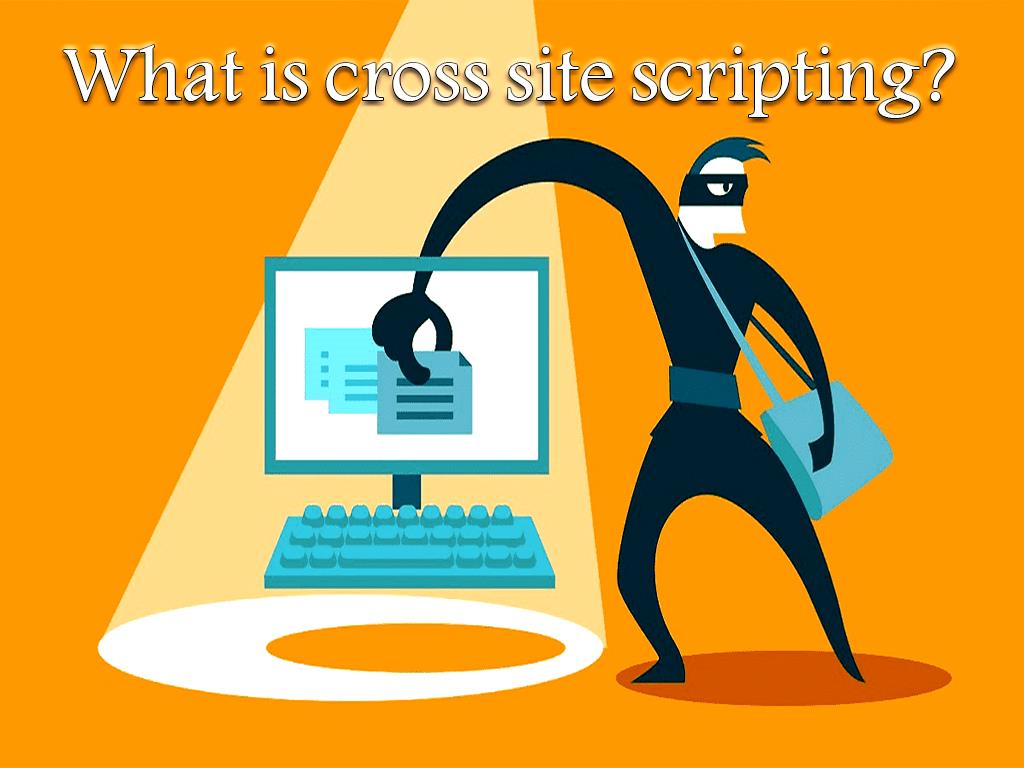
Security is an important topic that can be studied for hours and days, on the other hand, there are many ways to compromise this security, and there are people who called hackers, with great talent in the field of computers, they try to infiltrate the information of different people and use it in order to achieve their desires, hackers may use different methods to gain access to important information, in most cases, the users do not realize that their information has been stolen and the hacker will continue to abuse their information as much as possible, for example, hackers may use malicious code to hack different people, they inject it into a site, or they may add this code to the web form input box in order to change the data which has different types, such as XSS and SQL injection , which we are going to discuss in more detail below.

What is cross site scripting?

This kind of attack has different types, which we will mention briefly in the following.

Types of cross site scripting:

- Stored XSS (Persistent XSS):

This type of attack is very malicious, in which the hacker enters the malicious code in the user's input section, such as the blog comments section or they may even place that code in a post, and eventually the user's system is infected as soon as user logs in, as we have mentioned earlier, these attacks are carried out so imperceptibly that the users may not be fully aware that their information has been stolen.

- DOM-based XSS:

These types of attacks can also attack systems that have high security and have used a firewall, through this attack, the hackers can gain the information they need quickly, in fact, this is one of the most advanced SQL Injection , in which a hacker inserts malicious code through a web page entry into SQL statements, ultimately, this injection allows the hacker to disrupt the user's system and generally allow the attacker to view data that they would not normally be able to retrieve, in other words, hackers can access information that is not accessible to the user, and by changing these programs, the hacker can eventually change the content of the program, hackers can do this type of hacking in a variety of ways that in all cases can be very successful in accessing user information.

Types of SQL Injection:

This attack also has different types, which we will are going to mention in the following section.

- In-band SQLi (Classic SQLi):

One of the most common methods that hackers use for SQL Injection is In-band SQLi, in which an attacker can use the same communication channel in order to both launch an attack and collect results, the two most common types of injection are Error-based SQLi and Union-based SQLi, the first of which relies on error messages sent by the database server to access its target, there are ways to deal with such attacks that can be followed to increase system security against them.

The second type of attack uses UNION SQL to combine multiple commands and is eventually returned as part of the HTTP response, causing various users to be hacked.

- Inferential SQLi (Blind SQLi):

Blind SQL Injection attacks by detecting powerful parameter injections and executing commands by remote detection.

Through this attack, the hacker cannot see the result of an attack, which is why it is called like that, two types of this injection are Boolean-based (content-based) Blind SQLi and Time-based Blind SQLi, which in the first attack, hackers force the program to return a different result, through the second attack, the hacker forces the database to wait for a while before responding, and the hacker examines how long it took for the response to be sent in order to determine whether the response was correct or not, and then HTTP response is delayed with the same amount of time, or it may return immediately, which ultimately leads the hackers to reach their goal.

- Out-of-band SQLi:

This method is not common and this attack is used by hackers when they cannot use the same channel to start the attack and gain the desired results.

Ways to deal with SQL Injection attacks:

- The validity of any data stored in the SQL engine should be checked, and you should not trust any input.

- Use monitoring, because they can quickly report back to you if you are attacked.

-Do not forget the filtering tools because through them, you can greatly increase the security of your information against such attacks.

- Use High-end authentication systems, which you can use to check all attempts which occurs in order to gain unauthorized access to your system.

Difference Between cross site scripting and SQL Injection:

These two methods are both popular among hackers, and they tend to use cross site scripting and SQL Injection to achieve their goals, which we have briefly described so far, but the important point is that these two have differences, among which we can mention the language of writing malicious code, and the way that these codes work, as we have mentioned earlier, cross site scripting is more common in JavaScript and is used in this language, while SQL Injection includes Structured Query Language, in addition, in cross site scripting, malicious code is injected into the site, and if users enter the site where malicious code has been injected to, by the hackers, they will be hacked and their information will be provided to the hacker, in contrast, SQL injection adds SQL code to the input section in order to access important information or modify data stored in a database, so this is another difference between the two attacks, in fact, it is the most important difference between injecting XSS and SQL.

What is SQL Injection?

Last word:

In general, there are many attacks used by hackers, through which they can gain access to information about different users, we tried to mention two of the most important types of injections, including XSS and SQL injections in this article, we have also mentioned the point that these two are different in language as well as how they perform, so by reading this article, you can raise your awareness of such attacks and take action properly in order to protect your information from being stolen by hackers these ways, it should be noted that you should never forget that hackers won’t stop trying to raise their level of knowledge and awareness, and they are constantly finding new ways to access the information of different people, which is why it is important for you, as a user, to add to your knowledge regularly in the field of security and block the way for hackers and as you know, being aware of possible threats can help you a lot in this field, so you have to do your best to not fall behind hackers in the field of knowledge, through this way you can find out any suspicious items that is happening on your system, as a result, you can take the necessary steps in order to solve the problem as soon as possible.

DotNek بازدید : 115 سه شنبه 18 خرداد 1400 نظرات (0)

Computer games have a huge world, which is one of the entertainments that has attracted a lot of fans, many computer games are made and released every day, in fact, the fans of these games are looking for a way to cheat in that game while entertaining, in order to get a high score all at once, so they prefer the way of hacking games , in addition to increasing the score in the game, you can do many other things by hacking games, among which, we can mention the possibility of installing a paid game for free on your Android smartphone phones.

Some games have a much higher excitement than the others, the difference between these programs is that people can play online with other users which is an ability that increases the number of people who is attracted to them and also the excitement of it, game hacking programs are very popular among the users of these games, and there are many tools that can help users in hacking 

3- Game Killer:

This game hacking program is available for free and provides players with many features and gives them access to modify aspects of their favorite video games , if you are interested in using an application to hack games, especially an offline one, you should install this application quickly and use it in order to achieve your desired goals in the game, this program works by injecting code from the background which allows you to set them in the desired title and use them, whenever you want to use a program to hack the game, you can access Game Killer and select the game from the list of running services.

4- LeoPlay Card:

Through this  

If you have not used this program in order to hack games to date, get started and download it now to enjoy the existing Android games more.

7- Lucky Patcher:

Another program available to hack games is Lucky Patcher, this program provides many features for its user, among which, we can mention the removal of ads, change the game memory if necessary, license approval, you can also access game resources endlessly with this program, simply put, if your device is rooted, and you want to download an app that helps you hack games, the Lucky Patcher app should be one of your first choices.

8- File Manager:

Through this hacking program, you can change all the saved files of the game, reduce the difficulty level of the game, access many resources of valuable elements in the game, and other features that are provided to you through this program.

9- Freedom:

One of the best Android game hacking apps is Freedom, through which players can play paid games for free, but the important thing about this useful app is that it can be only used for offline games.

10- HackerBot:

You may be looking for a program through which you can hack games on the internet, and you may inadvertently download malware and other fake files which causes a lot of damage to your system, HackerBot allows users to search for modified apps and games easily, and it is one of the best ways to cheat and access the top features of the game and unlock items for free, but in most cases you may inadvertently download malware and other fake files, in general, it allows you to find and download the games you want to hack on any operating system quickly by using game hacking tools.

11- GameCih:

Through this hacking program, it is possible for the user to hack all online and offline games and enjoy playing them, the point to note about this program is that in order to run this program and work with it, it needs root access, so the device needs to be rooted.

12- Bluestacks:

This program is also worth thinking about because it provides a great gaming experience, so you can enjoy playing by downloading and using it.

Game Hacker Apps for Android:

Last word:

In general, you know for sure that cheating is not a good thing, but you may want to cheat while playing just in order to enjoy more, so you need programs that can provide you with the facilities you need as soon as possible, in this article, we have introduced you to some hacking programs which can be used for cheating on Android games, but you should also pay attention to the point that it is better to play games without cheating in order to realize the fact that even games have their own hard conditions just like our lives, but everyone has different personalities, this article was written for someone who wants to achieve everything at once who prefers the entertainment aspect of games, or the ones who do not have the possibility to pay for the game’s rewards, so they prefer to get those rewards for free, which hacking games programs are created for these reasons, but in general you should take the fact that these programs are not suitable for children into consideration, because they may think that cheating is the best way of achieving their goals which can ruin their future due to the fact that everything sticks in children’s mind, as a result it is better not to teach children to use them.

DotNek بازدید : 143 سه شنبه 18 خرداد 1400 نظرات (0)

Users are very interested in hacking topics these days, and a high number of searches are done daily in search engines related to this field, there are some popular questions which are constantly bring asked such as, different types of hackers, personality traits of each of the different types of hackers, the most famous hacker, the punishment for red hat hackers, etc., in relation to each of these and other topics, there are many articles that will appear in search results, and users will read these topics with great interest, before we get into the blue hat hackers in more detail, it is necessary to discuss the hacks briefly and mention the different types of hackers, so that you can become more familiar with them.

Who are blue hat hackers?

What is a hack?

In fact, hacking is a set of activities that ultimately cause security holes in a system to be found and the information in that system to eventually be made available to hackers, in other words, the history of hacking, dates back to 1960, and the number of hacks that occur is increasing day by day, and the concern of users who are connected to computer systems or the Internet is increasing generally, and all efforts are being made in order to follow the necessary points in connection with increasing the security of the site in a principled way and block the way for hackers to enter users’ system and keep their information safe.

In general, it should be noted that the efforts of hackers are often in contrast with the existing rules and regulations, because they try to infiltrate the systems of various individuals and organizations to carry out malicious activities and damage the system as well as information of site owners, of course, it should be noted that a number of hackers also test the sites in order to increase the security of various individuals and organizations systems, it has a process in which hackers report if there is a security hole in those sites, so the owners of organizations should take action and fill those security holes to preserve their information, many hackers, known as red hat hackers, have decided to change their field of activity into being white hat hackers after being caught and imprisoned by the police and try to use their knowledge to help different people, Blue hat hackers also do their best to find security holes, which we are going to discuss in more detail below.

Who are blue hat hackers?

In fact, before a company or system is established, blue hat hackers examine all possible security holes and software errors, so that they can ultimately help increase system security and block the way for malicious hackers to infiltrate the system, these types of hackers, in most cases, are invited by companies in order to do the necessary research and find and report vulnerabilities, but they are not hired in companies, on the other hand, when you search for their characteristics, you may encounter the one that points to the fact that they are a kind of hackers who are very interested in learning hacks in order to take revenge on other people, these hackers are very similar to Script Kiddies and use hacking to attract the attention of other users.

What is blue hat Microsoft hacker conference?

One of the most important events in the field of cyber security is the blue hat Microsoft hacker conference, in which all Microsoft engineers meet with its hackers and review all the points related to the security part of the system, so that they can significantly increase the security of their systems, Window Snyder started this event, which we are going to learn more about her in the following.

Who is Window Snyder?

From the beginning, Window Snyder was very interested in encrypting and analyzing information, and finally, she carried out his activities in the field of cyber security , and pursued this goal in an advanced way, and all her efforts were to eliminate security holes in systems through which hackers are able to infiltrate the system, eventually, she worked as a senior security strategist at Microsoft in the security and communications engineering group and did many things, one of the most important of which was to create the blue hat Microsoft hacker conference, which we have mentioned in this article briefly, so while working at Microsoft, she joined companies and other systems and worked hard to increase the security of all the companies she entered.

In general, she was very interested in the security of a system, and in this way, she regularly presented different strategies in order to achieve her goal, which was to raise the trust of companies and systems.

What are the characteristics of blue hat hackers?

Blue hat hackers have personality traits that make them more specialized in their profession, for instance, they have a lot of curiosity, but it should be noted that this personality trait is common among many hackers, this trait that causes them to have a lot of questions in their minds about a system and company, and in order to answer questions, they prefer to do some acts that may be against the rules.

In the following, we will discuss more features related to blue hat hackers.

- Computer addict:

Of course, if you have had a brief study of hackers to date, you know that these people spend many hours a day working with their computers, and you can never get them away from their computers for a long period of time, simply put, they are addicted to their computer and do their best to be able to understand more and more of the details in it.

- Revenge:

Some of these hackers, who have a great desire to take revenge on others, these hackers do their best to be able to show their abilities to other people whom they do not have a good relationship, by harming them, there are many reports about this type of hack that people have been attacked because of not observing the security of their system and also having enmity with such hackers.

- Tendency to break the law:

In addition to blue hat hackers, there are other hackers who are trying their best to break all the rules in a company or system and act against the existing rules, it should be noted that the type of blue hat hackers who are invited in order to find the security holes of companies, do not have this characteristic and are only trying to help the company to produce software with a security hole.

- Creativity:

Creativity is one of the personality traits that you can see among all types of hackers, this moral trait causes hackers to become more and more specialized in their profession and to be able to pursue their goals more quickly.

- high intelligence:

Computers have a lot of complexity and there are many people who want to be able to expand their business in the field of computers and reach many specialties, especially in the field of hacking, but in your opinion, can everyone do this profession? Does everyone have the ability to become a professional hacker ?

The answer to this question is definitely no, because only people who have high intelligence can work professionally in this sector and become more successful and famous day by day with their effort and perseverance among all internet users.

- Risk-taking:

Blue hat hackers have a personality which is called risk-taking, while working with a computer system they try all the ways through which they can achieve the desired result, and they are not afraid of taking any risk in order to reach their purpose.

- Introverted:

Most of the hackers have an introverted personality and do not like to be in crowded groups and prefer to have little contact with people in the real world and if they are in a group of people, they cannot communicate well with others properly, such people have few friends and are more inclined to spend their time in quiet places.

What are the characteristics of blue hat hackers?

Last word:

The world of hacking is very huge, and if you read a lot of articles about it, there is still more information left, which you should try to gain, so you need to spend a lot of time on it, which is why we tried our best to help you in this field, we tried to introduce you to blue hat hackers and give you tips on defining them as well as their personality traits.

DotNek بازدید : 109 سه شنبه 18 خرداد 1400 نظرات (0)

Hacking is an extensive subject and there are many ways in which hackers try to access the information of various users as well as their system, they are trying to use methods that help them achieve their goal as soon as possible, and another feature that these methods need to have is that users cannot find out that they have been hacked quickly, before addressing the main topic of this article, it is necessary to have an overview of hacking and cross-site scripting .

Which language is the main target of cross-site scripting?

What is a hack?

Hacking is a topic in which profiteers, try to use the benefits of their computer talent in order to gain access to various systems as well as their information, and the people who do it are called hackers, there are many types of hackers, some of whom use their talents to help organizations improve their information security , on the other hand, there are some other types of hackers who use their talents against the law, therefore, there are different types of hackers including: white hat, black hat , red hat, blue hat, gray hat, etc., hackers, which you can read the descriptions of each of them in the relevant articles on our site.

What is a cross-site scripting?

It is a type of hacking method which has attracted many attentions and is popular among hackers, in this method, hackers create malicious codes and put them on reputable sites and others, so that users who visit that site will be eventually hacked, this kind of attack has different types, among which we can mention Stored XSS, JavaScript , infected JavaScript can cause a lot of damage to the system of different users, therefore it is an important subject which we will briefly explain about it.

What is JavaScript?

JavaScript is actually one of the programming languages ​​that different users can use in order to access many features, in fact this language controls the way that webpages work.

When is JavaScript used?

In general, this language is used in many cases, JavaScript provides many features, including the ability to add interactivity to web pages, through which users can communicate with web pages better.

- JavaScript allows a user to zoom in, on a web page, play and view animations or audio and video files, see more information by clicking a button, and so on, all of which are provided to users through JavaScript.

- JavaScript is also used to create web applications on the mobile device, that application owners can use various frameworks which exist in JavaScript in order to create their mobile web applications.

- In addition to creating mobile web applications as well as websites, users can also create web servers through JavaScript, which also provides many features.

- This programming language can also be used to create a game, and eventually many users will be attracted to the game you have created.

Other programming languages:

In general, programming has attracted a lot of fans today, and there are many people who have been able to make a lot of money through mastering programming, so we are going to give a brief explanation of some of the programming languages.

- Python Programming Language:

One of the best programming languages ​​that many users prefer to use and has many capabilities is Python Programming Language, as we have mentioned, programming is very lucrative for people who work in this field, which is the reason why different people try to be able to work in this field, our suggestion to you is that you should take this language serious die to the fact that with the help of it, you can take important steps in programming, in general, this language provides many features in the field of data science and machine learning.

- Java programming language:

When you plan to work on a large scale, and you want to program a large organization, the language that we suggest to you, is Java, this language is also used in the development of Android applications , and since many users use Android, it is necessary to have mastery of Java as a programmer, it’s easy to learn, but it's actually a little harder than Python, and you need to work harder to master it.

After learning this language, you can surely find a good job and earn a good income through it, it should be also noted that for a long time this language was known as the first programming language.

- C++ programming language:

This programming language is a little harder than the previous ones which ​​we have mentioned, so you need to spend more time and energy to learn it, this language has two important features which have attracted many users to it, including its high speed and stability, if you master this language, you will also guarantee your future work, so you should get started as soon as possible and learn this type of programming language.

- Go programming language:

This programming language is made by Google and learning it, is relatively simple, but the important thing about this language is that if you want to learn programming in order to find a job, this language It is not a good option because it has not yet been widely used by various organizations, and the ones which use this language are often working on a specific type of project, so having expertise in this type of language for people who want to find a job and earn money through it, is not a great option.

- Swift programming language:

This language is widely used to develop iOS applications , and due to the fact that many users use iOS-based devices, this language can also provide many jobs for programmers.

- C# programming language:

This programming language is a bit complicated and is not recommended for beginners, and it is a general-purpose programming language.

- PHP programming language:

This language is easy to learn and at the same time, it has many fans who learn and use this language in programming.

- MATLAB programming language:

This language is used in different industries and jobs in order to analyze different data, and it can also be easily learned.

So far, we have at a number of programming languages, but it should be noted that despite all of them, many users are still turning to JavaScript, which is why hackers are becoming more and more interested in 

What is a cross-site scripting?

Last word:

In general, there are many hacking methods that are used by different hackers, in this article, we mentioned the cross-site scripting and also stated which language is the main target of this attack, so that you can be more aware and protect your system and information from being hacked by this method.

DotNek بازدید : 86 سه شنبه 18 خرداد 1400 نظرات (0)

There are some interesting topics these days that have attracted a lot of users, one of which is hacking, hackers are always trying to use new methods in order to gain access to other users' information, one of the dangerous ways in which hackers may steal users' information is,  SQL injection attacks .

How can SQL injection be prevented?

What is SQL injection?

This attack is one of the most well-known software and security vulnerabilities , SQL, which stands for Structured Query Language, is the most commonly used language for interacting with databases, as you know, important information is stored in databases, which may include bank card information, username, passwords, etc., all of which are of a great importance, this data is secured when it is transferred to a database or vice versa by using arguments, but the important point is that hackers can gain access to important information from places where your application communicates with an SQL reasoning database, in fact, through this attack, hackers can retrieve data that is not visible to the user and use this information to achieve their goals.

This type of attack is one of the most common ones among hackers, and they use this attack in order to cause a lot of harm to the users' system, through this method they can also have access to other people's information, and they modify or delete it, there have been many reports to date about damage to various systems through this method and sometimes hackers use it in order to hack web servers , in this method, hackers insert a malicious code into the SQL statement through the web page entry.

How can SQL injection be prevented?

To avoid the danger of  application is connected to a database.

- In the next step, you must repair all vulnerable points and then remove all of them, one of the most important things you can do to prevent this type of attack and other attacks is to do all the safety tips that help you increase the security of your system , so that the level of security of your system increases and different hackers cannot steal your information easily.

Other tips to prevent SQL injection attacks:

- Increase the security of all forms which exist in the system, because as you know, hackers implement their goals by entering malicious code in the forms which are transmitted to the system and the database, so it is necessary to secure all of them.

- one of the key points to increase security in these types of attacks and prevent them from happening is that all content and applications in the system should be updated regularly, this point should be taken into consideration because it can generally increase system security, and it is effective against all attacks carried out by hackers, for example in this attack it is possible that by updating, 

- Site speed is very important when SQL attacks take place, and if the site speed is low, it is not possible to defend well against this attack.

- We have already mentioned that in order to find vulnerabilities, you can get help from tools that act like white hat hackers and report all vulnerabilities to you, now we must tell you that you can get help from SQL Injection , which is necessary for all users to know how to prevent this type of attack to make them aware of this type of attack as well as the ways which they can use in order to prevent them from happening, so in this article we have tried to tell you the important steps you need to take to prevent this attack, so if you pay attention to the points which we have mentioned above, they can help you a lot in the field of increasing the security of your system against SQL Injection attacks, due to the fact that this type of attack is so popular among hackers, so it is necessary to know it better and take the necessary steps in order to not let hackers infiltrate your system through this type of attack.

DotNek بازدید : 103 سه شنبه 18 خرداد 1400 نظرات (0)

It should be noted that all the details related to styling are explained in previous tutorial articles.

The difference between style and theme is that in the theme, the value we consider for a feature is considered for the whole page and activities, but in styling in separate tags, we give values ​​for the attributes that apply only to that part.

Application styling, impact and performance of the inheritance feature in styling

How to style the application?

1- Create a file called Style and MinSDK 16.

2- Open Build.gradle (app).

3- Inside the dependencies, we put the codes inserted below.

dependencies {
compile fileTree (dir: 'libs', include: ['* .jar'])
androidTestCompile ('com. android. support.test. espresso: espresso-core: 2.2.2', {
exclude group: 'com. android. support', module: 'support-annotations'
})
compile 'com. android. support: appcompat-v7:26. +'
}

4- The appcompat library is added to the project by default.

5- If the library is not entered by default, you must enter it manually by entering the codes listed below.

compile 'com. android. support: appcompat-v7:x.x'

6- Go to File> Project Structure.

7- In the app section, select the Modules option.

8- Click the Add option, which is indicated by an (+) sign and select Library dependency.

9- In this window, the list of libraries that exist in the SDK and have been added to the project is displayed.

10- Search for Appcompat in the search bar.

11- In order to be able to use the appcompat library, you must have Android Support Library installed.

12- Go to Active.

13- Add three Buttons to activity_main.xml.

14- Attribute All three are the same.

<? xml version = "1.0" encoding = "utf-8"?>
<LinearLayout xmlns: android = "http://schemas.android.com/apk/res/android"
xmlns: tools = "http://schemas.android.com/tools"
android: layout_width = "match_parent"
android: layout_height = "match_parent"
android: orientation = "vertical"
tools: context = "com.dotnek. style. MainActivity">


<Button
android: id = "@ + id / button_one"
android: layout_width = "match_parent"
android: layout_height = "wrap_content"
android: text = "Button One"
android: text Size = "18sp"
android: TextColor = "# ffffff"
android: background = "# 9365ca"
android: layout_margin = "5dp" />

<Button
android: id = "@ + id / button_two"
android: layout_width = "match_parent"
android: layout_height = "wrap content"
android: text = "Button Two"
android: text Size = "18sp"
android: TextColor = "# ffffff"
android: background = "# 9365ca"
android: layout_margin = "5dp" />

<Button
android: id = "@ + id / button_three"
android: layout_width = "match_parent"
android: layout_height = "wrap content"
android: text = "Button Three"
android: text Size = "18sp"
android: TextColor = "# ffffff"
android: background = "# 9365ca"
android: layout_margin = "5dp" />

</LinearLayout>

15- Insert the codes listed above for all three buttons.

16- Note that except for the attributes and attributes of id and text, they are all the same.

17- There is a file in the res / values ​​path called styles.xml. This file is used to store style definitions.

18- It should be noted that all styles are defined inside the tags.

19- We must choose a unique name for each of the styles inside the tags.

20- The properties of the styles are also placed inside the and tags.

21- The code inserted below is an example and shows that we have created a new style for the buttons in which the properties of the buttons are common.


<style name = "MyButton">

</style>

 22- We created a style called MyButton to which we apply the properties in the code below.

 23- Put the code below in the styles.xml file.


<resources>

<style name = "MyButton">
<item name = "android: layout_width"> match_parent </item>
<item name = "android: layout_height"> wrap_content </item>
<item name = "android: text Size"> 18sp </item>
<item name = "android: TextColor"> # ffffff </item>
<item name = "android: background"> # 9365ca </item>
<item name = "android: layout_margin"> 5dp </item>
</style>

<! - Base application theme. ->
<style name = "AppTheme" parent = "Theme.AppCompat.Light.DarkActionBar">
<! - Customize your theme here. ->
<item name = "colorPrimary"> @ color / colorPrimary </item>
<item name = "colorPrimaryDark"> @ color / colorPrimaryDark </item>
<item name = "colorAccent"> @ color / colorAccent </item>
</style>

</resources>

24- Go back to the activity and delete the common properties of the first button.

< Button
android: id = "@ + id / button_one"
android: text = "Button One" />

25- Add the MyButton style to this button.

Button
style = "@ style / MyButton"
android: id = "@ + id / button_one"
android: text = "Button One" />26. The property that we have defined in the style is applied to this button.
<Button
style = "@ style / MyButton"
android: id = "@ + id / button_one"
android: text = "Button One" />

<Button
android: id = "@ + id / button_two"
android: layout_width = "match_parent"
android: layout_height = "wrap_content"
android: text = "Button Two"
android: text Size = "18sp"
android: TextColor = "# ffffff"
android: background = "# 9365ca"
android: layout_margin = "5dp" />

<Button
android: id = "@ + id / button_three"
android: layout_width = "match_parent"
android: layout_height = "wrap_content"
android: text = "Button Three"
android: text Size = "18sp"
android: TextColor = "# ffffff"
android: background = "# 9365ca"
android: layout_margin = "5dp" />

26- Attach the other two buttons to the corresponding style and apply the properties to it.

<Button
style = "@ style / MyButton"
android: id = "@ + id / button_one"
android: text = "Button One" />

<Button
style = "@ style / MyButton"
android: id = "@ + id / button_two"
android: text = "Button Two" />

<Button
style = "@ style / MyButton"
android: id = "@ + id / button_three"
android: text = "Button Three" />

27- In addition to the above methods, you can create two Text Views that apply the style to items that have common properties.

<TextView
android: id = "@ + id / txt_1"
android: layout_width = "match_parent"
android: layout_height = "wrap_content"
android: gravity = "center"
android: text = "Sample Text 1"
android: TextColor = "# c20d37"
android: text Size = "23sp"
android: layout_marginTop = "10dp" />

<TextView
android: id = "@ + id / txt_2"
android: layout_width = "match_parent"
android: layout_height = "wrap_content"
android: gravity = "center"
android: text = "Sample Text 2"
android: TextColor = "# c20d37"
android: text Size = "23sp"
android: layout_marginTop = "10dp" />

28- In the Preview section, right-click on TextView.

29- Then select Refactor> Extract Style.

30- In the window that opens, select a name for the style.

31- In the Attributes section, select the properties we want to apply to them.

32- The title of the Launch properties is ‘Use Style Where Possible’, which can connect all the items that exist in the activity and also have common properties, and there is no need to change them manually.

33- Select the Do Refactor option.

34- A new style was added and applied to both Text Views.

35- The code that should be written in the styles.xml section is as follows:

<style name = "My Text">
<item name = "android: layout_width"> match_parent </item>
<item name = "android: layout_height"> wrap_content </item>
<item name = "android: gravity"> center </item>
<item name = "android: TextColor"> # c20d37 </item>
<item name = "android: text Size"> 23sp </item>
<item name = "android: layout_marginTop"> 10dp </item>
</style>

 36- The code that should be written in the main_activity.xml section is as follows:

<TextView
android: id = "@ + id / txt_1"
android: text = "Sample Text 1"
style = "@ style / My Text" />

<TextView
android: id = "@ + id / txt_2"
android: text = "Sample Text 2"
style = "@ style / My Text" />

In this section we want to use the inheritance feature, so consider that we have several buttons that all their properties and characteristics are the same, but we want them to be different in background color. In this case, we need to create a new style and add the required properties to them, but we can use the inheritance feature and make the necessary changes easily.

<style name = "MyButton">
<item name = "android: layout_width"> match_parent </item>
<item name = "android: layout_height"> wrap_content </item>
<item name = "android: text Size"> 18sp </item>
<item name = "android: TextColor"> # ffffff </item>
<item name = "android: background"> # 9365ca </item>
<item name = "android: layout_margin"> 5dp </item>
</style>

<style name = "MyButton. Green">
<item name = "android: background"> # 51c125 </item>
</style>

In the code above, the name of the style we created is MyButton. Green. The value and property of MyButton. We added it before Green, which makes it have all the parent properties of MyButton.

Then I add the background color with the desired amount.

In this code, we specified that all widgets defined as MyButton. Green have MyButton properties, but with the difference that the value of the background property has been replaced.

We check that it works properly:

<Button
style = "@ style / MyButton"
android: id = "@ + id / button_one"
android: text = "Button One" />

<Button
style = "@ style / MyButton.Green"
android: id = "@ + id / button_two"
android: text = "Button Two" />

<Button
style = "@ style / MyButton"
android: id = "@ + id / button_three"
android: text = "Button Three" />

The result will be a difference in the background color of the second button with the other buttons.

Consider the name MyButton.SmallButton. BorderButton.Green:

According to the name listed above

SmallButton:

is a style in which the layout_width value is 100dp and prevents full width occupation.

BorderButton:

A style to which border-related properties are added so that the color of the bar and the line around the buttons are the same as the background.

Inheritance of a button style that is small in size, has a different background color from other buttons, and is green in color as follows:

<style name = "GreenButton" parent = "MyButton.SmallButton. BorderButton">

</style>
The styles to be inherited are placed inside the parent:
Instead of the code inserted in this field
<Button
style = "@ style / MyButton.SmallButton. BorderButton.Green"
android: id = "@ + id / button_one"
android: text = "Button One" />

You can enter the code below:

<Button
style = "@ style / GreenButton"
android: id = "@ + id / button_one"
android: text = "Button One" />

Application styling,impact and performance of the inheritance feature in styling

Application theme

Themes generally apply to the entire project, activity, or application .

The general settings of the application are done and set inside the AndroidManifest.xml file:

<? xml version = "1.0" encoding = "utf-8"?>
<manifest xmlns: android = "http://schemas.android.com/apk/res/android"
package = "com.dotnek. style">

<application
android: allowBackup = "true"
android: icon = "@ mipmap / ic_launcher"
android: label = "@ string / app_name"
android: roundIcon = "@ mipmap / ic_launcher_round"
android: supportsRtl = "true"
android: theme = "@ style / AppTheme">
<activity android: name = ". MainActivity">
<intent-filter>
<action android: name = "android. intent. action. MAIN" />

<category android: name = "android. intent. category. LAUNCHER" />
</intent-filter>
</activity>
</application>

</manifest>

Inside the application tag there is a theme property.

Go to styles.xml:


There is a style called AppTheme that also inherits from Theme.AppCompat. Light.DarkActionBar. Using Theme.AppCompat we have access to all the themes in the appcompat-v7 library.

In this part of the tutorial, we were able to define three buttons and change its properties. By changing its properties, we saw the result and were able to apply the desired changes by inheriting and having the same properties without the need to define and create new styles and tags.

DotNek بازدید : 124 سه شنبه 18 خرداد 1400 نظرات (0)

Applications also need an editor to be able to edit them and get the way users want. Editors that are created in applications can make edits to audio, image, text, etc. at the request of users. In this tutorial we will create an editor that is used to edit texts.

How to create an Editor in Xamarin?

In this tutorial you will learn that:

- How to create an Editor in Xamarin.Forms using an XAML file?
- How to respond to text changes that occur in the Editor?
- How to define the Editor behavior?

Note:

In order to be able to do this tutorial, you must have already done the article and project How to create a StackLayout in Xamarin .

Learn how to create an Editor in Xamarin.Forms using Visual Studio

The requirements for doing this tutorial for creating an Editor in Xamarin.Forms are as follows:

- Install the latest version of Visual Studio 2019 on the system
- Install the latest version of Mobile development with.NET on the system

Learn how to create a StackLayout in Xamarin.Forms using Visual Studio

1- Open Visual Studio.
2- After opening Visual Studio, you need to create a new black Xamarin.Forms app.
3- Choose a name for which you create. The name chosen in this article is Editor Tutorial.

Note:

It is best to be careful in choosing names for projects and classes created.

Note:

The name chosen for the project must be the same as the name chosen for the solution, so choose the solution name EditorTutorial as well.

- After naming, you must make sure that the system and application support the .NET Standard mechanism for shared code.

This mechanism is used to share code written in Xamarin.Forms with the C # programming language. If your system and app do not support this mechanism, it cannot have multiple outputs on multiple platforms at once. So that you can have multiple outputs on several different platforms at the same time.

- Click on MainPage.xaml in the Solution Explorer section of the EditorTutorial project and replace the code below with all the code in that section.

<! -? xml version = "1.0" encoding = "utf-8"? ->

<contentpage xmlns = "http://xamarin.com/schemas/2014/forms" xmlns: x = "http://schemas.microsoft.com/winfx/2009/xaml" x: class = "EditorTutorial.MainPage">

<stacklayout margin = "20,35,20,20">

<editor placeholder = "Enter multi-line text here" heightrequest = "200">

</editor> </stacklayout>

</contentpage>

By entering this code, you specify a UI for the page, which includes an Editor and a StackLayout.

To indicate the length of the Editor, HeightRequest is used in device-independent units.

- Press the Start button or Ctrl + F5 key combination to see the result of the applied changes.

Learn how to respond to text changes made in the Editor using Visual Studio

- To respond to the text changes made in the Editor, you must change the definition of the Editor in the MainPage.xaml file.
- To do this, you must enter the code to create an event handler for TextChanged and Completed.

 Replace the code below with all the code in the MainPage.xaml file.

<editor placeholder = "Enter multi-line text here" heightrequest = "200" textchanged = "OnEditorTextChanged" completed = "OnEditorCompleted">


</editor>

- Open MainPage.xaml in the EditorTutorial project from the Solution Explorer section.

- Then double click on MainPage.xaml.cs.

- Add the following event handlers for OnEditorTextChanged and OnEditorCompleted.

void OnEditorTextChanged (object sender, TextChangedEventArgs e)

{

string oldText = e. OldTextValue;

string newText = e. NewTextValue;

}


void OnEditorCompleted (object sender, EventArgs e)

{

string text = ((Editor) sender). Text;

}

The OnEditorTextChanged method is executed when the code inside the Editor changes. The Editor object is the sender argument and is used to start the TextChanged event.

The TextChangedEvenArgs argument provides the old and new values ​​that are generated after the change.

If editing is complete, the OnEditorCompleted method will run.

When the code inside the Editor changes, the OnEditorTextChanged method runs. The sender argument is the Editor object, which is responsible for initiating the TextChanged event and can be accessed through the Editor object. The TextChangedEvenArgs argument provides the old and new values ​​of the text, before and after the change.

Note:

Any text that enters the Editor will be in the Text attribute.

- Press the Start button or Ctrl + F5 key combination to see the result of the steps you did.
- Then enter text in the Editor. You will see that the TextChanged event starts.
- Unfocused the Editor. You will see that the Completed event starts.

Learn how to change the Editor behavior using Visual Studio

- To change the Editor behavior, you must change the Editor definition in the MainPage.xaml file.
- Replace the code below with all the code in the MainPage.xaml file.

<editor placeholder = "Enter multi-line text here" autosize = "TextChanges" maxlength = "200" isspellcheckenabled = "false" istextpredictionenabled = "false">


</editor>

By entering this code, you specify the Editor attributes. The value in the AutoSize attribute is TextChanges

is. The TextChanges value is set to AutoSize to increase the length of the Editor by entering text and decrease the length by deleting text.

The MaxLength attribute is used to specify a longitudinal constraint.

- Press the Start button or Ctrl + F5 key combination to see the result of the steps you did.
- Enter text in the editor. You will notice that adding text increases the length of the editor and decreases as deleting text.

In this tutorial you will learn that:

- How to create an Editor in Xamarin.Forms using an XAML file?
- How to respond to text changes that occur in the Editor?
- How to define the Editor behavior?

Note:

In order to be able to do this tutorial, you must have already done the article and project How to create a StackLayout in Xamarin.

Learn how to create an Editor in Xamarin.Forms using Visual Studio for Mac

The requirements for doing this tutorial for creating an Editor in Xamarin.Forms are as follows:

- Install the latest version of Visual Studio for Mac on the system
- Install the latest version of support platform for Android and iOS on the system
- Install the latest version of Xcode

- Open Visual Studio.
- After opening Visual Studio, you must create a new black Xamarin.Forms app.
- Choose a name for which you create. The name chosen in this article is EditorTutorial.

Note:

It is best to be careful in choosing names for projects and classes created.

Note:

The name chosen for the project must be the same as the name chosen for the solution, so choose the solution name EditorTutorial as well.

- After naming, you must make sure that the system and application support the .NET Standard mechanism for shared code.

This mechanism is used to share code written in Xamarin.Forms with the C # programming language. If your system and app do not support this mechanism, it cannot have multiple outputs on multiple platforms at once. So that you can have multiple outputs on several different platforms at the same time.

- Click on MainPage.xaml in the Solution pad section of the EditorTutorial project and replace the code listed below with all the code in that section.

<! -? xml version = "1.0" encoding = "utf-8"? ->

<contentpage xmlns = "http://xamarin.com/schemas/2014/forms" xmlns: x = "http://schemas.microsoft.com/winfx/2009/xaml" x: class = "EditorTutorial.MainPage">

<stacklayout margin = "20,35,20,20">

<editor placeholder = "Enter multi-line text here" heightrequest = "200">

</editor> </stacklayout>

</contentpage>

By entering this code, you specify a UI for the page, which includes an Editor and a StackLayout.

To indicate the length of the Editor, HeightRequest is used in device-independent units.

- Press the Start button or Ctrl + F5 key combination to see the result of the applied changes.

Learn how to respond to text changes made in the Editor using Visual Studio for Mac

- To respond to text changes made in the Editor, you must change the Editor definition in the MainPage.xaml file.
- To do this, you must enter the code to create an event handler for TextChanged and Completed.

 Replace the code below with all the code in the MainPage.xaml file.

<editor placeholder = "Enter multi-line text here" heightrequest = "200" textchanged = "OnEditorTextChanged" completed = "OnEditorCompleted">


</editor>

- Open MainPage.xaml in the EditorTutorial project from the Solution Explorer section.
- Then double click on MainPage.xaml.cs.
- Add the following event handlers for OnEditorTextChanged and OnEditorCompleted.

void OnEditorTextChanged (object sender, TextChangedEventArgs e)

{

string oldText = e. OldTextValue;

string newText = e. NewTextValue;

}


void OnEditorCompleted (object sender, EventArgs e)

{

string text = ((Editor) sender). Text;

}

The OnEditorTextChanged method is executed when the code inside the Editor changes. The Editor object is the sender argument and is used to start the TextChanged event.

The TextChangedEvenArgs argument provides the old and new values ​​that are generated after the change.

If editing is complete, the OnEditorCompleted method will run.

When the code inside the Editor changes, the OnEditorTextChanged method runs. The sender argument is the Editor object, which is responsible for initiating the TextChanged event and can be accessed through the Editor object. The TextChangedEvenArgs argument provides the old and new values ​​of the text, before and after the change.

Note:

Any text that enters the Editor will be in the Text attribute.

- Press the Start button or Ctrl + F5 key combination to see the result of the steps you did.
- Then enter text in the Editor. You will see that the TextChanged event starts.Unfocused the Editor.
- You will see that the Completed event starts.

How to create an Editor in Xamarin.Forms?

Learn how to change the Editor behavior using Visual Studio for Mac

- To change the Editor behavior, you must change the Editor definition in the MainPage.xaml file.
- Replace the code below with all the code in the MainPage.xaml file.

<editor placeholder = "Enter multi-line text here" autosize = "TextChanges" maxlength = "200" isspellcheckenabled = "false" istextpredictionenabled = "false">


</editor>

By entering this code, you specify the Editor attributes. The value in the AutoSize attribute is TextChanges

is. The TextChanges value is set to AutoSize to increase the length of the Editor by entering text and decrease the length by deleting text.

The MaxLength attribute is used to specify a longitudinal constraint.

- Press the Start button or Ctrl + F5 key combination to see the result of the steps you did.
- Enter text in the editor. You will notice that adding text increases the length of the editor and decreases as deleting text.

DotNek بازدید : 125 سه شنبه 18 خرداد 1400 نظرات (0)

The world of computer games has become one of the largest worlds in today's world. Many people around the world spend many hours every day playing these games, and many companies and manufacturers have tried to make it easier for gamers by producing different kind of tools and equipment. Today, technologies are being produced for the game that even thinking about them may cause headaches. The tools that are produced for gaming , in addition to their stunning beauty, are also very useful and can convey a lot of excitement to a gamer. The better and more appropriate the tools used by a gamer, the more fun and excitement a gamer will get from playing. One of the tools used in this field is gamepads. Many players prefer to use different types of mice and keyboards to play instead of using gamepads, but some people also prefer to use different gamepads in addition to having mice and keyboards. Gamepads are used for fixed gaming consoles such as PlayStation and Xbox but are also sold separately.

How to use a gamepad?

What is a gamepad and how can I use a gamepad?  

In addition to knowing that some games can play with both the gamepad and the mouse and keyboard, it is better to know that the gamepads also have many different types. In the first stage of their production, these gamepads had wires, but gradually the manufacturers tried to remove the wire from these devices so that they could multiply the enjoyment of playing for the players. In this way, players can play and enjoy it without disturbing any wires. Gamepads are control panels that allow players to interact with the game environment. The higher the quality of a gamepad, the faster the players' reactions will be transferred to the game, which will make the game better. Also, the gamepads that are produced with the quality have different shocks that convey what happens in the game to the player, the transfer of these emotions causes the great excitement of the game for a player. To use these controllers there are special rules and you need to know the instructions for using them so that you can use them more easily. We are going to talk to you about the specific types of gamepads and how to use a gamepad.

Gamepads for game consoles

These gamepads, as their name suggests, are for game consoles and are

designed for them only. In the past, these controllers were produced in limited numbers and their use was also limited for control, but today, in addition to becoming more beautiful and of better quality, these gamepads have also made other improvements. These gamepads are being designed and produced wirelessly today, and this has improved gaming conditions. Also, different devices can support more than two gamepads, which can increase the spirit of team games and multiply the pleasure of playing. Many of these gamepads have very strong batteries that can hold a charge for many hours. Various consoles such as Xbox and <a href="https://en.wikipedia.org/wiki/PlayStation" target="_blank" rel="nofollow" title="PlayStation was the brainchild of Ken Kutaragi, a Sony executive who managed one of the company" s="" hardware="" engineering="" divisions="" and="" was="" later="" dubbed="" "the="" father="" of="" the="" playstation".'="">PlayStation design and produce these controllers. There are also more accessories for these categories and game consoles that you can play according to your taste. Note that these gamepads, which are for consoles, have very good quality and it is very exciting to play with them.

Gamepads for Windows

Another type of controller is the Windows gamepads.  Most games designed and produced for Windows can play with the mouse and keyboard, and this is quite a matter of taste that a gamer wants to use the gamepad to play or the mouse and keyboard. Note that also, some games play better with gamepads and others with mice and keyboards.  However, if you, as a gamer, want to buy a gamepad, you should pay attention to the many points that exist in this field. In the first step, you can use two types of wires or wireless. In the wired category, as their name suggests, the gamepad connects with wire to the case of your device, but wireless devices have settings that you must activate before using them. In the settings, you can read the manual that comes with the game controller so that you can easily make these settings on your system.

What is a gamepad and how can I use a gamepad?

Mobile gamepad

Another exciting and interesting kind of gamepad is the phone gamepad. It may be a little surprising to hear this phrase in the first moments, but for mobile games today, different controllers are designed and produced. Because mobile games have a lot of fans today, the manufacturers of game controllers decided to design and produce gamepads for mobile phones to increase the excitement of playing mobile games. Not everyone can afford to buy game systems, so buying a mobile game console can convey a decent amount of excitement to the player, and you can get and use these gamepads at a low cost. These controllers have a lot of power and will multiply the excitement of the game. ‌These gamepads also have different types and can be placed around the frame of your phone or can be placed as a stand under your phone to play and make playing easier for you. You can connect this gamepad directly to your phone so you can use them. Some controllers connect to your phone via Bluetooth, while others connect by wire. However, each type of gamepad that you prepare and use has a special way to connect that you must pay attention to when buying.

DotNek بازدید : 116 سه شنبه 18 خرداد 1400 نظرات (0)

These days, you as a user or the owner of a website, are always dealing with the problem of preventing viruses from entering your computer system, computer viruses are very similar to biological viruses, and if they find systems with low security, they will multiply rapidly and infect the whole system, as we mentioned, systems which have low security are the main target of viruses, so you have to increase the security of your computer systems as much as possible in order to protect them from possible threats, you also need to know viruses better, so that you can stand up to them more, in this article we are going to introduce you three different types of viruses in order to make you aware of such threats.


What are the 3 types of viruses?

What is a computer virus?

In fact, computer virus is a type of programming that if it can bypass the host's security system, it would eventually infect the whole system by inserting its own code and fast replication, profiteers can access various information from the host system by importing the virus into the host’s system, and they also make many changes to the systems of different users in order to achieve their desires.

There are three types of computer viruses:


1- Macro viruses:

A macro virus can attack various applications and eventually cause a sequence of actions to start automatically when the infected program is opened, the virus is written in macro language and can infect different types of systems due to having different operating systems, as we mentioned, this type of virus causes malicious programs to run once the infected documents are opened, in fact they do this process by entering malicious code into macros that are associated with documents, spreadsheets, and other data files, these types of viruses can eventually send infected emails from the infected system, so that lots of different users’ systems will be infected once they open those emails, and viruses continue to multiply just like biological viruses and infect the whole system, as a result, they are able to infect more and more users’ systems day by day.

Also, when this macro is executed in the system, usually all the documents that are in the user's computer are infected and can cause disorder in the existing documents, the first macro virus was spread in 1995 through Microsoft Word and has finally been able to continue to spread and infect various systems to date, there are different types of macro viruses including, the concept virus and Melissa virus, which we are going to describe in the following.

The concept virus:

The first macro virus to be introduced was the concept virus, which targeted Microsoft Word.

Melissa virus:

This virus spread in March 1999 through infected emails and was able to infect many systems in a very short while, so these abilities caused a lot of worries and turned this virus into a huge danger for every user, this type of virus was distributed as an email attachment, and as we mentioned, it was able to spread quickly among different users’ systems, these emails were distributed to the users in such a way that the users thought they had requested the submitted file and opened it quickly, by doing so, their systems would be infected, this type of virus has caused a lot of economic losses, especially to Microsoft.

2- Boot record infectors:

These types of viruses can give hackers absolute control over a system by infecting different users' systems, Boot record infectors, attack programs stored on boot floppies or hard disks, by infecting them and causing the infected code to run automatically every time a user boots the computer, these viruses have different types depending on their purpose.

3- File infectors:

File infector virus may be transmitted over networks, disks, or the Internet, and eventually every time a user runs a dangerous program, these viruses are being activated, the thing to note about these types of viruses is that they can remain in inactive memory until there is a signal to infect other program files, which causes the virus to become a malicious virus.

While this virus is infecting a file, it can also spread to other programs and even other networks that use infected files and programs, computer viruses can eventually cause a lot of damage to different users’ systems as well as their information, documents, etc., which is why it is so necessary to know the ways to deal with them and prevent them from entering your systems by mastering them.

Ways to deal with viruses:

- Use secure browsers:

There are various measures that can be taken to combat the entry of various viruses, one of the most important of which is the use of a secure browser, today there are many secure browsers, such as Google Chrome, Mozilla Firefox, Safari, etc., all of which can provide a lot of security for the users , the reason why there is so much emphasis on the use of secure browsers today, is that users do almost all their tasks through the Internet, so they may enter a lot of personal information, such as their bank card information, as a result, if you use an insecure browser in order to achieve your goals, you won’t be successful.

- Block all pop-up windows:

Pop-up ads are very annoying for different users, and they can also be more annoying by entering different viruses to the systems, these ads which actually run without the user's request, cause the user to get nervous, so they won’t get a positive user experience by using a website , as a result, users have a great desire to block them which is possible through the settings in the browser and various software programs that can be easily downloaded by the users in order to get rid of pop-up ads and possible threats.

- Use powerful antivirus:

Despite the increase in security of various operating systems , such as Windows 10, it is still necessary to use antivirus software program which provides good facilities, there are many antivirus software programs on the market, some of which are paid, but some are free, and different users have to choose one of which according to their purpose, the important point that should be considered is that you should never think if you use two several antivirus software programs, you will achieve more security and can protect your system more against different viruses, because not only won’t it increase the security of your system, but also slows down the speed of it, so you need to do a thorough research about the features of different types of antivirus software programs, and try to choose the best one, another point that should be taken into consideration is that you need to update it regularly in order to maintain the security of your system.

- Scan devices and accessories connected to the computer:

Different viruses may be connected to various systems via disks, flash drives, etc., so it is necessary to scan an external agent as soon as it connects to the system, and if there is a virus, it is going to be reported as soon as possible, so that you can take necessary security measures to deal with its virus, one of the reasons why antivirus software programs are so important is that they can scan all viruses quickly and keep the system safe.

- Fishing emails:

One way to transmit different viruses is through phishing emails, which are created by different hackers and sent to various users, it should be noted that phishing emails have features that can be quickly detected by mastering them, one of the features of these emails is the attractiveness of the title, having topics to arouse the user's feelings, etc., all of these factors make the users click on them quickly, and their systems will be infected, as a result, if you see these types of emails, you should only delete them, so that they cannot infect your computer systems.

There are three types of computer viruses

Last word:

In general, viruses have a wide world and to deal with them, it is necessary to increase our awareness in this field, which is why in this article we have mentioned different types of viruses to make you aware of any possible threats , so you can increase the security of your systems by knowing the most common security threat, and surf the Internet safely, but never forget that having a strong antivirus is a must to stand up to different viruses.

تعداد صفحات : 39

اطلاعات کاربری
  • فراموشی رمز عبور؟
  • آرشیو
    آمار سایت
  • کل مطالب : 383
  • کل نظرات : 0
  • افراد آنلاین : 2
  • تعداد اعضا : 0
  • آی پی امروز : 45
  • آی پی دیروز : 108
  • بازدید امروز : 47
  • باردید دیروز : 118
  • گوگل امروز : 0
  • گوگل دیروز : 0
  • بازدید هفته : 286
  • بازدید ماه : 2,166
  • بازدید سال : 14,228
  • بازدید کلی : 204,482