loading...
DotNek app development
DotNek بازدید : 100 سه شنبه 18 خرداد 1400 نظرات (0)

The first thing that comes to different people’s minds, is to be able to take some steps in order to increase the security of their information and system against the intrusion of viruses, malware, etc., some of which is to use a strong and appropriate antivirus that these can be effective in securing systems to a large extent.

These days, users do all their daily chores online, for example, making their purchases online by entering their credit card number, now imagine that such important information of users is being made available to people as a result of entering viruses and causes a lot of damage to users, now what do you think will happen? Certainly irreparable damage will be done to the user, which is why the necessary measures must be taken before these happenings, Chrome users can actually resist all of these with the help of some programs, which we'll cover in this article.

What is the best antivirus for Google Chrome?

What is Google Chrome?

On September 2, 2008, Google Chrome was released by Google, and Chrome is licensed as a proprietary free software, and now the rendering engine of this browser is Blink, today, Google Chrome has a huge share of the browser worldwide market and many users tend to use it.

While using Google Chrome, malicious viruses may enter your system and eventually your information may be compromised, so you can get help from Google Chrome extensions, which you can download in web chrome stores, and finally you can add them to your browser which can help you increase your security while using Google Chrome, in this article, we are going to mention the best extensions in Chrome that help you ensure the safety and security of users' information while they are online.

The best extensions in Chrome for online security:                                                 

- AdBlock Plus:

 malware .

- Disconnect:

Another plugin that can help you prevent various websites from tracking you, is Disconnect, as we have mentioned earlier, some websites can track you while you are visiting a site other than theirs, which can do a lot of damage to your system security .

This plugin has the ability to show us the name of any particular web tracker, and ultimately you can decide whether you want the site to track you or not, this plugin also has a paid source that can provide more features for users.

- HTTPS Everywhere:

You definitely know that sites with HTTP in their address instead of HTTPS , are not secure and they have not received SSL certification, most people are constantly trying to use sites which have enabled HTTPS, in order to meet their needs.

Although site owners are aware of this, there are still sites that are not certified and do not have high security, HTTPS Everywhere, switches HTTP to HTTPS automatically in order to make your website secure and protect your information as good as possible.

In general, if you do not take security seriously, a lot of damage will be done to your system, and a variety of malicious attacks will be done on your site as well, among which we can mention injection attacks, which can be identified by using the plugins which we have mentioned in this article, and finally users can investigate what happened after the time when their system is infected, and they can finally do their best to regain the lost security.

In addition to the plugins we mentioned, there are other ones that aim to help users to increase the security of their system as much as possible in order to be able to protect their data in the best possible way, in this article we tried our best to name some of the best ones available and their advantages in order to make the choice easier for you.

What is Google Chrome?

Last word:

As you know, Google Chrome has a lot of users these days who refer to it to meet their basic needs and doing researches, which is why the number of its users is increasing day by day as well as the worries about system security , because in the meantime, there are people who are trying to harm users and steal their information, so it is necessary to take some steps in order to increase your security while using Google Chrome , and get acquainted with the tools that can help you in this field and know how to use them, to get the best possible results, that's why in this article we have listed the best extensions that are available in order to increase your security in Google Chrome, so that you can use them to protect your information from being stolen by hackers due to the fact that they will abuse them to achieve their desired goals, another point that should be taken into consideration is that if you do not care about your system security and do not get help from the available tools like extensions, you will let hackers infiltrate your system which can endanger your whole system.

DotNek بازدید : 116 سه شنبه 18 خرداد 1400 نظرات (0)

Users are more affected by graphical user interfaces because it is both more attractive and saves them from having to go through difficult processes. In other words, graphical user interfaces turn the task of writing complex code into the push of a few buttons. Therefore, buttons play an important and effective role in applications and are used to do things easily. In this part of the tutorial, we will tell you how to create a button in designing and building applications .

How to build a Button in Xamarin?

What is a Button?

Button Reject GUI design field is any type of widget that is provided to users to perform events in a simple way. Buttons are also called command buttons because they perform user commands for certain events.

For example, pressing the Save button in some of the notifications that appear will save the files in a specified path. Or OK can be used to confirm the contents or close some windows.

Buttons are usually or often in the form of rectangles that are smaller in width than length and are used to perform user commands in a simple way. According to the text that is written on the button, users can identify the operation that each button performs and select and click the appropriate button to do their work based on their needs. Therefore, there may be several buttons in a window and each of them is used to do different things, users can understand the meaning according to the text written on each button and press the appropriate button.

The text that is written on each button is called Caption. When inserting a caption, be careful to write it related to the type of activity that the button performs.

Buttons can have different modes, and the user can do the following methods to perform the desired operation through the buttons:

- They can click on the available buttons.
- On touch screens, touch the buttons.
- If the buttons are in focus mode, press the Enter or Space bar arrow keys.
- Use shortcuts. This is the case when shortcuts are defined for buttons.

In this tutorial you will learn:

- How to create a Button in Xamarin.Forms using the XAML file?
- How to respond to the pressing of buttons?
- How to change the appearance of Button and create a graphical user interface for it?

Learn how to create a Button in Xamarin.Forms using Visual Studio

The requirements for doing this training are as follows:

- Install the latest version of Visual Studio 2019 on the system
- Install the latest version of Mobile development with .NET on the system

1- Open Visual Studio.
2- After opening Visual Studio, you must create a new black Xamarin.Forms app.
3- Choose a name for which you create. The name chosen in this article is Button Tutorial.

Note:

It is best to be careful in choosing names for projects and classes created.

Note:

The name selected for the project must be the same as the name chosen for the solution, so select the solution name ButtonTutorial as well.

-  After naming, you must make sure that the system and application support the .NET Standard mechanism for shared code.

This mechanism is used to share code written in Xamarin.Forms with the C # programming language. If your system and app do not support this mechanism, it cannot have multiple outputs on multiple platforms at once. So that you can have multiple outputs on several different platforms at the same time.

- Click on MainPage.xaml in the Solution Explorer section of the ButtonTutorial project and replace the code below with all the code in that section.

<! -? xml version = "1.0" encoding = "utf-8"? ->

<contentpage xmlns = "http://xamarin.com/schemas/2014/forms" xmlns: x = "http://schemas.microsoft.com/winfx/2009/xaml" x: class = "ButtonTutorial.MainPage">

<stacklayout margin = "20,35,20,20">

<button text = "Click me">


</button></stacklayout> </contentpage>

By entering this code, you specify a UI for the application, which includes a Button in StackLayout. Button.Text to display the key text that will be displayed on the button.

- Press the Start button or Ctrl + F5 key combination to see the result of the applied changes.

If you look closely, you will see that the Button occupies all the space on the screen.

Learn to respond to Button in Xamarin.Forms using Visual Studio

1- To respond to Button, you must change the Button definition in the MainPage.xaml file.
2- To do this, you must enter the code to create a handler for the Clicked event.

Replace the code below with all the code in the MainPage.xaml file.

    <button text = "Click me" clicked = "OnButtonClicked">
</button>

By entering this code, you can set the Clicked event to event handler. The name of the event handler is OnButtonClicked.

3- Click on MainPage.xaml in the Solution Explorer section of the ButtonTutorial project.

4- Then double click on MainPage.xaml.cs to open it.

5- Add the OnButtonClicked event handler to the class by entering the following code.

void OnButtonClicked (object sender, EventArgs e)

{

(sender as Button). Text = "Click me again!";

}

The OnButtonClicked method is executed when the Button is pressed. The sender argument starts the Clicked event.

In addition to the Clicked event, there are other events such as Pressed and Released.

- Press the Start button or Ctrl + F5 key combination to see the result of the applied changes. In this case, you will notice the text change inside the button.

Learn how to change the appearance of Button in Xamarin.Forms using Visual Studio

1- In order to change the appearance of Button and create an attractive graphical user interface for it, you have to change the definition of Button in the MainPage.xaml file.
2- To do this, open MainPage.xaml and replace the code listed below with the code there.

    <button text = "Click me" clicked = "OnButtonClicked" textcolor = "Blue" backgroundcolor = "Aqua" bordercolor = "Red" borderwidth = "5" cornerradius = "5" widthrequest = "150" heightrequest = "75">
</button>

By entering this code, you change the appearance of Button. The TextColor attribute is an attribute used to change or specify the color of a button. With the values ​​you put in this attribute, you specify the color of the button.

The shape of the button is rectangular by default, which is less than its width, but the values ​​in the CornerRadius attribute can soften the corners and turn it into other shapes, such as circles. Of course, to change the shape of the button, you can specify and change the values ​​of WidthRequest and HeightRequest by decreasing or increasing the values.

The BackgroundColor attribute is used to change the background color of the button text. The values ​​in the BorderColor attribute can specify the color of the perimeter around the button.

The BorderWidth attribute specifies the width of the button border, the higher the value of this attribute, the thicker the border, and the smaller the value of this attribute, the narrower the border.

- Press the Start button or Ctrl + F5 key combination to see the result of the applied changes. In this case, you will notice that the appearance of the button has changed and has been adjusted according to the changes you have made.


Learn how to create a Button in Xamarin.Forms using Visual Studio for Mac

The requirements for doing this training are as follows:

- Install the latest version of Visual Studio for Mac on the system
- Install the latest version of support platform for Android and iOS on the system
- Install the latest version of Xcode

1- Open Visual Studio.
2- After opening Visual Studio, you need to create a new black Xamarin.Forms app 3- Select the name for which you are creating. The name chosen in this article is ButtonTutorial.

Note:

It is best to be careful in choosing names for projects and classes created.

Note:

The name selected for the project must be the same as the name chosen for the solution, so select the solution name ButtonTutorial as well.

- After naming, you must make sure that the system and application support the .NET Standard mechanism for shared code.

This mechanism is used to share code written in Xamarin.Forms with the C # programming language. If your system and app do not support this mechanism, it cannot have multiple outputs on multiple platforms at once. So that you can have multiple outputs on several different platforms at the same time.

- Click on MainPage.xaml in the Solution Pad section of the ButtonTutorial project and replace the code below with all the code in that section.

<! -? xml version = "1.0" encoding = "utf-8"? ->

<contentpage xmlns = "http://xamarin.com/schemas/2014/forms" xmlns: x = "http://schemas.microsoft.com/winfx/2009/xaml" x: class = "ButtonTutorial.MainPage">

<stacklayout margin = "20,35,20,20">

<button text = "Click me">


</button></stacklayout> </contentpage>

By entering this code, you specify a UI for the application, which includes a Button in StackLayout. Button.Text to display the key text that will be displayed on the button.

- Press the Start button or Ctrl + F5 key combination to see the result of the applied changes.

If you look closely, you will see that the Button occupies all the space on the screen.

Learn how to respond to Button in Xamarin.Forms using Visual Studio for Mac

1- To respond to Button, you must change the Button definition in the MainPage.xaml file.
2- To do this, you must enter the code to create a handler for the Clicked event.

Replace the code below with all the code in the MainPage.xaml file.

<button text = "Click me" clicked = "OnButtonClicked">

</button>

By entering this code, you can set the Clicked event to event handler. The name of the event handler is OnButtonClicked.

1- Click on MainPage.xaml in the Solution Pad section of the ButtonTutorial project.
2- Then double click on MainPage.xaml.cs to open it.
3- Add the OnButtonClicked event handler to the class by entering the following code.

void OnButtonClicked (object sender, EventArgs e)

{

(sender as Button). Text = "Click me again!";

}

The OnButtonClicked method is executed when the Button is pressed. The sender argument starts Clicked event on Clicked event, there are other events like Pressed and Released.

- Press the Start button or Ctrl + F5 key combination to see the result of the applied changes. In this case, you will notice the text change inside the button.

What is a Button?

Learn how to change the appearance of Button in Xamarin.Forms using Visual Studio for Mac

1- To change the appearance of the Button and create an attractive graphical user interface for it, you must change the Button definition in the MainPage.xaml file.
2- To do this, open MainPage.xaml and replace the code below with the code below.

    <button text = "Click me" clicked = "OnButtonClicked" textcolor = "Blue" backgroundcolor = "Aqua" bordercolor = "Red" borderwidth = "5" cornerradius = "5" widthrequest = "150" heightrequest = "75">
</button>

By entering this code, you change the appearance of Button. The TextColor attribute is an attribute used to change or specify the color of a button. With the values ​​you put in this attribute, you specify the color of the button.

The shape of the decanter is rectangular by default, which is less than its length, but the values ​​in the CornerRadius attribute can soften the corners and turn it into other shapes, such as a circle. Of course, to change the shape of the button, you can specify and change the values ​​of WidthRequest and HeightRequest by decreasing or increasing the values.

The BackgroundColor attribute is used to change the background color of the button text. The values ​​in the BorderColor attribute can specify the color of the perimeter around the button.

The BorderWidth attribute specifies the width of the button border, the higher the value of this attribute, the thicker the border, and the smaller the value of this attribute, the narrower the border.

- Press the Start button or Ctrl + F5 key combination to see the result of the applied changes. In this case, you will notice that the appearance of the button has changed and has been adjusted according to the changes you have made.
DotNek بازدید : 114 سه شنبه 18 خرداد 1400 نظرات (0)

Security is an issue that is of a great importance and in order to establish security, it is necessary to observe many points, one of which is to prevent various viruses from entering our system, different users have been using antivirus for a long time, but the point about using it in the past was that they drastically slowed down computers, which caused users to have a bad user experience of using antivirus, nowadays, installing antivirus has become a basic principle for those who want to increase their information security , so that all users are trying to be able to choose the right antivirus and use it regularly.

What is the best free antivirus?

Some users think that in order to be able to install good antivirus and use it to increase the security of their system , they have to pay a heavy price, but this is not always the case, due to the fact that there are many free antivirus software programs available these days to different users and can be used easily, after being told that there are free ones, you may think that they are less capable than paid ones and cannot protect your system and information against viruses , but it is not completely true, on the other hand, it should be noted that paid software may detect viruses a bit more quickly and accurately.

However, if you are just started and do not own enough budget in order to pay for antivirus software , we have to tell you that there is no need to be worried because free antivirus software can meet your needs to a great extent, paid antivirus has a lot of volume and offers many features that users may never use, so they only take up space, as a result, if you just want to use antivirus to scan for viruses, free options can be very convenient for you.

What is antivirus?

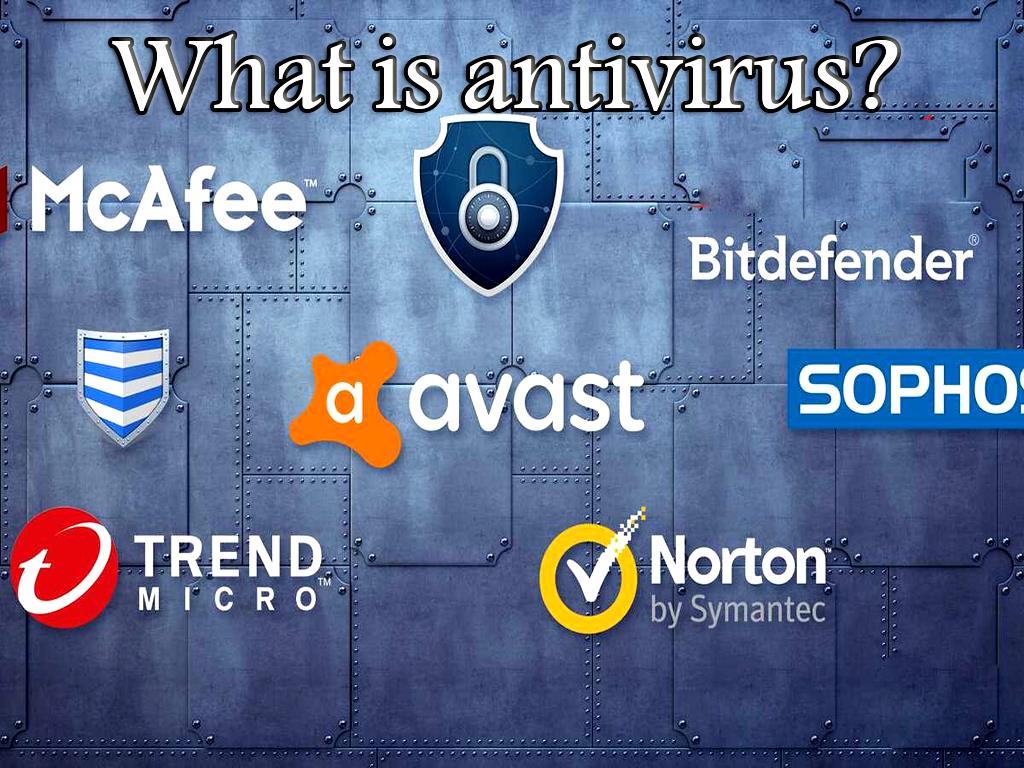
Simply put, antivirus is a software that prevents viruses and malicious agents from entering the computer and can greatly help users to increase the security of their system .

What is the best free antivirus?

A good antivirus software should have some features, the most basic one is to be able to scan for viruses and destroy them, and lots of other features.

Now we are going to mention some of the free antivirus software programs available.

1- Avira Free Antivirus:

One of the best antivirus software programs available for free which is Panda Free Antivirus also has many features that can be a good choice for you, in 2018, it was recognized as the best free antivirus which still has many consumers, this antivirus is generally divided into 3 different packages, which include basic, advanced and complete protection, through basic protection, you can protect your system against various threats , advanced protection allows you to download and share many files on different devices, and finally, through complete protection package, it is possible for you to shop online in complete security, it should be noted that by installing this antivirus, you can greatly protect yourself against malicious links.

4- Kaspersky Internet Security:

Kaspersky has the ability to greatly protect your system from all kinds of threats, and this antivirus can block the entry of various hackers and does not let them to infiltrate your information, this antivirus can also be a good option for you while shopping online and gives you the assurance that if you encounter a suspicious case, they will give you the necessary reports, so that you can take action in order to protect your information from hacking attacks .

5- Bitdefender Antivirus:

This antivirus provides you with every feature you need in order to increase the security of your system , easy and fast installation are the most important features that make this antivirus one of the best ones available, which makes it possible for all users, even novice ones, to use this antivirus easily, simply put, by installing this antivirus, you can use the features that a paid one provides for you, while, you do not need to pay anything for using it, and you take advantages of it as much as possible, this antivirus is one of the most powerful ones in scanning threats which is able to do this process with extremely high speed and maximize the security of your system.

 It should be noted that in this antivirus, everything is done automatically, and you cannot do scanning or other tasks by yourself, one of the biggest threats to various users is phishing, in which hackers get into your system via malicious email and compromise your important and sensitive information, this antivirus can withstand such threats and has control over phishing attacks, if you are an inexperienced user who has just started working with a computer, this antivirus with its easy-to-use feature can help you a lot if you want to provide security for your system and prevent your personal information from being accessible to hackers.

6- AVG AntiVirus Free:

This antivirus is a great one which can report all kinds of threats to you and there is almost no threat which is not being reported by this antivirus, it is also extremely easy to work with this type of antivirus and all people, even beginners can use easily in order to increase their information safety , it should be noted that if you want to do a deep virus scan, this antivirus needs a great deal of time which can be frustrating for some users, but despite the great amount of time it needs, we suggest that you do this every once in a while in order to make sure that your system is safe.


What is antivirus?

Last word:

In this article, we have tried to introduce you to the best free antivirus software programs available, so that you can make the most of the facilities which are provided to you without the necessity of having a great budget, of course, in addition to the mentioned antivirus software programs, there are other ones that can help different users in order to be able to increase the security of their system and resist attacks such as phishing and maintain the security of your data, etc., as a result, if you have not installed an antivirus yet, you should try your best to find a suitable one as soon as possible in order to increase the security of your system through it, and you should also try to keep in mind that updating the installed antivirus is a necessity, so you should try to update it regularly in order to let it do its tasks well due to the fact if the previous version had some problems, it will be definitely solved in the latest version, so if you want to own a perfect antivirus, you have to pay attention to the process of updating as much as possible.

DotNek بازدید : 116 سه شنبه 18 خرداد 1400 نظرات (0)

Top 11 Adventure games

adventure game is this game, which has an action and shooting style in the category of Android games, but it is also adventurous. This game has a science-fiction genre and is very rich and spectacular in terms of graphics and environment. In this game, while you are browsing, you have to solve various puzzles to get points.

4. To the moon

This game has a very interesting and exciting story and the storyline in this story is very important and vital. The game was first released for Android and 

7. Out there

Another game is this game that will have a great experience for players. In this game, you have to play the role of an astronaut who has come to his senses on an alien planet and intends to try to survive. In this game, you have to try to travel to different planets and establish friendly relations with the creatures that live on these planets, and convince them to help you. In this game, you have to repair your spaceship and try to get closer to your planet Earth. This game is a very 

Top 11 Adventure games

11. Frostrune

Another exciting game that falls into the category of adventure games is Frostrune. This game has a mythical and historical theme and is very exciting and different. If you are interested in the gods of Rome and Greece, this game can be a suitable option for you. This game is completely mysterious and is based on strange and challenging puzzles that you must solve to complete the steps of this game.

DotNek بازدید : 143 سه شنبه 18 خرداد 1400 نظرات (0)

In order for the operating system to support these fonts and show exactly what is in the application , it is necessary to apply special settings to support the fonts in the application. In this tutorial, we will teach you how to apply settings to the operating system to support application fonts. If you want to know about them, follow this tutorial.

Different types of font resources in Xamarin and how to use them

The ways to use fonts in operating systems and applications are as follows:

1- One way to use fonts and display them is to package all fonts as the source of Android 2- and put them in the application and operating system. In this case, it is clear that all fonts are always present in the Android operating system, and when needed, you can refer to its source. Packing fonts and placing them on the Android source allows us to access the fonts at all times.

3- The second way to use fonts is to download fonts. In this case, the Android operating system also supports the download of fonts, so that if necessary, we download the relevant font and save it inside the Android operating system. Fonts are downloaded by the font provider and the font provider checks to see if the corresponding font is present within the operating system. If there is no relevant font, the font provider will download it and save it inside the Android operating system.

It should be noted that all fonts that are similar or similar and have the same style are classified in one group. Fonts that have the same style and are similar to each other are grouped into groups such as font families. Users must consider unique specifications in order to use these similar fonts. In this way, they can choose their unique names or specify their characteristics. Android Support Library v26 uses API level 26 to support and use fonts. If we consider APIs whose level is less than 26, then we have to specify android: namespace and app: namespace for them. If we do not specify android: namespace and app : namespace for them and consider only android: namespace, they may not be displayed on lower than 26 operating systems. So in order for all fonts to be displayed with an API level less than 26, both android: namespace and app: namespace must be specified, otherwise if not specified, both fonts will not be displayed. APIs with a level below 26 do not support fonts and must be set to android: namespace and app: namespace in order to be displayed.

The code snippets below are used to display the font family in API level 14 and above.

<? xml version = "1.0" encoding = "utf-8"? >
<font-family
xmlns: android = "http://schemas.android.com/apk/res/android"
xmlns: app = "http://schemas.android.com/apk/res-auto">
<font android: font = "@ font / sourcesanspro_regular"
android: fontStyle = "normal"
android: fontWeight = "400"
app: font = "@ font / sourcesanspro_regular"
app: fontStyle = "normal"
app: fontWeight = "400" />
</ font-family>

To display different types of fonts in TextView, you need to make the appropriate settings. For example, the following code snippet describes how to display different types of fonts in TextView.

< TextView
android: text = "The quick brown fox jumped over the lazy dog."
android: fontFamily = "@ font / caveat_bold"
app: fontFamily = "@ font / caveat_bold"
android: textAppearance = "? android: attr / textAppearanceLarge"
android: layout_width = "match_parent"
android: layout_height = "wrap_content" />

Source of Font Package in Android

If the fonts are in the form of Packages, it means that the fonts are guaranteed to be inside the operating system and can always be used. Font files in TTF or TOF format like other programs are added to Xamarin. Android and stored in the operating system. The font files are located in the Resources folder of the Xamarin.Android project.

Note:

Fonts must have Built Action from AndroidResource.

Fonts in a family and group

Fonts that have the same style and are similar to each other are placed in a group called Font Families. The font family is saved with the font elements in the XML file. The XML file is also stored in the Resources / font path.

Each font family must have its own XML file to be saved with its fonts and elements. If you want to create a font family, you must add all the fonts to the Resources / font folder. Then create an XML file inside the created font folder.

The XML file creates a font family below and stores them in the Resources / font folder named sourcesanspro.xml.

<? xml version = "1.0" encoding = "utf-8"? >
<font-family xmlns: android = "http://schemas.android.com/apk/res/android"
xmlns: app = "http://schemas.android.com/apk/res-auto">
<font android: font = "@ font / sourcesanspro_regular"
android: fontStyle = "normal"
android: fontWeight = "400"
app: font = "@ font / sourcesanspro_"
app: fontStyle = "normal"
app: fontWeight = "400" />
<font android: font = "@ font / sourcesanspro_bold"
android: fontStyle = "normal"
android: fontWeight = "800"
app: font = "@ font / sourcesanspro_bold"
app: fontStyle = "normal"
app: fontWeight = "800" />
<font android: font = "@ font / sourcesanspro_italic"
android: fontStyle = "italic"
android: fontWeight = "400"
app: font = "@ font / sourcesanspro_italic"
app: fontStyle = "italic"
app: fontWeight = "400" />
</ font-family>

Three different values ​​can be given for the fontStyle attribute:

- normal

- Italic

- bold

The fontWeight feature is used to specify the font thickness and can take different values:

- Thin - 100

- Extra Light - 200

- Light - 300

- Normal - 400

- Medium - 500

- Semi Bold - 600

- Bold - 700

- Extra Bold - 800

- Black - 900

The code snippet below defines a family of fonts with Italic text style features and a thickness of 400:

<TextView
android: text = "Sans Source Pro semi-bold italic, 600 weight, italic"
android: layout_width = "match_parent"
android: layout_height = "wrap_content"
android: fontFamily = "@ font / sourcesanspro"
android: textAppearance = "? android: attr / textAppearanceLarge"
android: gravity = "center_horizontal"
android: fontWeight = "600"
android: textStyle = "italic"
/>

Provide custom font settings with programming

The code below shows how programming can be used to display fonts inside TextView:

Android.Graphics. Typeface = this. Resources.GetFont (Resource.Font. caveat_regular);
textView1.Typeface = typeface;
textView1.Text = "Changed the font";

If you use the GetFont method, it automatically selects the first font in the font family inside the folder, but if you want to choose a font with special features, you can use the Typeface.Create method. This method provides you with the fonts you want.

Selects the code below the font whose Typeface is bold for display in TextView.

var typeface = Typeface.Create ("<FONT FAMILY NAME>", Android.Graphics. TypefaceStyle.Bold);
textView1.Typeface = typeface;

Download fonts

Instead of using packaged fonts and storing them inside the operating system, you can download the fonts and temporarily save the audio inside the operating system or application . In this case, you also reduce the size of the APK. If you use packaged fonts, the size of the APK will increase, but if you download the fonts from various sources and temporarily store them in applications and operating systems, their size will decrease.

Fonts are downloaded from various sources by the font provider. Android operating system with version 8.0 has a font provider for downloading fonts from various sources that download fonts from this version from Google Font Repository.

How the font provider works is that after requesting a program or application for a font with special features and specifications, the font provider checks whether there are fonts with the same features and specifications in the system. If there is no font with the same features and specifications, the font provider tries to download the font from different sources and submit it to the program and application. After downloading the font from a source, in addition to the program and application request Other programs and applications can also use the downloaded font, although it should be noted that applications do not request the font directly from the font provider, but applications and applications will use the FontsContract API.

How to support Android operating system with version 8.0 of downloading fonts from various sources:

1- Announcing downloadable fonts for the Android operating system as a source: In this case, the program announces the downloadable fonts as XML resource files. Android saves these fonts on the system after downloading and integrating them.

Programming:

A FontRequest is considered for each font and FontRequest is sent to the FontsContract class. FontsContract actually takes FontRequest and then receives the desired font from the font provider.

2- resources files must be added to the Xamarin.Android project and application before the fonts are downloaded. First, the fonts are placed inside the XML file in the Resources / font folder.

The code below shows how to download the fonts in full:

<? xml version = "1.0" encoding = "utf-8"? >
<font-family xmlns: android = "http://schemas.android.com/apk/res/android"
xmlns: app = "http://schemas.android.com/apk/res-auto"
android: fontProviderAuthority = "com.google.android.gms. fonts"
android: fontProviderPackage = "com.google.android.gms"
android: fontProviderQuery = "VT323"
android: fontProviderCerts = "@ array / com_google_android_gms_fonts_certs"
app: fontProviderAuthority = "com.google.android.gms. fonts"
app: fontProviderPackage = "com.google.android.gms"
app: fontProviderQuery = "VT323"
app: fontProviderCerts = "@ array / com_google_android_gms_fonts_certs"
>
</ font-family>

The information that Android needs to receive and download fonts is as follows:

fontProviderAuthority:

Allows the Font Provider to check and use the request.

fontQuery:

is actually a string that helps the font provider to find the desired font.

fontProviderCerts:

is a resource presentation.

Font Certificates

If the font provider is not already installed on the device, the Android operating system will need some font provider security certificates. These certificates are stored inside the resource array file in the Resources / values ​​directory and path.

For example, the code below is an XML file that stores Google font provider certificates.

<? xml version = "1.0" encoding = "utf-8"? >
<resources>
<array name = "com_google_android_gms_fonts_certs">
<item> @ array / com_google_android_gms_fonts_certs_dev </ item>
<item> @ array / com_google_android_gms_fonts_certs_prod </ item>
</ array>
<string-array name = "com_google_android_gms_fonts_certs_dev">
<item>

</ item>
</ string-array>
<string-array name = "com_google_android_gms_fonts_certs_prod">
<item>
</ item>
</ string-array>
</ resources>
Despite these source files, fonts can be downloaded and used.
Declare downloadable fonts as the source of the fonts
If we list the downloadable fonts inside the AndroidManifest.XML file, Android will start downloading them asynchronously.
<? xml version = "1.0" encoding = "utf-8"? >
<resources>
<array name = "downloadable_fonts" translatable = "false">
<item> @ font / vt323 </ item>
</ array>
</ resources>

After these codes, the following code must be added to them:

<meta-data android: name = "downloadable_fonts" android: resource= "@ array / downloadable_fonts" />

Download fonts using the Font API for use in applications installed on the Android operating system

If you use the FontContractCompat.RequestFont method to download fonts, this method will first check if the requested font is present within the system itself. If the desired font is not inside the system, the font provider will start searching for that font from various sources and finally download it and use it inside the application and system. FontRequest is the same request that is sent to the font provider and requests the download of the font with the desired specifications.

If the desired font does not exist inside the system and the font provider cannot download it, then the default font of the Android operating system will be used.

Different types of font resources in Xamarin

FontRequest has four sections:

Font Provider Authority: This part of FontRequest allows the Font Provider to use the request and the Font Provider downloads the desired font and places it in the system according to the request.

Package:

Font Provider is used to authenticate and actually allows it to use the request.

fontQuery:

This section is a string that contains details and information about fonts.

fontProviderCerts:

This section is also a resource presentation.

The following code describes FontRequest simulation:

FontRequest request = new FontRequest ("com.google.android.gms. fonts", "com.google.android.gms", <FontToDownload>, Resource.Array.com_google_android_gms_fonts_certs);

The code below also indirectly downloads the font from the Google Fonts Open Source collection.

public class FontDownloadHelper: FontsContractCompat.FontRequestCallback
{
// A very simple font query; replace as necessary
public static readonly String FontToDownload = "Courgette";

Android.OS. Handler = null;

public event EventHandler <FontDownloadEventArg> FontDownloaded = delegate
{
// just an empty delegate to avoid null reference exceptions.
};


public void DownloadFonts (Context context)
{
FontRequest request = new FontRequest ("com.google.android.gms. fonts", "com.google.android.gms", FontToDownload, Resource.Array.com_google_android_gms_fonts_certs);
FontsContractCompat.RequestFont (context, request, this, GetHandlerThreadHandler ());
}

public override void OnTypefaceRequestFailed (int reason)
{
base. OnTypefaceRequestFailed (reason);
FontDownloaded (this, new FontDownloadEventArg (null));
}

public override void OnTypefaceRetrieved (Android.Graphics. Typeface typeface)
{
base. OnTypefaceRetrieved (typeface);
FontDownloaded (this, new FontDownloadEventArg (typeface));
}

Handler GetHandlerThreadHandler ()
{
if (Handler == null)
{
HandlerThread = new HandlerThread ("fonts");
handlerThread.Start ();
Handler = new Handler (handlerThread.Looper);
}
return Handler;
}
}


/// <summary>
/// EventArg when a font has been downloaded.
/// </ summary>
public class FontDownloadEventArg: EventArgs
{
public FontDownloadEventArg (Android.Graphics. Typeface typeface)
{
Typeface = typeface;
}
public Android.Graphics. Typeface {get; private set;}
public bool RequestFailed
{
get
{
return Typeface! = null;
}
}
}
The code below also creates a FontDownloadHelper that will guide and assist you in the font download process.
var fontHelper = new FontDownloadHelper ();

fontHelper.FontDownloaded + = (object sender, FontDownloadEventArg e) =>
{
// React to the request
};
fontHelper.DownloadFonts (this); // this is an Android Context instance.

In this tutorial, you will get acquainted with the APIs used in version 8.0 of Android. How to place fonts inside the APK and use and display them in the layout in this tutorial, was taught. You can apply special settings using the codes included in this tutorial and you can use different fonts by using two methods of programming and downloading fonts.

DotNek بازدید : 137 سه شنبه 18 خرداد 1400 نظرات (0)

Top 15 sports games on Google play and Apple app store?

1. Golf King - World Tour 

One of the Top 15 sports games is this game. One of the attractions of this game compared to similar cases, which has made it one of the best sports games of 2020, is the multiplicity of golf courses. They are elegant, beautiful, and designed with a lot of details and make you enjoy watching the scenery around the characters in the game. Of course, regardless of the type of land, the goal is the same; You must throw the ball into the target hole. You can change the shape and image of the character to your liking and wear the clothes you want.

2. Champion of The Fields 

This game's graphic is unparalleled, and its detailed and accurate gameplay allows you to implement your strategies on the ground without mistakes. You will also see some familiar names in the game, but do not expect FIFA quality. In Champion of The Fields, the skill of the players is so important. Yes, good players will be your savior in moments and a strong team will increase your chances of winning, but if you are not smart enough and do not have enough skills, it will be nothing but a failure of your income, so practice.

3. Table Football, Soccer 3D 

If you are interested in table Football, then be happy that from now on, another of the best Android football games will always be in your pocket. Table football is a three-dimensional football. The game's graphics are high and you can enjoy scoring goals in this game anywhere and in any situation.

4. Grand Mountain Adventure 

Grand Mountain Adventure has great gameplay and character control is very comfortable and attractive. Challenge lovers enter professional competitions and force themselves to collect more points by crossing flags. Other users will remove the restrictions and enjoy mountain skiing.

5. Score! Hero 

This game leaves out the boring parts of football and focuses on the moments that matter most: the goal position. There are more than 700 different challenges in the game and you will be in different situations and you will have to do many impossible things. What makes this game attractive is that the goals are the result of your accuracy and skills, and when you score a goal, you will feel deep satisfaction.

6. F1 Mobile Racing 

iOS and Android that shows Spanish football. This game is arcade-style and very fun. Two players (or one player against AI) face each other in one-on-one matches. This game is a bit like ping pong but in a more attractive model!

8. Hockey All-Stars

Compared to rugby and basketball, Hockey All-Stars does not have a professional and major hockey league in the United States, and for this reason, the official game has not been developed for it.  Considering all Android and IOS mobile games for hockey, Hockey All-Stars is the best option.

9. Soccer Stars 

Soccer Stars is an online football game that has attracted a lot of fans and almost everyone interested in mobile games has tried this game once; For this reason, it is considered one of the best football games for Android and iOS. You can play this online game with your friends or family and enjoy it. Soccer Star is one of the most popular online multiplayer games, has an attractive and acceptable graphical environment, and has very simple rules and methods of play.

10. Madden NFL Mobile Football 

The rugby league, or so-called American football, ended before the recent pandemic started, but that does not mean that the fans of this sport do not miss their favorite team! On the PlayStation and Xbox consoles, the Madden NFL is one of the best options for a home rugby experience. Fortunately, the mobile version has been developed for both Android and iOS platforms and is one of the best sports games of 2020.

11. eFootball PES 2021 

eFootball PES 2021 is one of the biggest competitors of FIFA among the best football games for Android and IOS. Some also believe that this game is better than FIFA. The e Football PES 2021 game has great graphics, a unique control mechanism, team building system, an online multiplayer section, a Local multiplayer section, and other features.

12. NBA Live Mobile Basketball 

The number of NBA Professional Basketball League fans is no less than the NFL (Rugby).  NBA Live Mobile Basketball is a product of Electronic Arts Studio and is one of the best options for basketball experience on Android or iPhone phones.

13. Extreme Football 

If you are tired of famous stadiums and superstar footballers, the game of Extreme Football will take you to neighborhood matches and dirt fields. In Extreme Football, you lead only one player and compete in two-on-two or three-on-three matches.

14. Soccer Star 2020 Top Leagues 

You can play a young player and work with him to succeed. The proper performance and satisfaction of the coach will be your main priority.  Start your football career with a small local team and progress to higher leagues.

Top sports games on Google play and Apple app store?

15. Ultimate Soccer - Football 

There are not many games that can be equated with Ultimate Soccer.  This game has very attractive and impressive 3D graphics with very smooth gameplay.

About our Game development services

DotNek بازدید : 104 سه شنبه 18 خرداد 1400 نظرات (0)

What is the best gaming phone of 2020 and what are its technical specifications?

Gaming mobiles are one of the most popular gaming tools today that have attracted a lot of people's attention. These phones have compatible features that make them very suitable for gaming . Many different brands around the world produce these mobile phones and have been able to attract a lot of people. These phones, like any other structure, have different qualities. In this article, we want to name some examples of the best gaming mobile phones that were produced in the year 2020. If you are also curious to know these phones and want to get interesting information about hardware and how they work, follow us to the end of this article. We try to provide you with more information about this mobile phone so that you can buy these mobile phones with a more open mind and enjoy playing with them as much as you can.

Razer Phone 2

The first best gaming phone of 2020 is this one. In appearance, the Razer Phone 2 is quite similar to its predecessor (which in turn was very similar to the Nextbit Robin smartphone). Measuring 8.5 x 78.99 x 158.5 mm, it is slightly wider and thicker than the previous model, but the difference is so small that it is practically impossible to distinguish between the two. The relatively large bezels, powerful speakers at the top and bottom of the display, and the power button on the edge of the phone (with a fingerprint sensor built into it) are all reminiscent of the previous Razer products. The selected color can be displayed on the logo in three different modes: Respiratory mode (which raises and lowers the brightness), Static mode (which keeps the amount of light constant at a certain degree of brightness), and Spectrum cycle mode (Which displays all colors alternately on the logo). Of course, you may not like this lighting due to battery consumption. In this case, the Chroma app allows you to turn off the lighting completely or select only the low-power mode. In this case, the logo will only be lit when the screen is on. It should be noted that this idea of ​​Razer is unique and has never been seen before in the world of smartphones.  Not to mention that despite some display advantages over other competitors, the Razer Phone 2 still uses LCD panels (with Sharp IGZO technology) instead of LED displays. You may decide to use an LCD for a higher refresh rate, but on the other hand, LCD panels often make the phone a little thicker and usually cannot display the colors with the quality seen in LED displays. Razer used the Snapdragon 845 8-core chip (with a maximum clock speed of 2.8 GHz and Adreno 630 GPU) to prove that the Razer Phone 2 is no less than the famous flagships.

One Plus 8 and One Plus 8 Pro

The One Plus 8 and 8 One Plus 8 Pro both have the same features like a Snapdragon 865 processor, Adreno 650 GPU, 128GB and 256GB of internal storage, 8GB and 12GB of RAM. Both phones have almost the same hardware and are not so different and only have differences in their screen, camera, and battery. The OnePlus 8 has a 6.55-inch display and the OnePlus 8 Pro has a 6.78-inch display.  Both screens are AMOLED , with the difference that the OnePlus 8 has a refresh rate of 90 Hz and the OnePlus 8 Pro has120 Hz. OnePlus' latest flagships have powerful batteries with very high charging speeds. The company for the OnePlus 8 uses a battery with a capacity of 4300 MAH with a charging speed of 30 watts, which can increase its charge from 0 to 50% in 22 minutes. But the OnePlus 8 Pro has a 4510 MAH battery and can be charged with a 30-watt fast charge, which is suitable for a gaming phone.

what are its technical specifications?

XIAOMI BLACK SHARK 3

At the heart of the Black Shark are three Snapdragon 865 chips that support 5G technology. Thanks to the liquid cooling system of the fourth generation of this processor, gamers will be able to spend hours playing their favorite gaming experience without considering the warm-up of the phone. It is interesting to know that the manufacturer of these two smartphones has confirmed that it takes only 12 minutes to charge the battery to 50% and 38 minutes to fully charge it. In this series, we also see these cases, for example, we can mention 4 points sensitive to the amount of pressure on the screen. In the Pro model, we also see two additional buttons that are designed on the left edges of the phone.  These buttons are physically unlike the capacitive buttons on the Asus ROG. But as a disadvantage, we can mention the 90 Hz screen of this phone, of course, it should be noted that the 90 Hz screen is not such a weakness, but for professional gamers , this issue is very important. Other notable features of the Xiaomi Black Shark 3 include a dual rear camera with 64-, 13- and 5-megapixel lenses, a 20-megapixel selfie camera, a 3.5mm headphone jack, and a USB-C charging port for UFS 3.0 memory. Xiaomi Black Shark 3 is one of the greatest gaming phones in the world and due to its powerful specifications, it is easily included in the list of the best gaming phones of 2020.

Click here

DotNek بازدید : 111 سه شنبه 18 خرداد 1400 نظرات (0)

Hackers are people who have a lot of intelligence in various fields, especially the computer world, and you have definitely heard the names of some of the biggest hackers in the world in the news, so it’s not hard to guess that how dangerous hackers can be, in general, hackers are in different categories, and each has its own characteristics, among them, black hat hackers are people who infiltrate your system with malicious intent and may manipulate or delete information in your system, or they may steal your information and ask you to pay a lot of money in order to return your information, large government agencies are always concerned about black hat hackers attacking their systems and stealing their information, which is why everyone, even beginners, need to know more about these people, if you try to know their characteristics, you can deal with them properly in the case of danger, and increase the security of your personal and important information.

Who are black hat hackers?

Who are black hat hackers?

Black hat hackers are people who use their talents and knowledge to achieve their own immoral goals, they enter the system through security holes and do destructive things to it, these people are exactly the opposite of white hat hackers, they may use viruses to infiltrate people's systems, then enter the virus into the system and achieve all their goals by importing the virus, if the security of your system is not high enough and your system has security holes, they will get help from all these cases and enter your system, so that they can access your important information, such as credit card number, important documents, etc., and ultimately harm your system, by having this important information.

In contrast to black hat hackers, as mentioned earlier, there are white hat hackers whose whole effort is to help various organizations and systems to make the efforts of black hat hackers ineffective and fail to achieve their goal, black hat hackers may hack different people just in order to get excitement in their life, or they may be looking for specific information in different people's systems, and other goals that all ultimately lead to a danger for the security of a system and the information contained in it.

Hacking is a money-making business:

The number of hackers is increasing day by day, and one of main the reasons that can be mentioned is that, it is considered as one of the ways that people can earn a lot of money through it, and they know the fact that, if they want to earn more money, they have to increase their knowledge in this field, each hacker uses different methods to achieve their desires, for example, some of them try to create malicious software that users will encounter an infected system after using this software , and may even lose all the information in their system quickly, or they may create malicious links that people lose their information with just one click, and other various methods that black hat hackers use with great skill in order to achieve their goals.

It should be noted that a number of hackers try to contact people whom they intend to infiltrate their system and persuade giving remote access to their system, and finally implement all their desired acts and achieve their goals quickly, after a few days, the user may find out the things that happened to his/her system and try to restore the security of the system.

Black hat hackers are very difficult to find:

Black hat hackers, as we mentioned before, are very smart people who leave no trace of themselves, so if your system is hacked by such hackers, it is almost impossible to find them, for example, in one of the hacker attacks, after many attempts in order to find them, only 4 of the hackers was found in Britain and the main ones which were located in India could not be found, despite all the difficulties in finding black hat hackers, it has been seen that some of them have been found by the authorities and punished for their illegal actions.

 In general, you should keep in mind that it is very difficult to find people who have hacked your site and system , and it is better to do all the necessary security things properly to protect your site from being hacked by such people, because if your system security is perfect enough, you are safe, and they cannot easily penetrate your site as well as accessing your information, in order to do this, you can use the tips that are being used to increase the security of the site , and eliminate all security holes in your system.

What are the characteristics of black hat hackers?

- curiosity:

All hackers, including black hat hackers, are very curious, and they are constantly asking different questions to themselves and others around in order to gain information, and they always try to get their questions answered as quickly as possible, after getting the answer to their question, another one will arise in their minds, so they always have some questions in their minds in order to get whatever they want.

- They move in the opposite direction of other people:

Black hat hackers have a strong tendency to try things that other people might not have, and it may not make sense for ordinary people to do such things, black hat hackers try all the available ways and proceed unlike other people in order to achieve important results and make more possibilities available to them, for example, if they provide a tool, they never go to the manual because they prefer to learn how to work with it by themselves, so they try different ways in order to learn something.

- They are addicted to their computer:

Black hat hackers spend many hours a day working with their computers, and they are learning tips through which can be used to penetrate people's systems in order to get what they want, you can never keep black hat hackers away from their computer for a long time.

- They do their tasks in order:

Contrary to popular belief, black hat hackers are regular people who do all their work according to plan and on a regular basis, as we mentioned, they are constantly learning and put the points they learn separately in files, so that they can refer to them and use them if needed.

- They are introverted:

Black hat hackers are often introverted people who do not like to make friends with others, they don’t like crowded gatherings and prefer to be alone in most cases to be able to spend time with their computer.

- Highly focused:

Black hat hackers are very focused on the task that they are doing on their computer when it comes to achieving their goals.

- Want to be seen with their success:

Black hat hackers do their best to overtake other hackers and compromise the security of systems which not every hacker can access and steal their information in order to be seen with their success.

Some world’s famous black hat hackers:

- Adrian Lamo:

Adrian Lamo became known after hacking into the systems of the New York Times, Google, and Microsoft and Yahoo, this hacker used public places to hack.

- Jeanson Ancheta:

This person is one of the most famous black hat hackers in the world who has committed great hacks, among which we can mention the spread of a virus called rxbot, which was able to control up to 500,000 computers, which has caused this hacker well known among users and Other hackers .

- Kevin Poulsen:

He is one of the most famous black hat hackers who write for one of the most popular magazines today, in fact, he hacked the telephone lines of the Los Angeles radio program and won the prize of this program, which was a Porsche car.

What are the characteristics of black hat hackers?

Last word:

In general, hackers have a huge world, black hat hackers have their own unique personality, in this article, we have mentioned some of their personality traits, so that you can become more familiar with them and try your best to protect your system information from such people.

DotNek بازدید : 142 سه شنبه 18 خرداد 1400 نظرات (0)

In general, hackers are like ordinary people, and the only difference between them and other people are their computer intelligence, they may use this intelligence to implement legal actions, or they may prefer to use it to do some illegal actions like stealing information from other systems, which choosing each one depends on their personality, due to the increasing number of hackers who have destructive goals in mind and the ones who cause serious damage to various systems, the existence of white hat hackers has become necessary, these people use their science and knowledge to deal with other types of hackers.

In fact, in order to stop black hat hackers and the other types of it, you need to get help from people who are familiar with their techniques, personality, and methods of work, certainly, no one has more control over all of these issues than a white hat hacker, in the rest of this article, we are going to explain white hat hackers more.

What does a white hat hacker do?

What is a white hat hacker?

white hat hackers , in this section we will go into more detail about their responsibilities, white hat hackers put themselves in the place of black hat hackers and look at the entire security system from their point of view, and finally come to the conclusion on how they can infiltrate the system and report all their actions to the organization in order to fix them if there is a security hole.

As you know, hackers use social engineering methods to crack down on security systems, finally, white hat hackers gather all the important information through social engineering, so that they can access information that is effective in enhancing system security, another thing that white hat hackers do is sniffing, through which they can find all the gaps in the network.

Why do all systems need white hat hackers today?

Today, there are many reports of cybercrime, which is due to the fact that, nowadays, users keep almost all their information on mobile devices or laptops, etc., and also most transactions are being done through mobile phones, all of these factors cause people who have a lot of intelligence and want to make a lot of money at the same time, to try hacking others’ systems.

In fact, more users are trusting the Internet, and this trust causes hackers to access more resources to hack, when the number of Internet users increases, the number of cybercrime reports increases as well, which indicates that there is the necessity of white hat hackers existence among users and organizations, a white hat hacker in more detail.

How to become a white hat hacker?

To get started, you need to have a bachelor's or master's degree in a related field such as computer programming, computer science, information security or information technology, or have had some training in this field before, so that you can study improve your science by studying, in addition to the degree, work experience is also very valuable for employers, and only if you have work experience in a reputable organization for several years, it is likely that you will be selected as a white hat hacker for a great company, thus by increasing your computer knowledge, there is an opportunity for you to work in a reputable company.

Once you have completed these two steps, it is time to take the white hat hacker training course and get certified, so that you can finally present your certificate to your employer, so they will trust and give you responsibility, you should keep in mind that you need to update your knowledge on a regular basis, so that you do not lag behind your competitors in this field, to update your knowledge, you can also use the training videos available on the Internet, and you can also get help from training workshops about security and computers, another thing that white hat hackers need to specialize in, is the skill in Linux, which is very important for hackers, and they must have complete expertise in order to be able to do their job properly and ensure system security . You may be interested to get acquainted with some of the most famous white hat hackers and know a little about them, so we are going to mention some of them below.

Some top white hat hackers in the world:

- Stephan Wozniak:

Steve Waznik is an American computer engineer, inventor, and scientist who was initially fired for hacking into the university system in which he studied, and is now known around the world as one of the white hat hackers.

- Linus Torvalds:

Linus Torvalds is one of the most famous white hat hackers in the world, which was initially known for the beginning and development of the Linux kernel as well as the Gate software, and eventually became more famous by continuing activities in this field.

- Tsutomu Shimomura:

Tsutomu Shimomura is currently the CEO and technology director of Neofocal Systems and has a wealth of computer knowledge, all of which has made him one of the most famous white hat hackers in the world.

- Joanna Rutkowska:

Joanna Rutkowska is one of the most successful women in the computer world who has been able to do a lot of research in the field of security systems.

What is a white hat hacker?

Last word:

In general, the world of hacking is a huge world, and it is very attractive for everyone, even people who have no knowledge about computers, to follow all the news of hacking, so if you are interested in hacking, and you are also talented in this regard, you should try your best to become a white hat hacker as soon as possible.

DotNek بازدید : 46 سه شنبه 18 خرداد 1400 نظرات (0)

Casinos have been one of the most popular and entertaining industries for the last hundred years. The casino has a very happy and exciting environment where many people can earn millions.  Many people from all over the world are interested in gathering in casinos and winning with a spirit of risk-taking and a little bit of luck, and earning millions. This issue and the popularity and pervasiveness of casino games have led game developers to consider transferring their casino environment to mobile applications so that more people around the world can access these services. We are going to introduce some of this kind of games to you. If you are also curious to know these games and get a lot of information about them, follow us to the end of the article. In general, Google Play will not allow you to gamble and bet, and the games in this application are for entertainment only, and you cannot gamble inside the game. Here are some of the most popular games

Top 7 Casino games for Android and IOS.

1. Twenty-five in one casino

This game is a very popular game in which you can play various types of games in casino such as video poker, roulette, and other popular games that are among the casino type of games. You can bet on sports games in this program. This is a great option for you and allows you to play with people you are interested in. In this game, different advertisements are displayed that can be a little annoying, but other than these cases, this game is very popular and suitable.

2. Big Fish Games

Another popular casino game is this game developed by Google .  This game has different types of games and is very diverse. The strategy in this game is completely offensive and this game requires you to buy tokens frequently.  These tokens will help you to play a more exciting game. This game has disadvantages and has different drawbacks, but in general, it will transfer a proportionate experience to you. Also, this game has tried a bit to reduce the casino mood in the game space, but anyway, this game is exciting.

3. Casino Frenzy

One of the casino type games is Casino Frenzy , which is a bit more common than other games. This game is a combination of slots as well as video poker, which brings a lot of excitement. This game, like many other games, has different types of different slots and video poker games. This game has many benefits and also has hourly rewards for you. This game is designed and produced to a large extent according to the rules of games of casino and will immerse you more in the casino space. This program can sometimes have various bugs, but if you are interested in these kinds of games, this game can be useful for you.

4. GNS Grand Casino

This game is a versatile game that includes almost all casino games.  In this game, you can experience a lot of excitement. This game contains very big victories and it is very easy to play in it.  In this game, daily prizes are provided for you and a lot of excitement will be transferred to you while playing. This game is designed for Android and you can download this game for free and enjoy playing in it.

5. Huuuge Games

Another casino game is this game. The creator of this game has tried to use a lot of creativity in its development . This game is more focused on slots. You can download other similar games along with this game and enjoy playing in it. This game will satisfy your fighting spirit and needs. This games on average and will help you to continue playing more easily and without any problems.

6. Zynga casino games

Another game that falls into the category of casino kind of games is this game that can be played on mobile phones. This game is available for free to everyone and will help you to enjoy playing without any problems.  This game is similar to poker and works the same way. In this game, you spin your luck machine to win or lose. This game will be very entertaining for you and can keep you entertained for a long time.

7. Lucky Win Casino

Another casino game is the game of chance. This game will give you a good experience and playing and downloading it is completely free. You have to refresh all your steps in this game every day to prevent them from disappearing. Also, in this game, you can send various gifts to the friends you want. This game is one of the great successes in the field of design and production of this kind of games and has been able to attract a lot of people.

Top 7 Casino games

Conclusion

In this article, we have tried to talk to you about different types of games which have taken from casino. These games are the same games that are physically played in the casino, which have been released to you this time by the creativity of the designers in the form of mobile applications . In a very small number of these games, you will be able to gamble because gambling causes huge financial losses and prevents money from circulating in society, which is why mobile app laws do not allow distributors to produce apps that there is gambling on these applications. We also suggest that you avoid gambling and gambling-related games as much as you can; Because gambling can waste many years of your try.

تعداد صفحات : 39

اطلاعات کاربری
  • فراموشی رمز عبور؟
  • آرشیو
    آمار سایت
  • کل مطالب : 383
  • کل نظرات : 0
  • افراد آنلاین : 3
  • تعداد اعضا : 0
  • آی پی امروز : 3
  • آی پی دیروز : 50
  • بازدید امروز : 5
  • باردید دیروز : 55
  • گوگل امروز : 0
  • گوگل دیروز : 0
  • بازدید هفته : 299
  • بازدید ماه : 2,179
  • بازدید سال : 14,241
  • بازدید کلی : 204,495